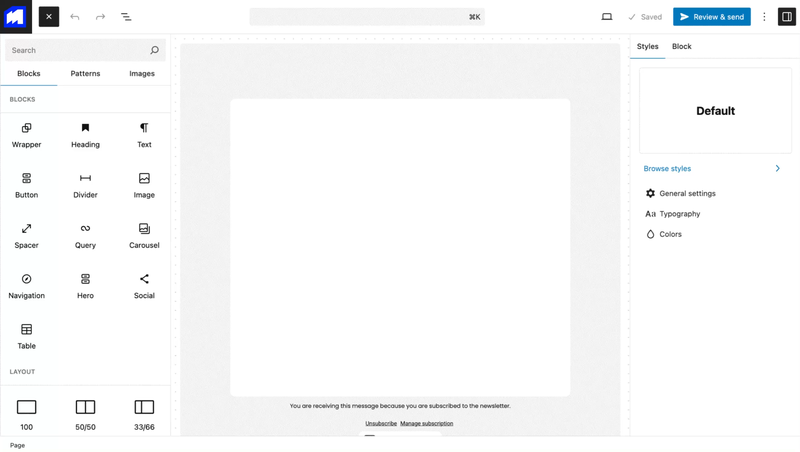
MailerPress 2.1 is about sending the right message to the right person. Emails can now adapt to each contact, campaigns can be tested before they reach your whole audience, and moving your list from another tool takes a few clicks instead of a CSV marathon.
What’s new in 2.1
Conditional Block Display
Show or hide any block of an email based on contact data, custom fields, engagement or WooCommerce purchase history. Target customers who bought a given product, whose order has a specific status, or who never opened your last campaigns, all within a single email.
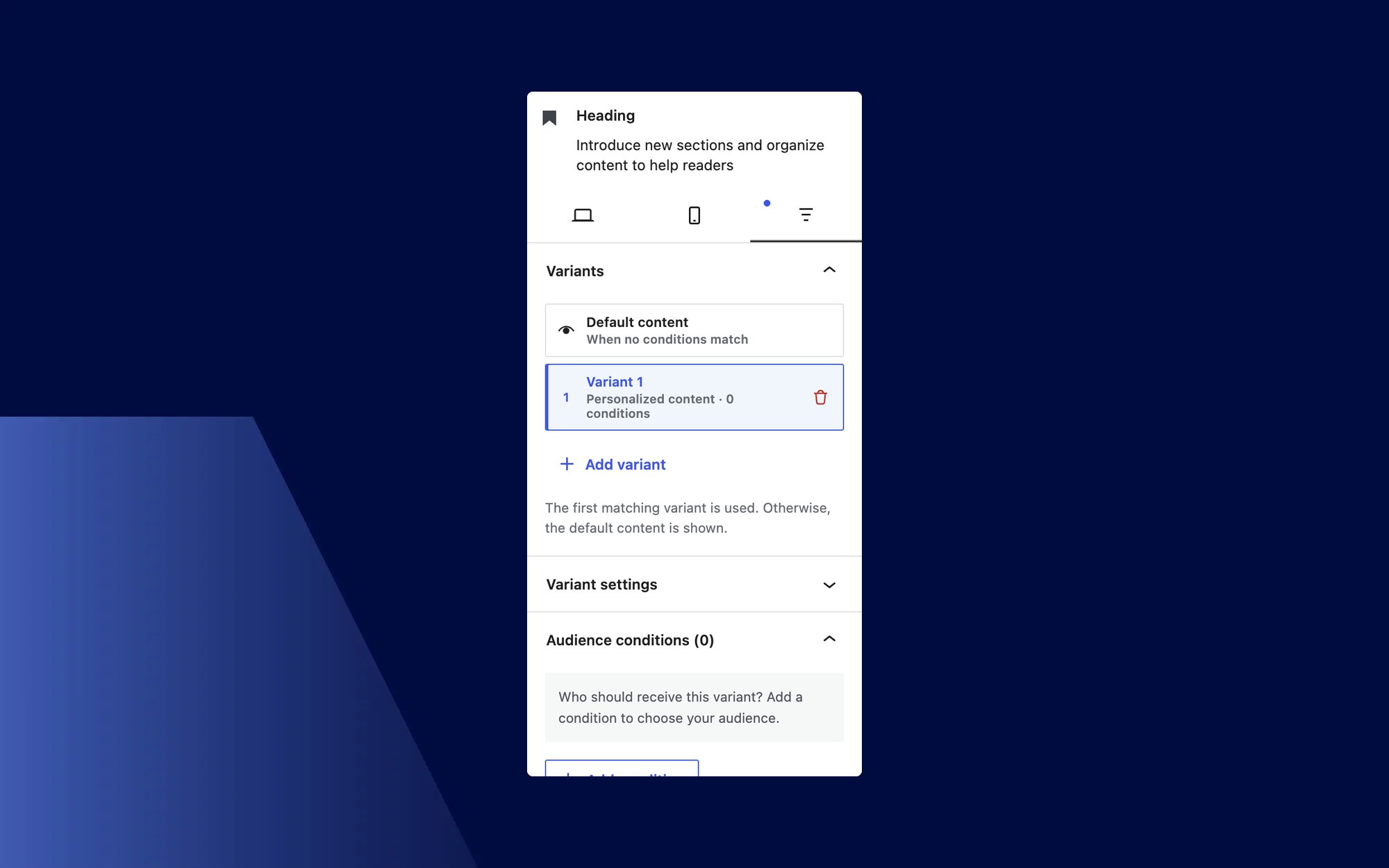
Conditions are evaluated the same way everywhere: in sent emails, in public campaign previews and in the rendered MJML output.
A/B Testing
With MailerPress Pro, create two to five variations of a campaign, then split your audience or test them on a sample first. MailerPress selects the winner based on opens or clicks, and the detailed comparison shows how each variation performed, down to a click heatmap.
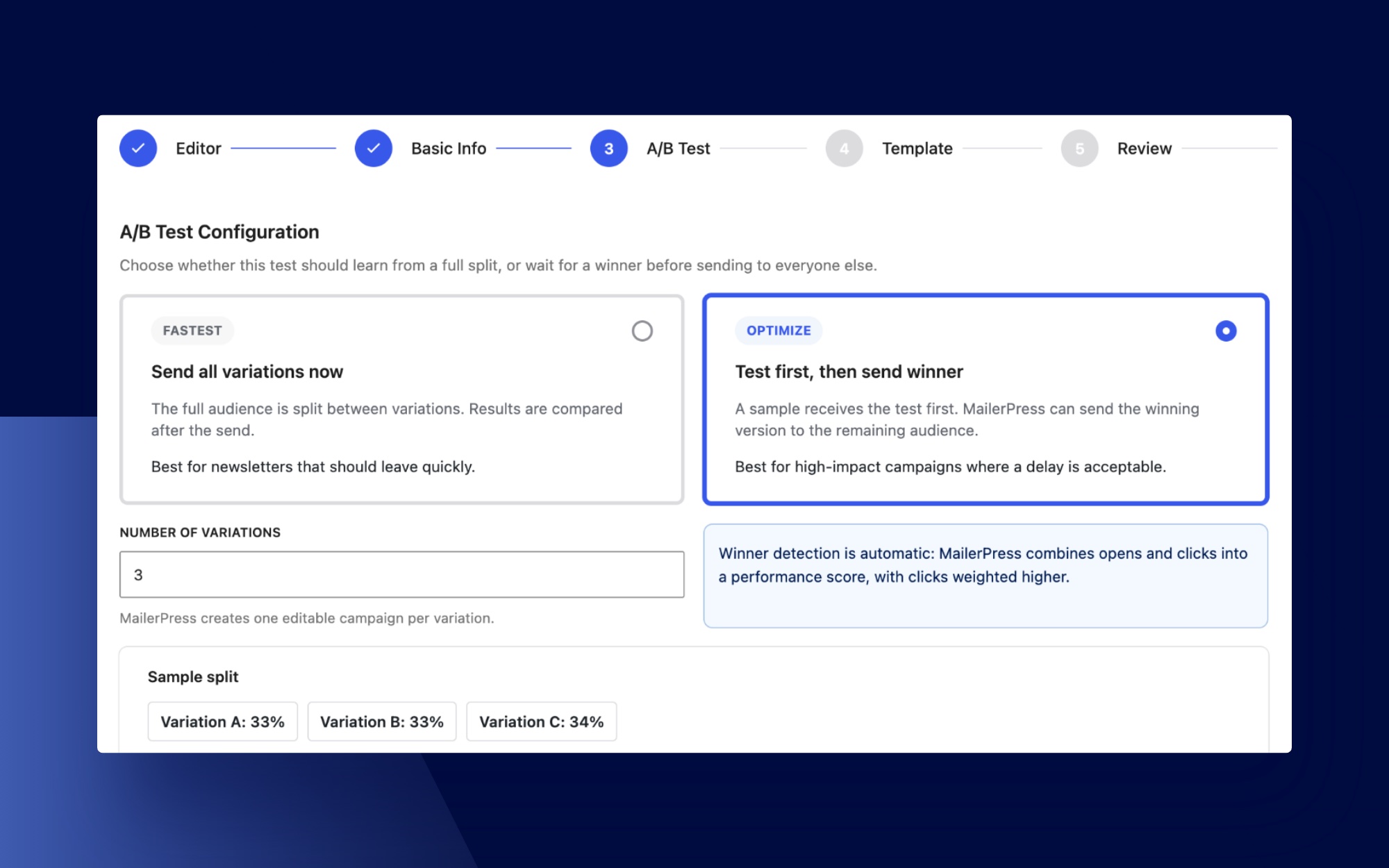
That heatmap also comes to regular newsletter click reports, next to the list of contacts who clicked, so you can see at a glance which links attract the most attention.
Migration Center
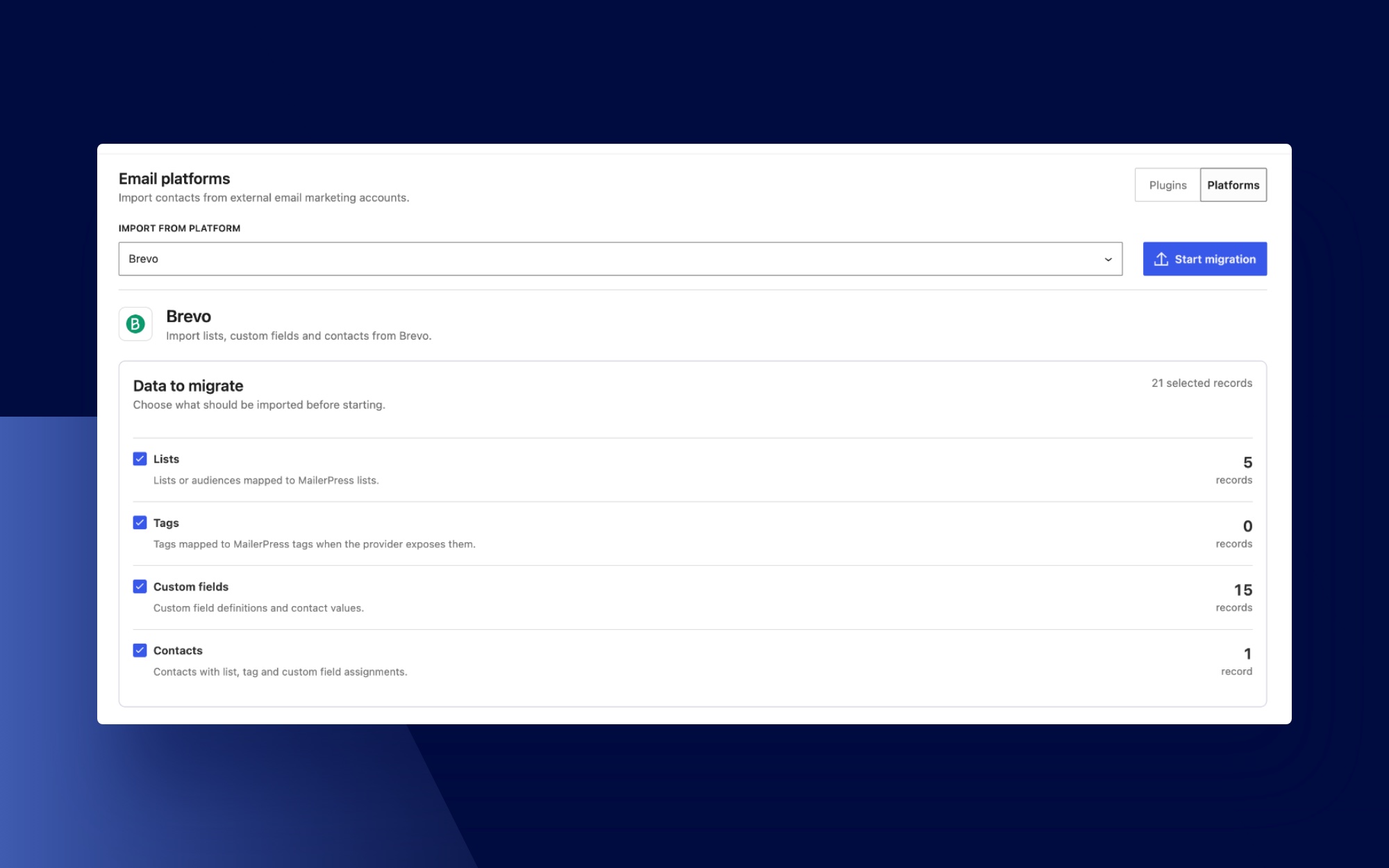
Switching to MailerPress no longer means exporting and re-importing files. The new Migration Center moves your contacts, lists, tags and custom fields directly from MailPoet or Newsletter. MailerPress Pro also imports audiences from Mailchimp, Brevo, MailerLite, SendGrid, Mailjet, Resend and Emailit.
Engagement and Re-engagement
Knowing who still reads your emails keeps your list healthy and your deliverability high:
- Contact Engagement: MailerPress tracks opens and clicks, automatically identifies inactive subscribers and sends them a one-time re-engagement email asking whether they still want to hear from you.
- Richer contact profiles: each profile shows open and click rates, recent activity and the last recorded interaction. Click an email address in the contacts list to open it directly.
- Resend to non-engaged (Pro): give a campaign a second chance by targeting contacts who did not open it, did not click, or did neither.
- Engagement-based segmentation: build more precise audiences with engagement conditions and clearer controls for advanced segments.
Smarter Automations
Workflows can now measure what they achieve and wait for the right moment:
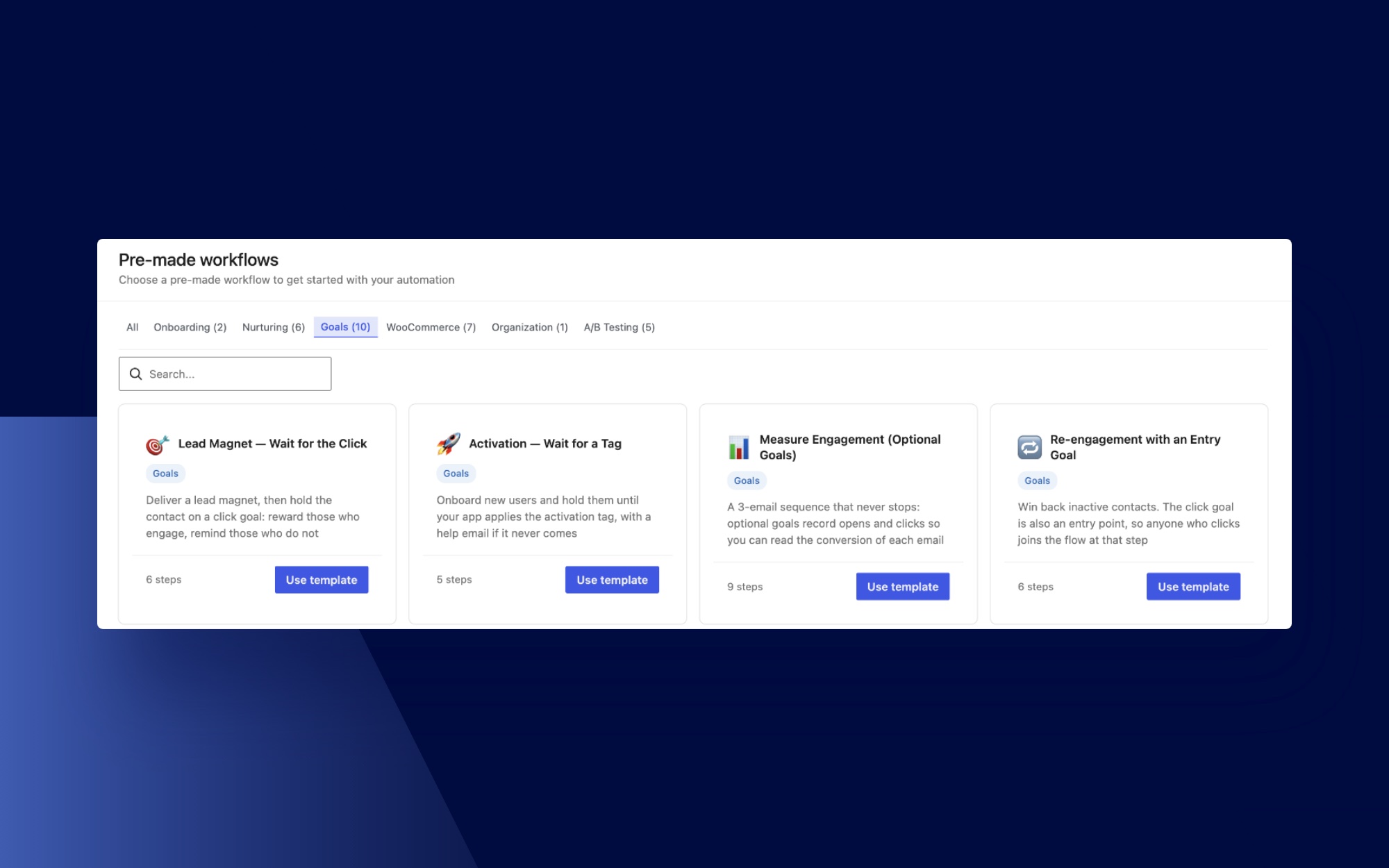
- Automation Goals: track opens, clicks, purchases, tags, subscriptions and other outcomes inside a workflow. A goal can measure conversions, hold contacts until an action happens, move engaged contacts forward or become an additional entry point, with ready-made templates and detailed conversion statistics.
- Wait Until Date: pause a workflow until a precise date and time, for launches, events, seasonal messages and other time-sensitive journeys.
- Load Post Fields: bring a post’s title, content, featured image and custom fields into a workflow to build dynamic emails.
- WooCommerce Inactive Customer (Pro): build win-back journeys for customers who stopped ordering, and start from ready-made coupon and reward workflows.
A Faster Email Editor
Most of the editor work in this release happens directly in the email preview:
- Paste from Word and Google Docs: headings, paragraphs, lists, images, tables, dividers, links and inline formatting become editable MailerPress blocks. Images upload in the background with visible progress, and pasted content is strictly sanitized before it enters the editor.
- Direct manipulation: resize columns with handles revealed on hover, add a column from a block’s hover controls, and drag blocks, columns and sections straight in the preview. Insertion buttons now appear only on hover or keyboard focus.
- Subscription Links block: add unsubscribe and manage-subscription links without handling merge tags, keep one or both, and style their labels in the editor.
- Product Showcase search: find published products by title, ID or slug, without selecting the same product twice.
- Better theme integration: Full Site Editing and theme.json support keeps your site’s colors, typography and design settings consistent in the email editor, and Post Content blocks gain spacing and padding controls.
Sending and Deliverability
- One-click unsubscribe (RFC 8058): subscribers can unsubscribe directly from compatible inboxes such as Gmail and Apple Mail, as mailbox providers now expect from bulk senders.
- Multiple sender addresses: configure several “From” identities and pick the right one for each campaign in Review & Send.
- ToSend and self-hosted Postal (Pro): two more delivery options, with bounce handling and guided webhook configuration.
- Safer sends: MailerPress now prevents the same campaign from being scheduled or sent twice, and Review & Send clearly marks each step that still needs attention.
New Integrations
MailerPress Pro connects to more of your WordPress stack:
- SureCart and FluentCart: collect consent at checkout, map customer fields and assign lists or tags. FluentCart customers can also manage their subscriptions from their account.
- Easy Digital Downloads: let digital-product customers join your audience at checkout, customize the opt-in message and assign lists and tags automatically.
- Kadence Blocks Advanced Forms: turn form submissions into MailerPress contacts, map standard and custom fields, and require consent when needed.
- OpenAI image generation: create campaign visuals with OpenAI directly from the MailerPress media tools.
Control for Teams and Developers
- Access Control (Pro): decide which WordPress roles can manage campaigns, contacts, templates, automations, settings and other areas of MailerPress.
- AI Usage Protection (Pro): set monthly limits for AI actions and generated images, with ready-made usage levels or custom allowances.
- Custom merge tags: register your own merge tags in PHP and use them in campaign and automation content and subjects, with fallback values.
- WordPress user sync (Pro): run several independent synchronizations, each with its own roles, lists, tags and field mappings. Existing configurations are preserved.
This release also fixes emoji handling in campaigns, background images in saved HTML, duplicate automation triggers and the rendering of the Default font in Gmail, along with many smaller editor issues.
Changelog
View the full changelog.
Get MailerPress 2.1
MailerPress 2.1 is available now. You can update the plugin directly from your WordPress dashboard or download the latest version from your account.
If you have any questions regarding the new features, please consult our documentation or contact support.