




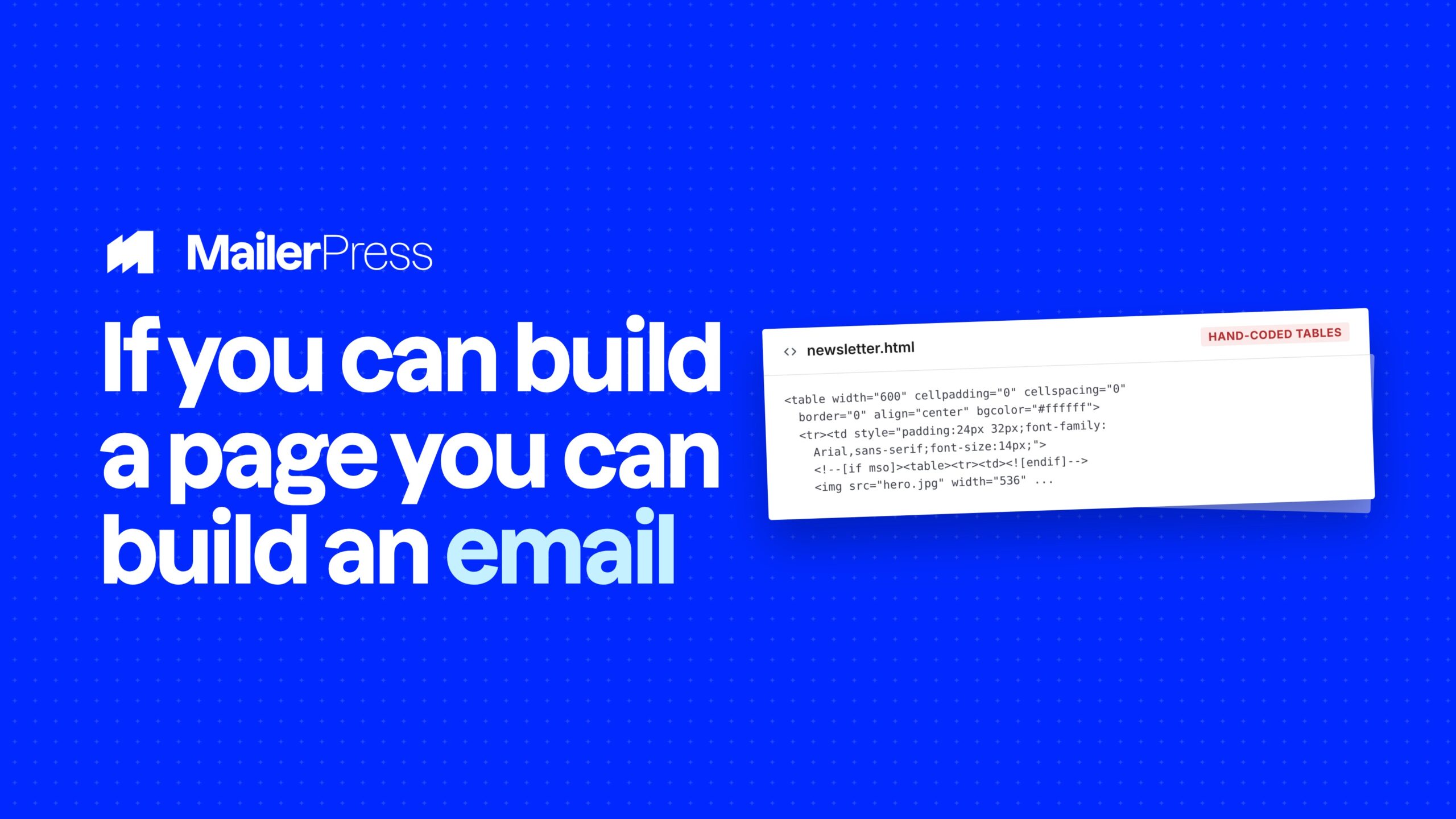
If you can build a page in WordPress, you can build an email. Drag, drop, done! Same blocks, same patterns, same brand. No HTML, no tables, no new interface to learn.
Drag, drop, send
Inside the drag-and-drop email builder
01
Design stunning emails in minutes – No coding required
Create professional, responsive emails effortlessly with our intuitive drag-and-drop editor. Simply drag blocks into place, customize content, and watch your email come to life — all within WordPress. Perfect for marketers, bloggers, and online stores alike.
Intuitive interface for fast email creation.
Works with all WordPress post types (posts, products, events and so on).
Fully responsive design for desktop and mobile
02
Seamless integration with WordPress block editor
MailerPress uses the same React components as the WordPress block editor, ensuring your email design perfectly matches your website UI.
Editing feels familiar, fast, and consistent.
03
Build emails your way with dozens of blocks
From headings to hero sections, tables to carousels, our extensive block library lets you craft the perfect email layout. Combine multiple blocks for unlimited creative possibilities.
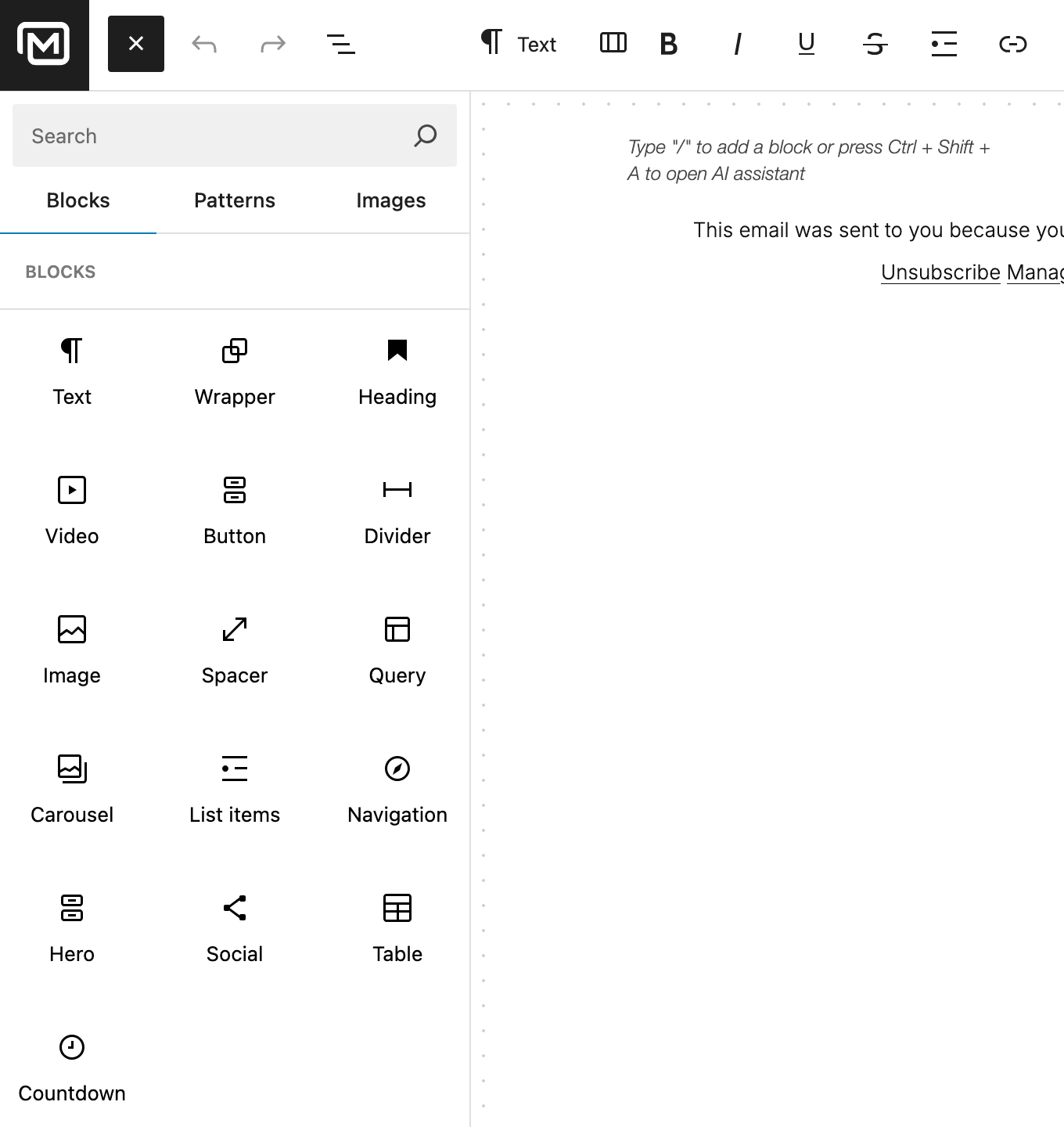
Paragraphs, headings, images, videos.
Buttons, navigation menus, social icons.
Countdown timers, carousels, dividers, spacers, tables, lists, wrappers.
04
Write, translate & enhance emails instantly with AI
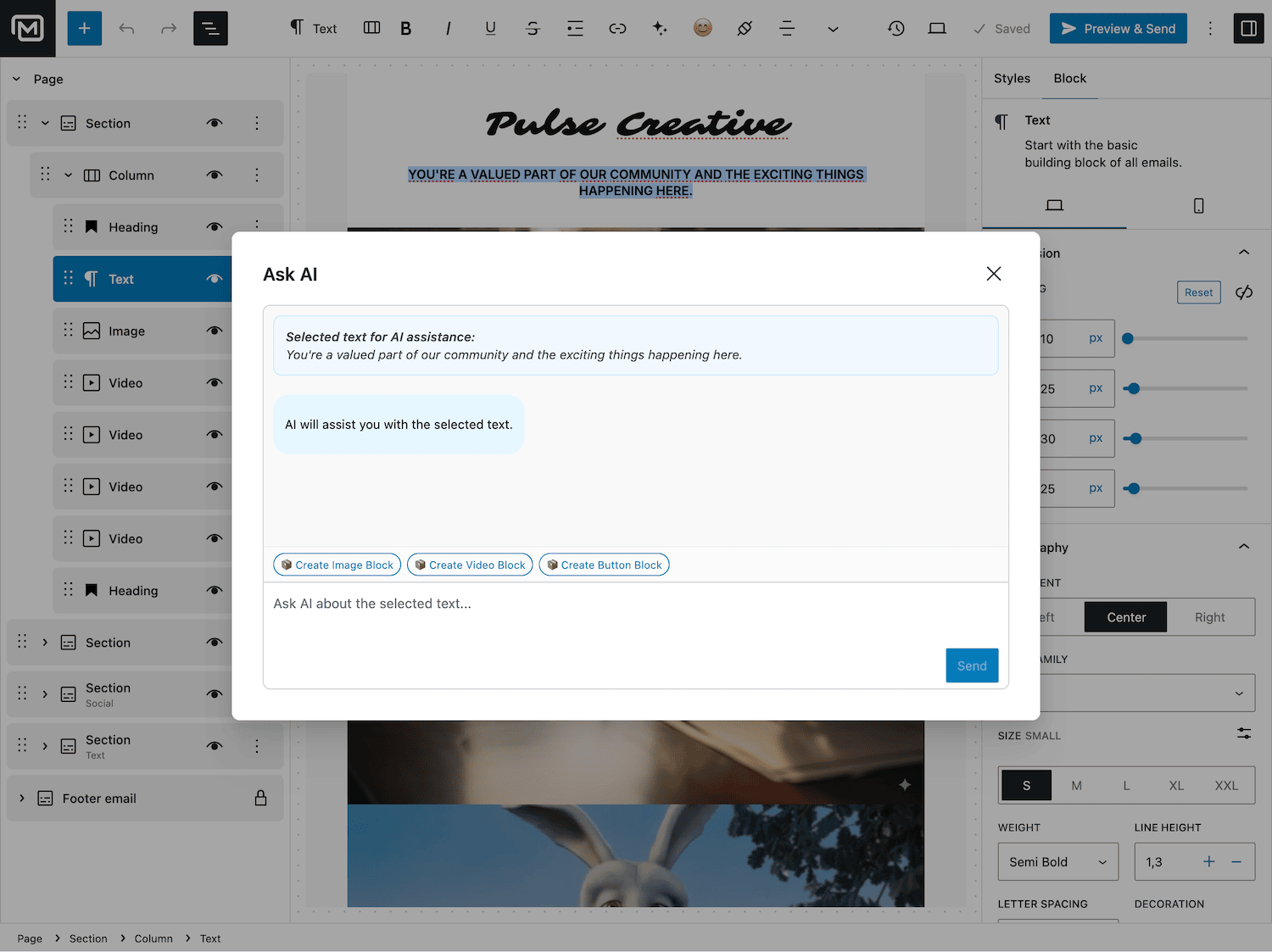
Save time and boost engagement with AI-powered email writing and editing.
Generate content, translate for global audiences, and enhance readability and tone automatically.
05
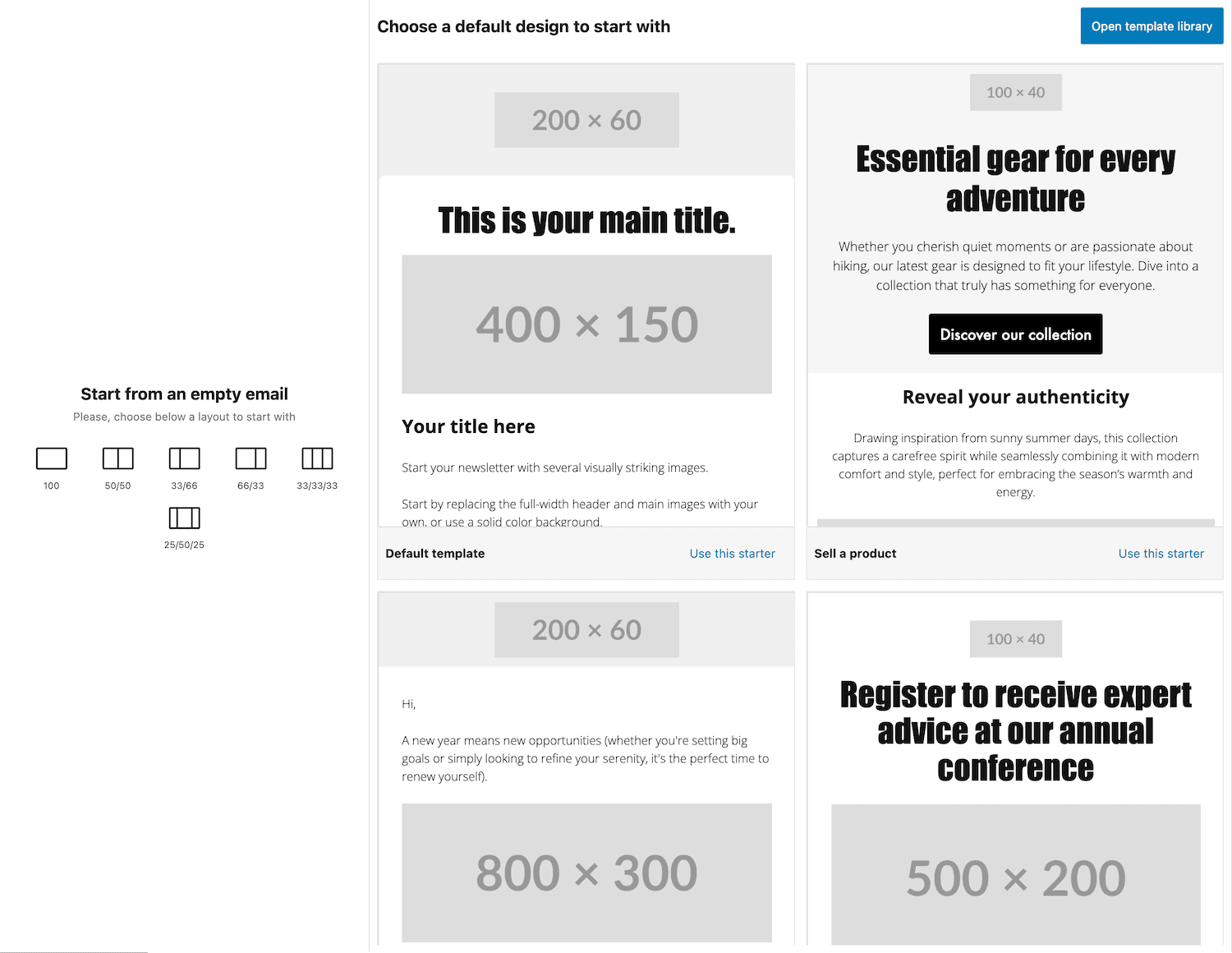
Flexible layouts for any design
Choose from ready-to-use column layouts or create your own to structure content perfectly.
Single-column (100%).
6/33, 33/66).
Three-column (33/33/33, 25/50/25).
06
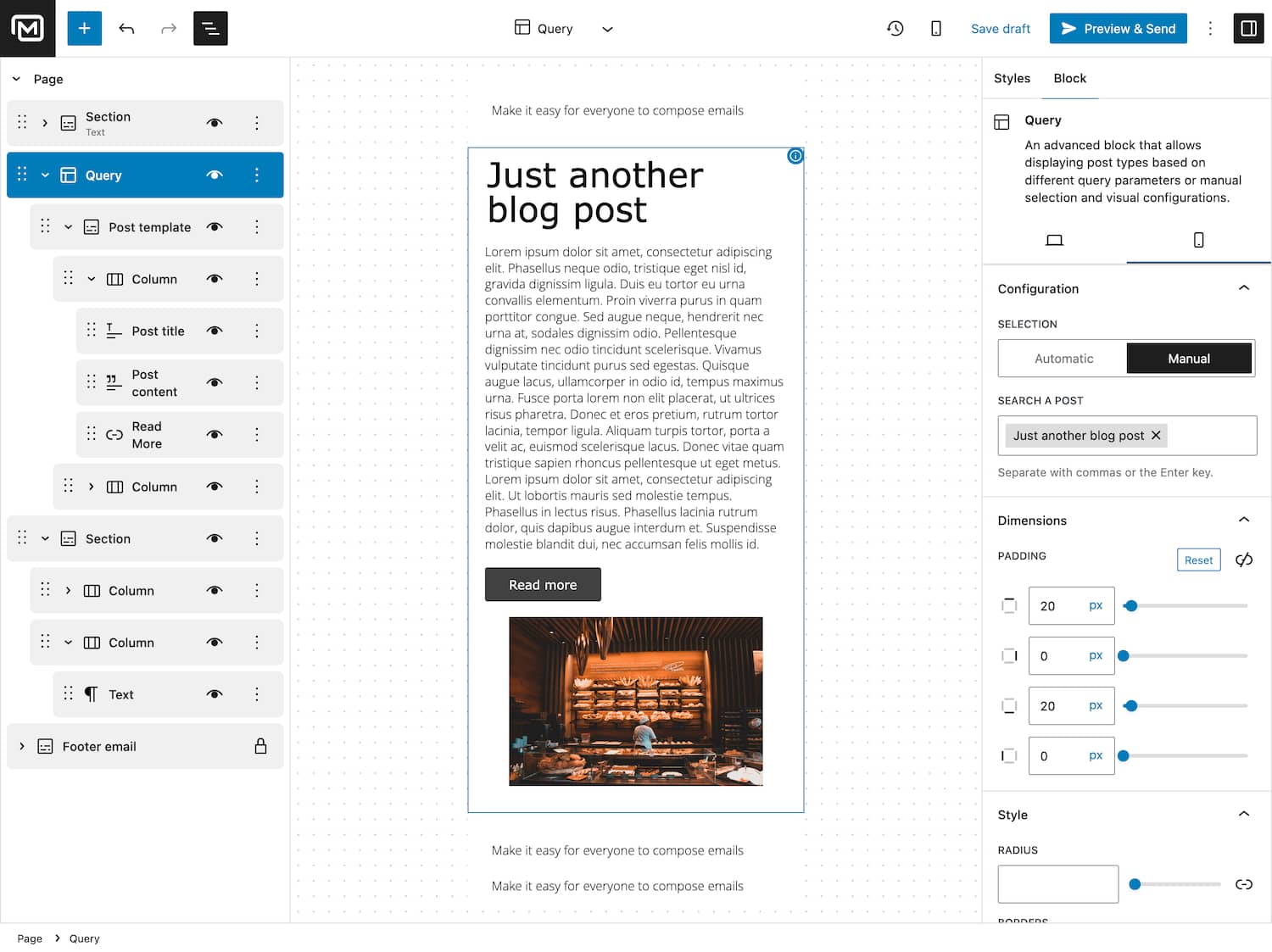
Perfect your email for every device
Customize separate designs for mobile and desktop users. Ensure your content looks amazing no matter how subscribers open it.
Fully responsive design out of the box.
Adjust spacing, font sizes, and layout for mobile.
Optimize product grids and post templates.
Increase conversions with a mobile-first experience.
07
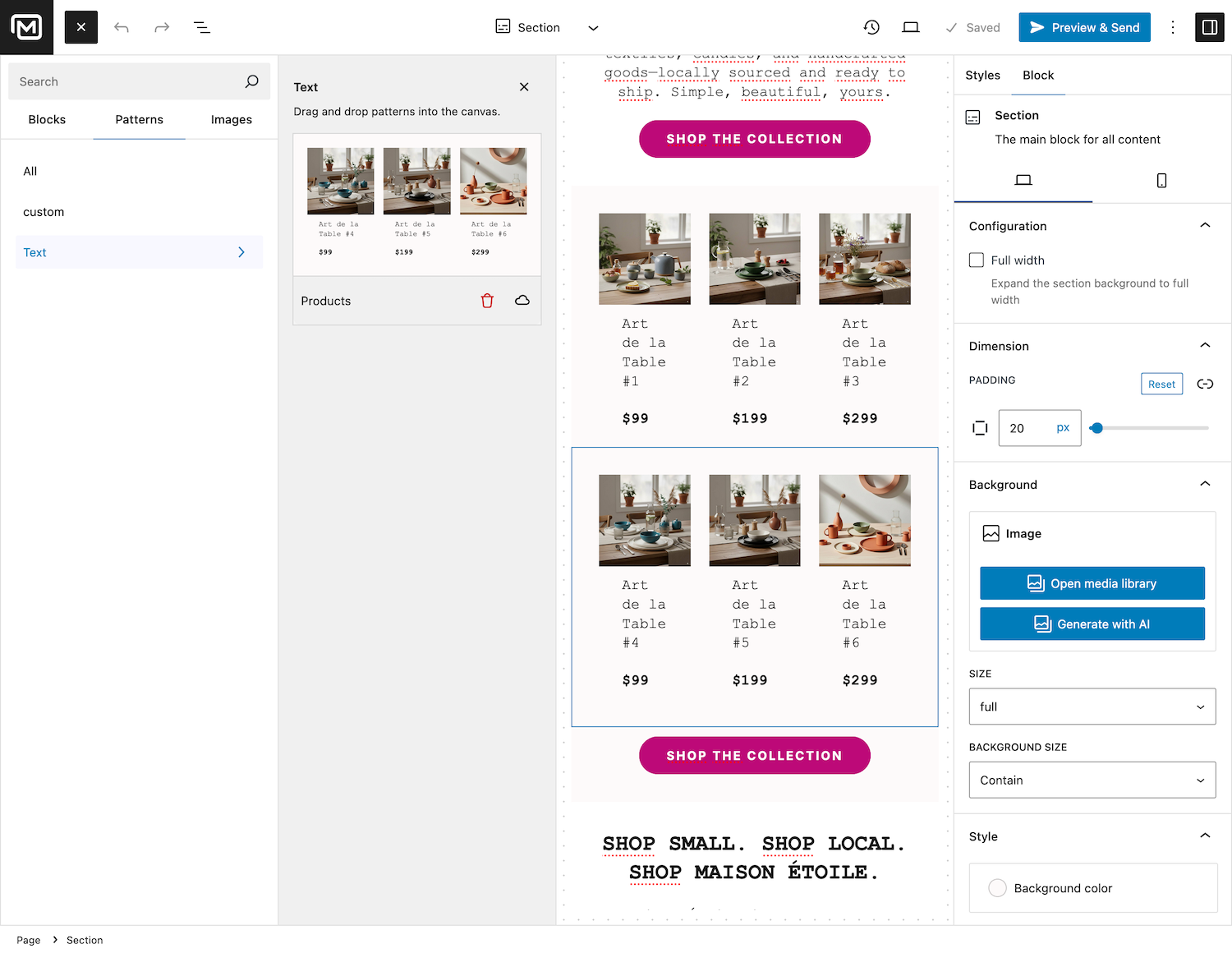
Reuse your favorite designs with custom patterns
Save your block arrangements as patterns and reuse them across multiple campaigns.
Maintain consistency and speed up email creation.
08
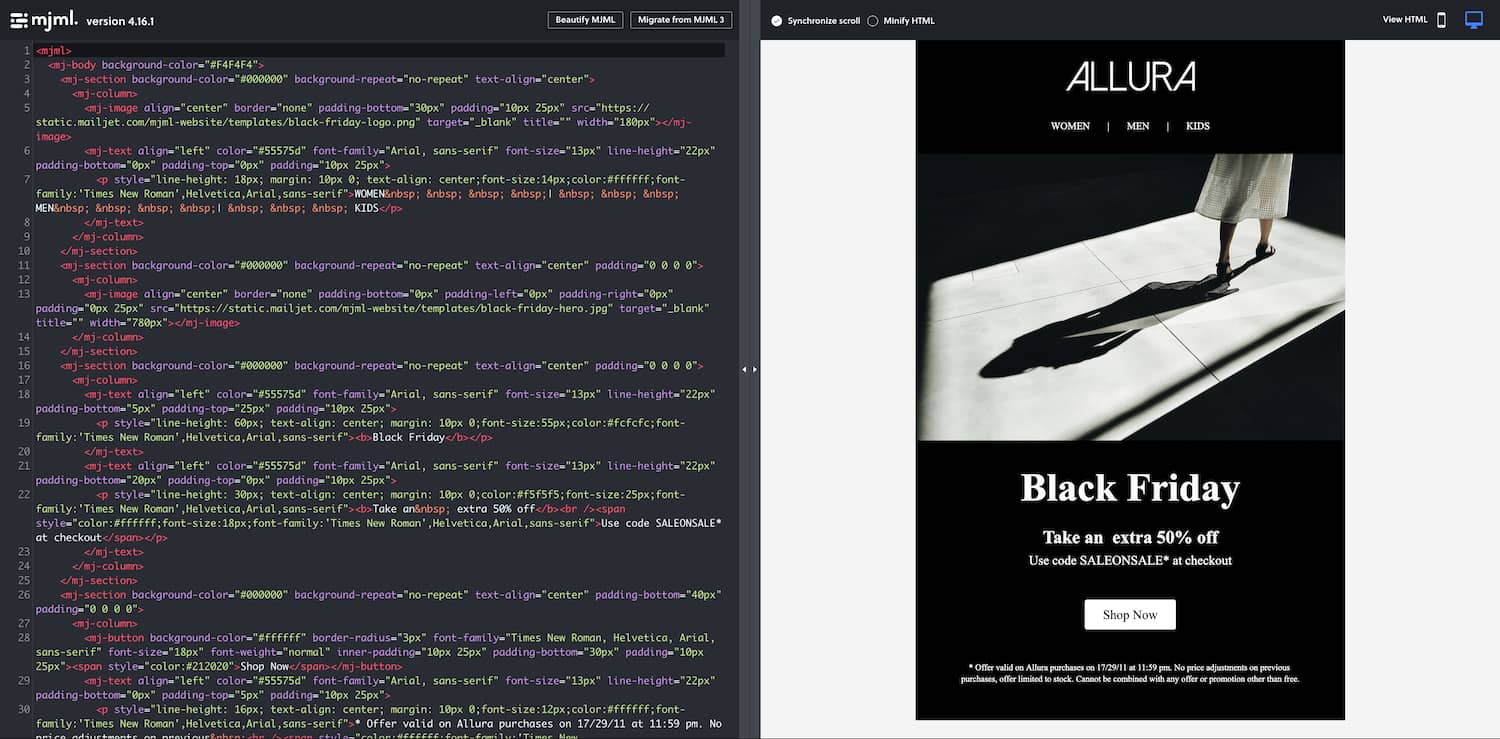
Import designs easily from external libraries
Bring your existing MJML templates into MailerPress with ease.
Maintain responsive layouts and clean HTML, saving time while keeping your email campaigns looking flawless.
09
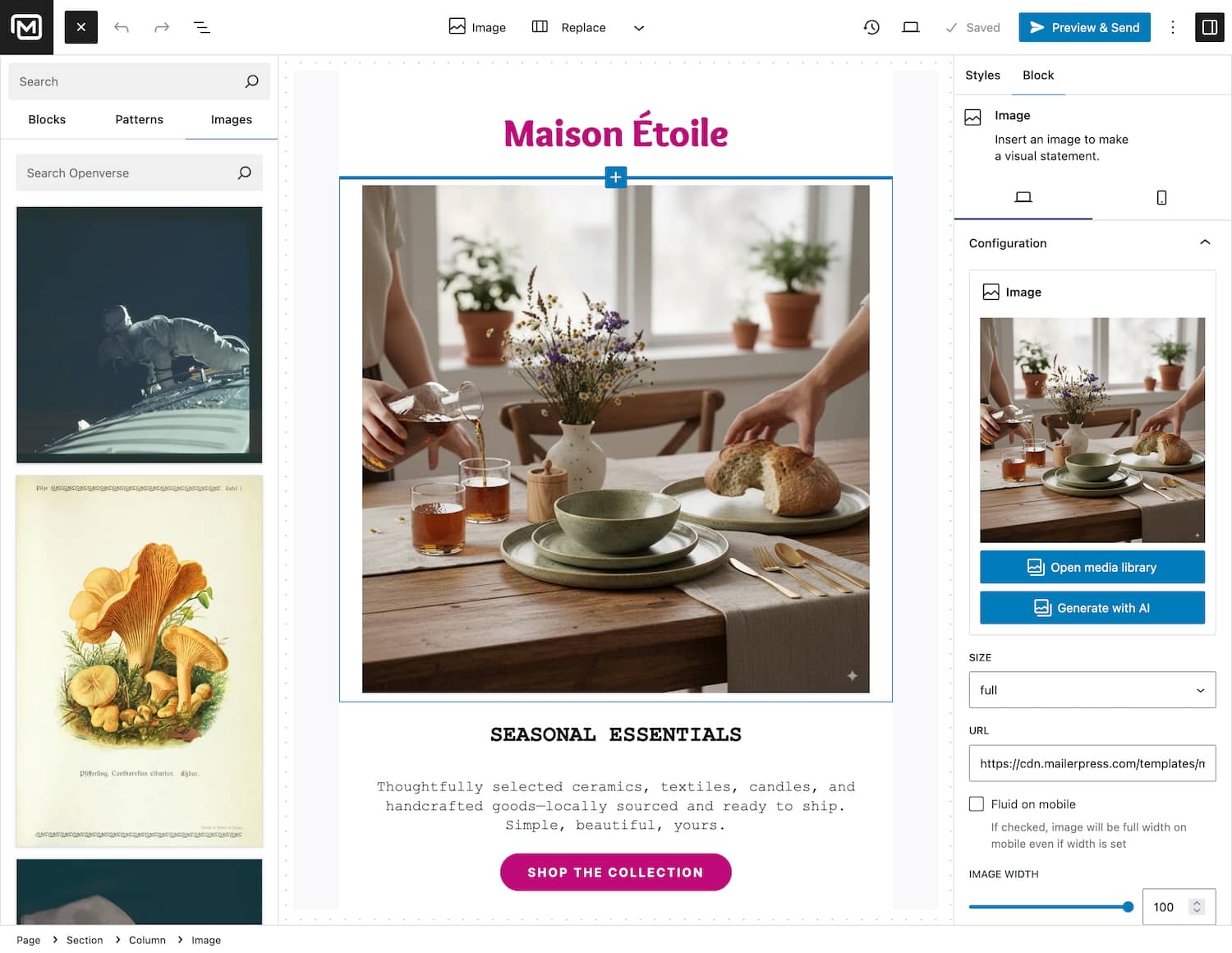
Access free, high-quality images instantly
Enhance your emails with stunning visuals from OpenVerse.
Search, select, and insert images directly within the editor.
10
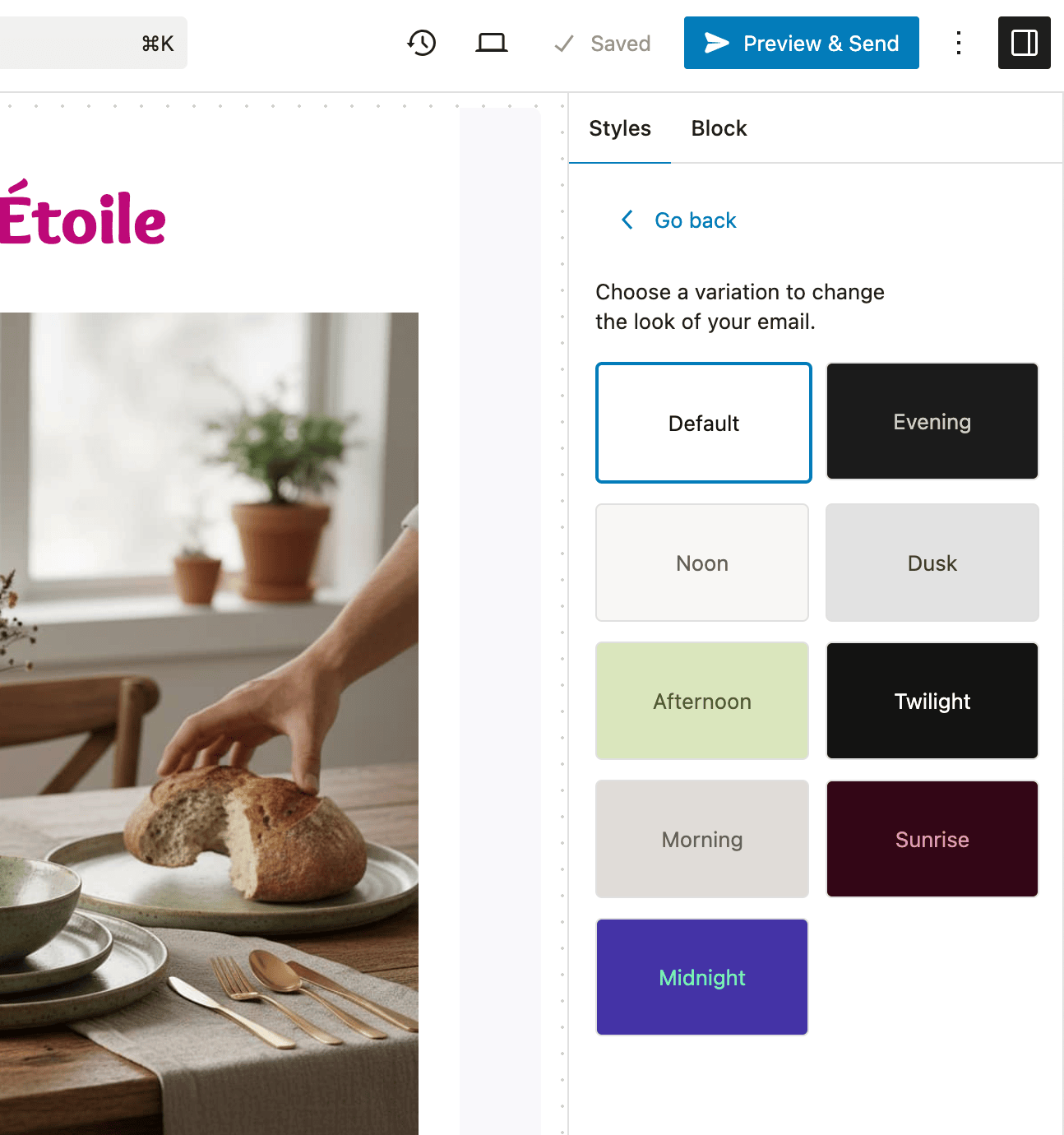
Keep your branding consistent
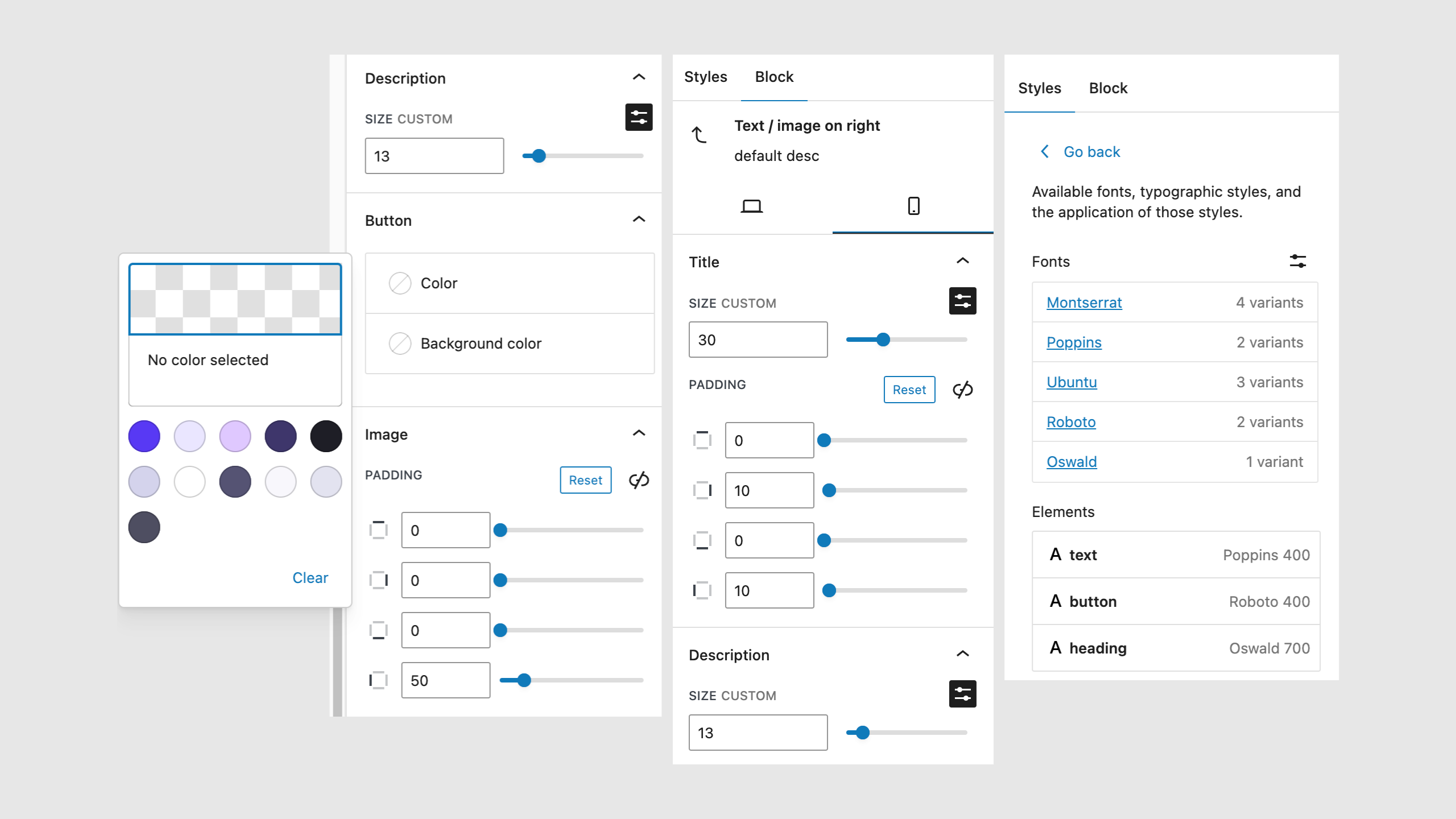
Apply a design system for your emails, including fonts, colors, and spacing.
Fully compatible with WordPress theme.json to match your site design.
11
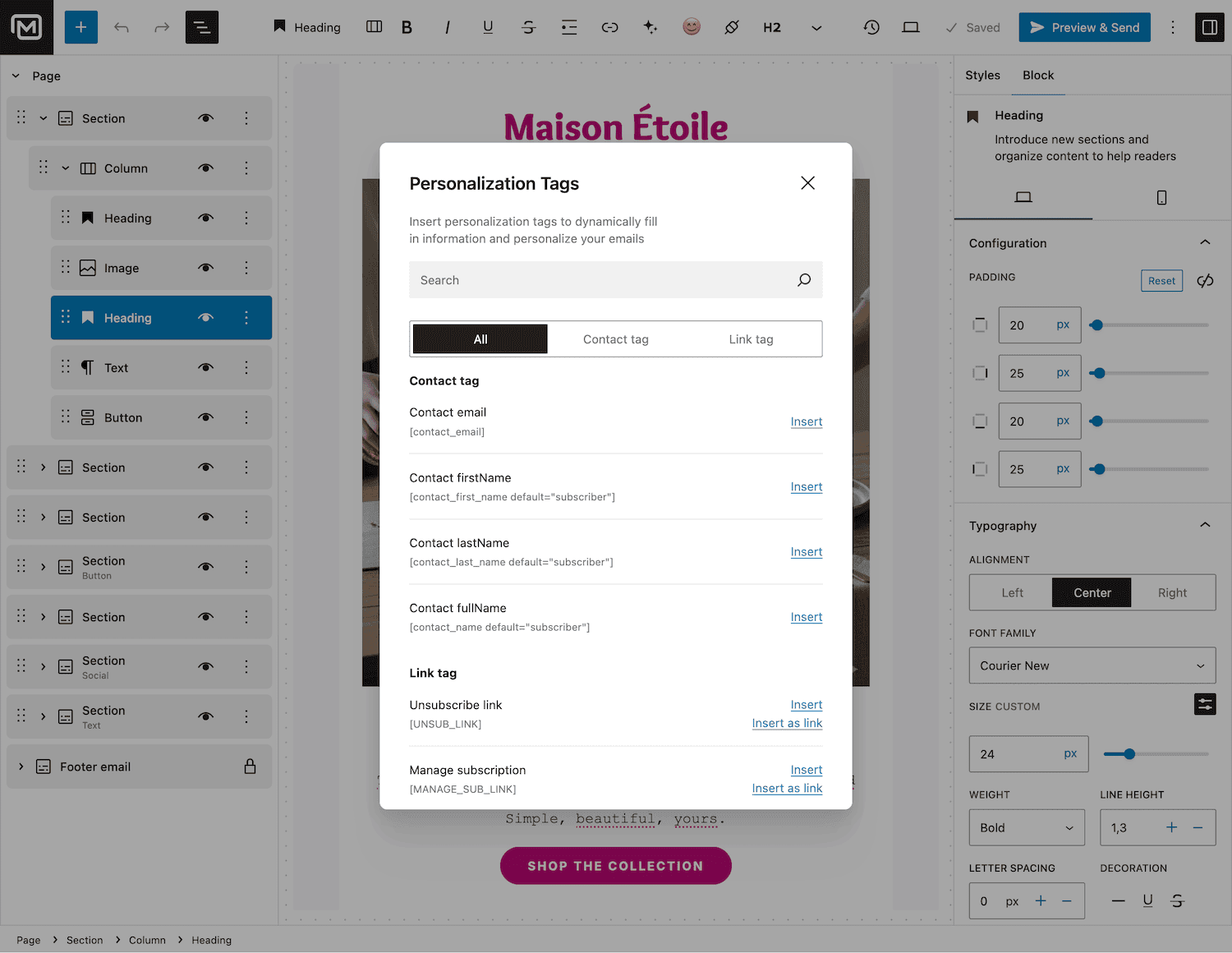
Personalize your emails for maximum engagement
Add emojis for extra flair and use smart merge tags to personalize messages without awkward empty fields.
12
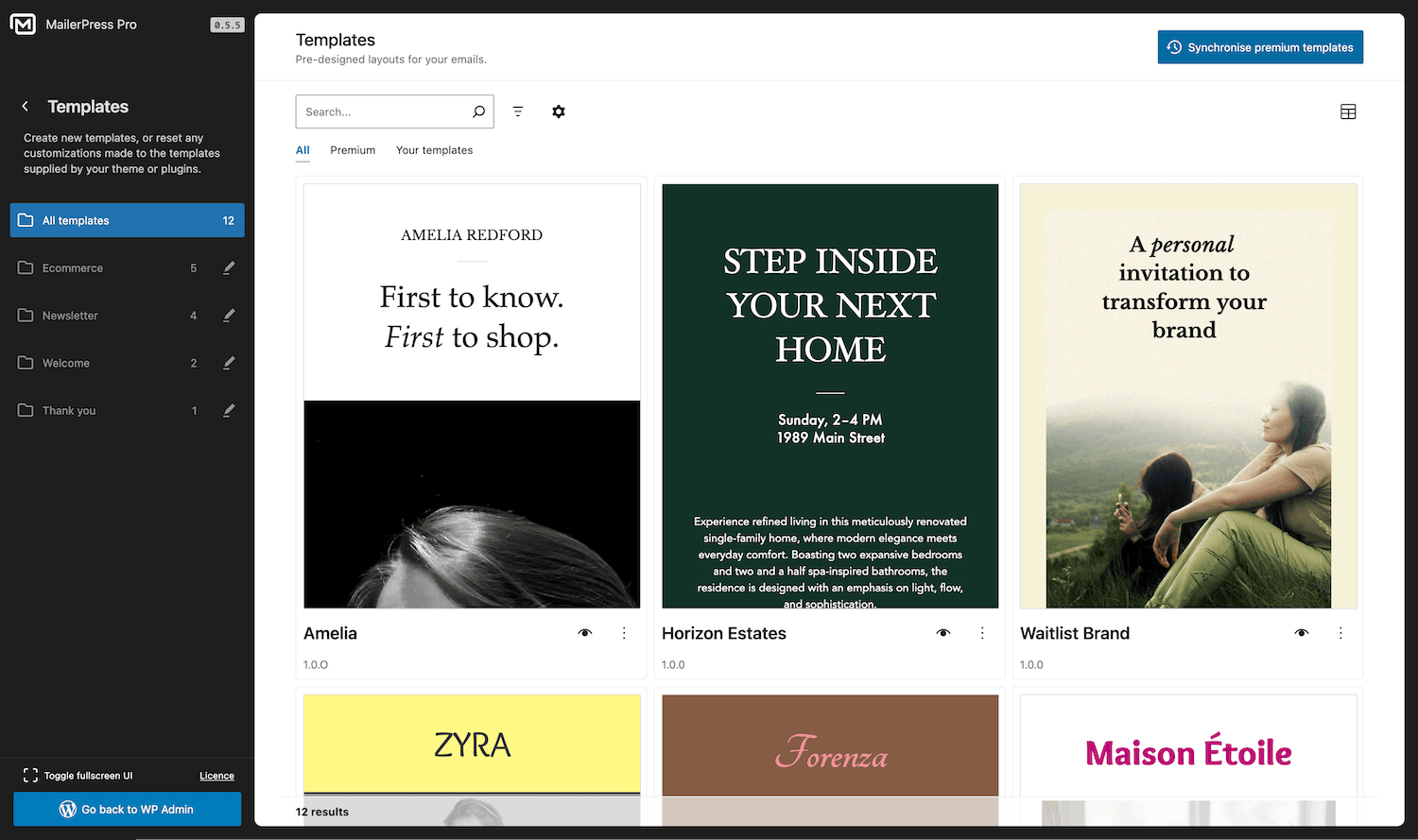
Stunning typography and ready-to-use templates
Choose from hundreds of Google Fonts and start from a blank canvas, premium template, or a saved custom template to create emails that reflect your brand.
13
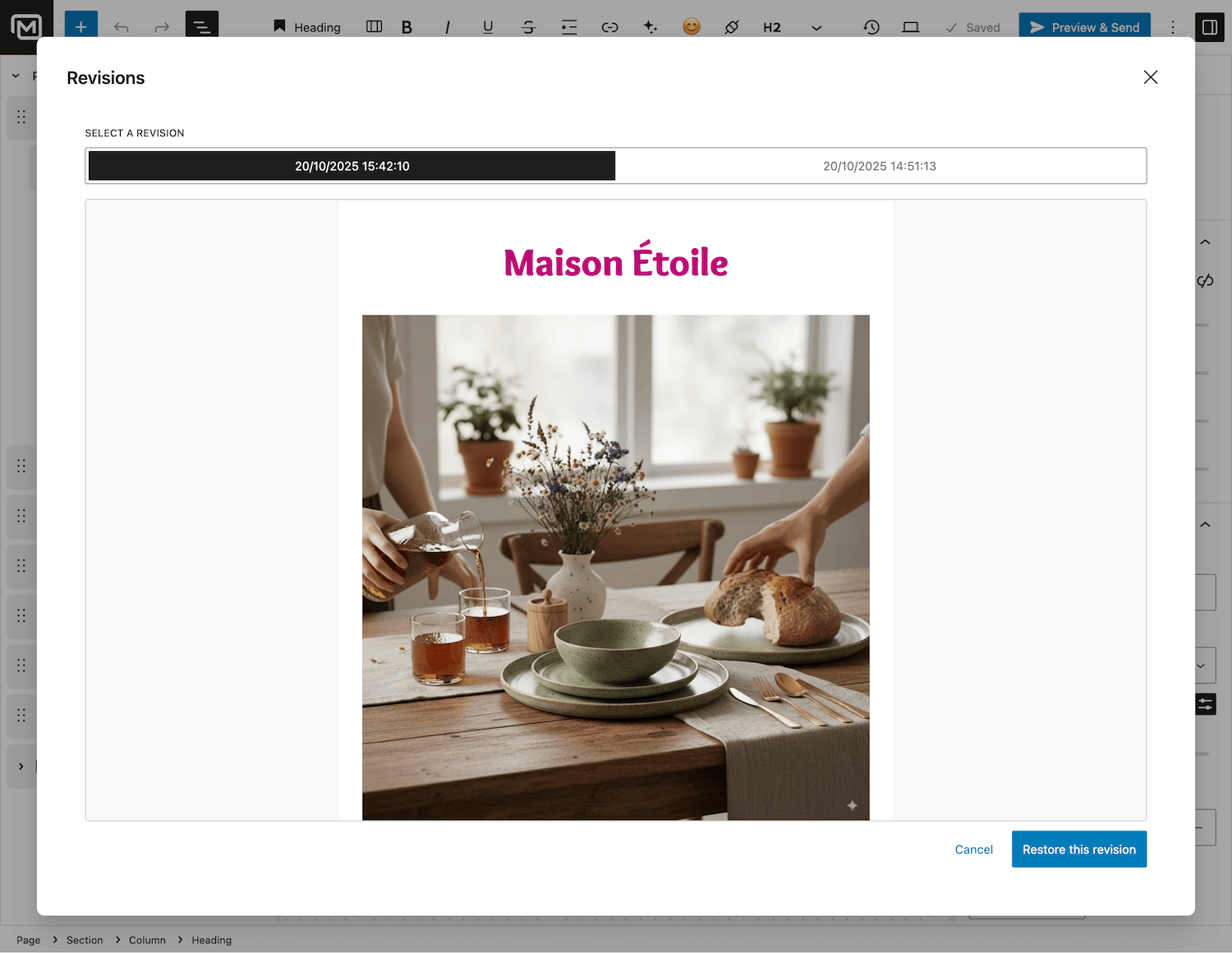
Never lose your work
Track every change and restore previous versions of your emails.
Perfect for collaborative teams or when you need to experiment safely.
14
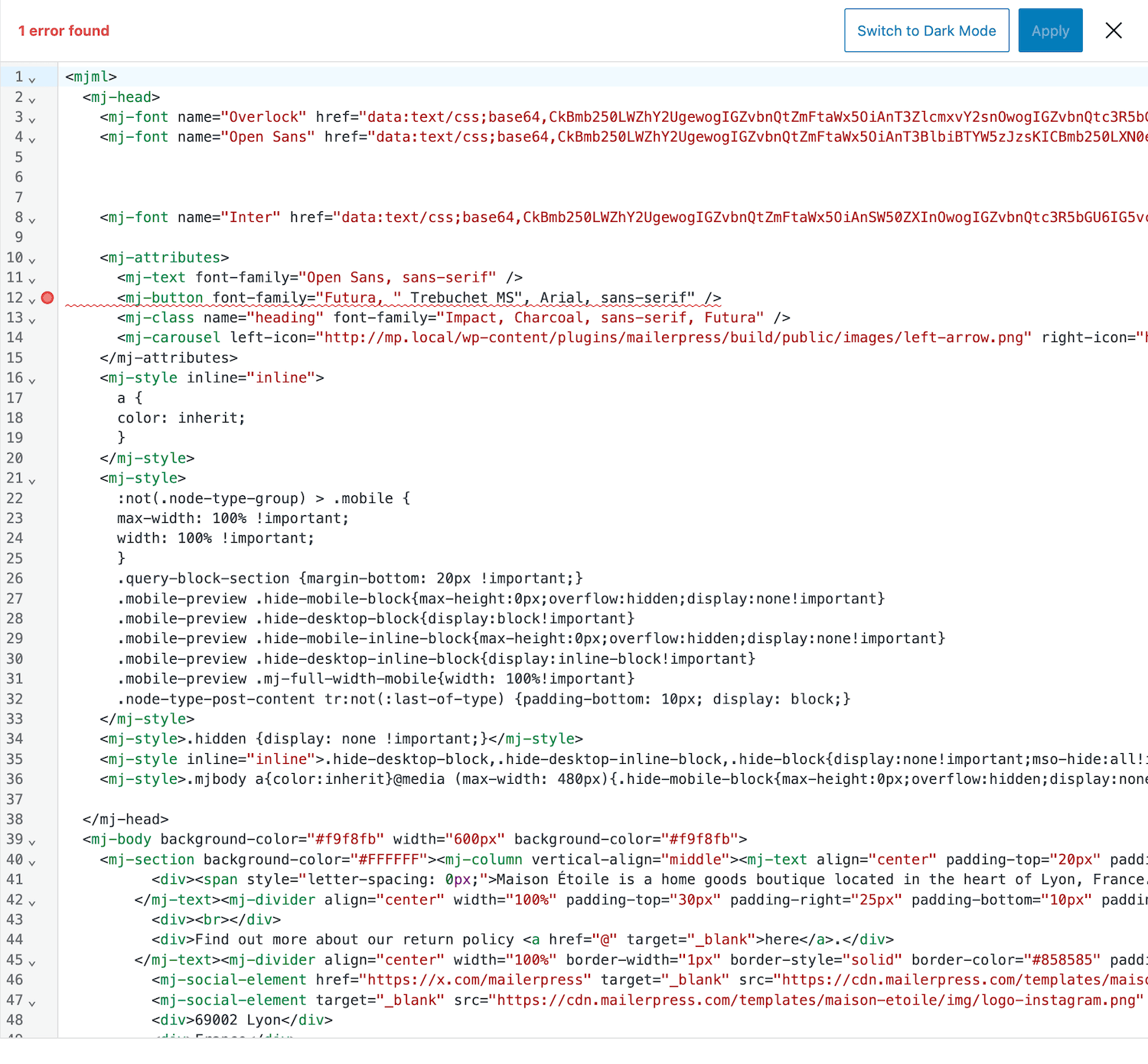
Full control for developers
Switch to code view to edit HTML directly, tweak advanced layouts, or add custom functionality.
Perfect for developers and advanced users who want precision control.
15
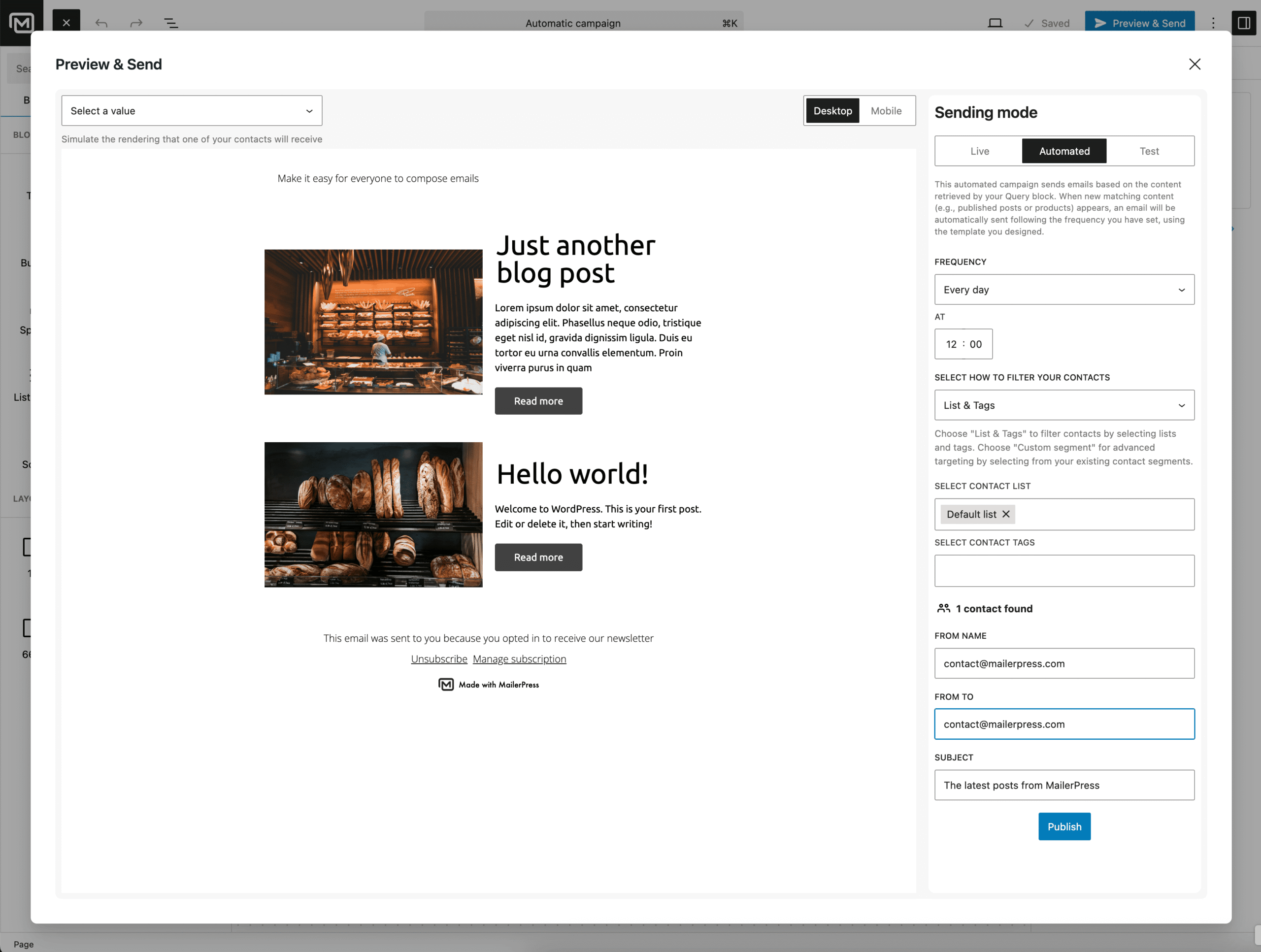
Perfect your campaign before hitting send
Preview emails, send test messages, check SPAM score, and schedule campaigns manually or automatically.
Ensure every message performs at its best.
Take the full tour
-
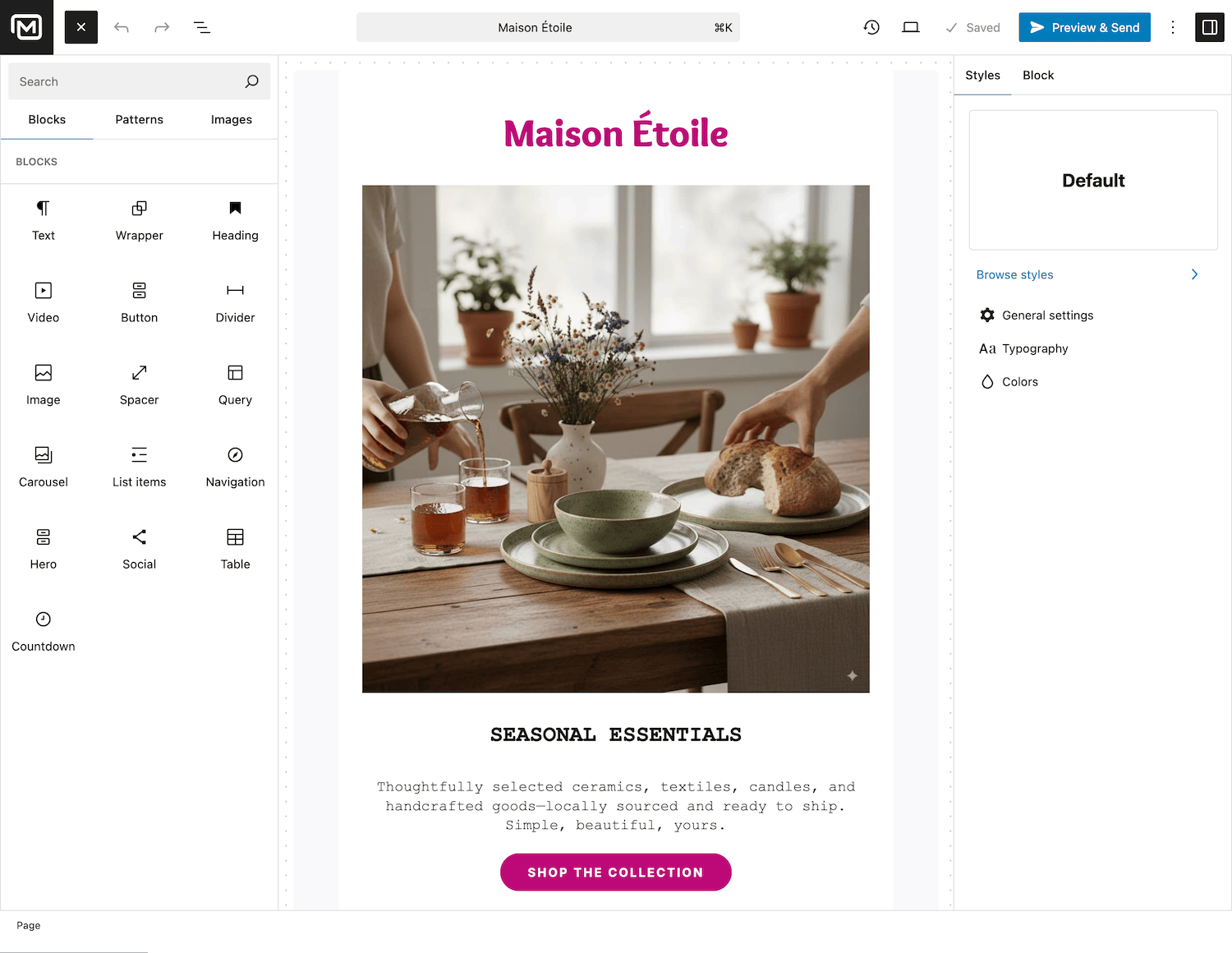
MailerPress email editor for WordPress
Top 3 reasons you’ll love MailerPress
Powerful
Build with a full block library: paragraphs, headings, images, videos, buttons, menus, social icons, countdown timers, carousels, tables, dividers and spacers. Pick a column layout from single column to 50/50, 66/33 or 25/50/25, save any arrangement as a reusable pattern, and import your existing MJML templates.
Easy
The editor uses the same React components as the WordPress block editor, so it behaves exactly like the one you write your pages in. It reads your theme.json, gives you hundreds of Google Fonts, and merge tags handle personalization without leaving empty gaps when a field is missing. Version history lets you roll back any change.
Fast
Design separate mobile and desktop versions with their own spacing, font sizes and layouts, then preview, send a test and check your spam score before scheduling. Free images come from Openverse, AI can write, translate or generate a visual for you, and a code view is there when you need to edit the HTML.
Choose the right plan for you
All packages come with a 14-day money-back guarantee.
Pro
For bloggers, startups and non-governmental organizations.
$49
billed annually
1 website
Unlimited contacts
Unlimited campaigns
Business
For e-commerce, media companies and small businesses.
$99
billed annually
3 websites
Unlimited contacts
Unlimited campaigns
Enterprise
Best value
For web agencies and freelance developers with many clients.
$199
billed annually
Unlimited websites
Unlimited contacts
Unlimited campaigns
You have a question? We’ve got you covered.
See the list below for our most frequently asked question.
MailerPress combines AI-powered content creation, flexible layouts, advanced personalization, and deep WordPress integration — all in a single, easy-to-use plugin designed to save time and boost engagement.
Every minute your email is saved. You can restore previous versions anytime, making collaboration and experimentation safe and easy.
Insert smart merge tags to automatically personalize emails for each contact. Combine with emojis and dynamic content to boost engagement without awkward empty fields.
Definitely. MailerPress supports theme.json and your theme’s design system, so your emails can perfectly reflect your website’s look and feel.
You can upload your own images or use the OpenVerse integration to access free, high-quality images directly from the editor.
Absolutely! Use custom patterns to save your block arrangements and reuse them in future campaigns, ensuring consistent branding and faster email creation.
Our AI tools let you instantly write, translate, or enhance email content. You can create engaging copy, translate for global audiences, and improve readability — all automatically.
Not at all. The drag-and-drop email builder makes it easy to create beautiful emails without touching a single line of code. Developers can also switch to code view for advanced customization.
Yes! MailerPress allows you to apply separate design settings for mobile and desktop. Preview each version to ensure your email looks perfect on any device.
Didn’t find your question?
Get ready with MailerPress
Documentation
Discover products and features designed to support the growth of your business. If you are a beginner, read our guides to learn more about the basics.
Help & Support
Discover products and features designed to support the growth of your business. If you are a beginner, read our guides to learn more about the basics.
Changelog
Stay ahead with our transparent roadmap that outlines upcoming features, improvements, and next steps for MailerPress.