

Where the week actually goes
Four reasons a campaign takes five days and still proves nothing.
Here’s how MailerPress can provide you concrete solutions for your email campaigns:
Your best content already exists, somewhere else
The article is published, the product page is live, the offer is on the site. Then you rebuild all of it by hand in another tool, and check every link twice before sending.
Segments that stop at first name and email
Your platform knows the address. It doesn’t know who bought twice, who opened the last three campaigns, or what your team put in that custom field. So the email goes to everyone — and performs like it.
Testing costs a plan upgrade
A/B tests, automation branches and behavioural triggers sit behind the next pricing tier. You end up choosing between running the test and staying inside the budget.
You can report opens. You can’t report revenue.
Open and click rates prove the email was read. They don’t prove it paid for itself — and that is the only figure the next budget meeting is about.
The campaign assembles itself from the site
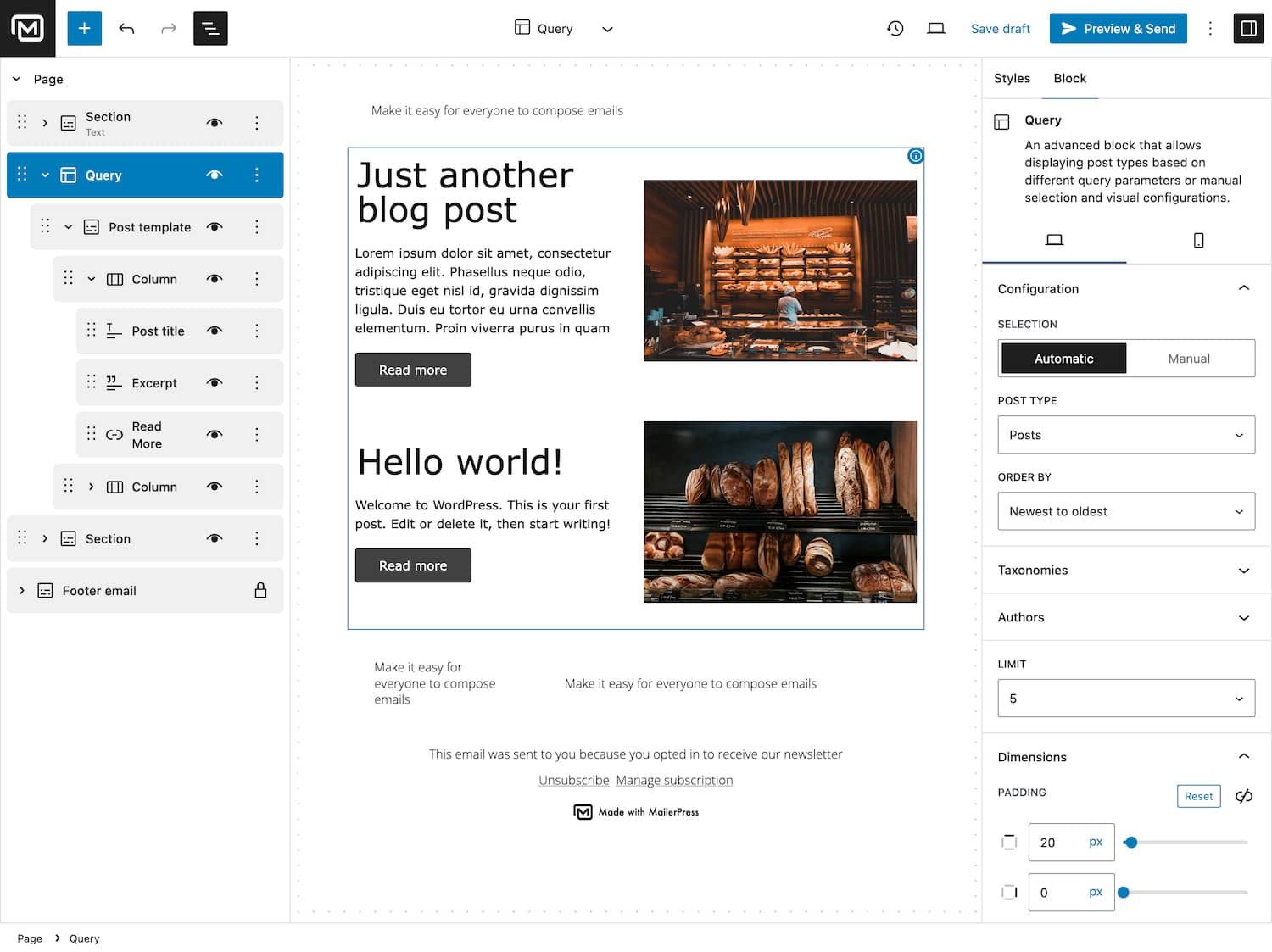
Point a block at a post type and the newsletter fills with the articles, products or events already published — titles, excerpts, images, prices and links included. Nothing to copy, nothing to re-check.
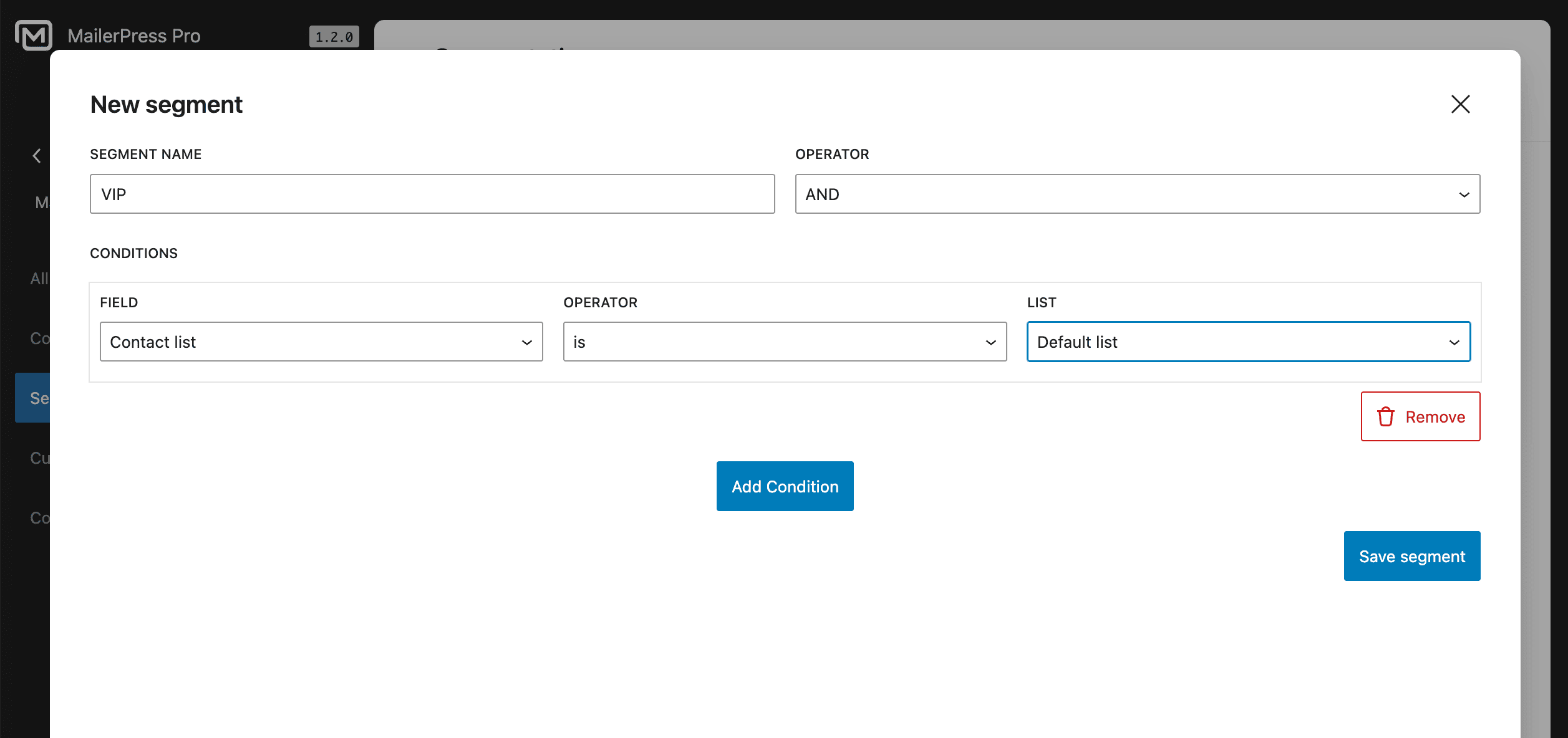
Ten conditions, combined into one segment
Tags, lists, custom fields, engagement status, who opened which email, purchase amount, paying-customer status, subscription status, sign-up date and last update — combined and saved as a segment you reuse.
A/B testing is a step, not a tier
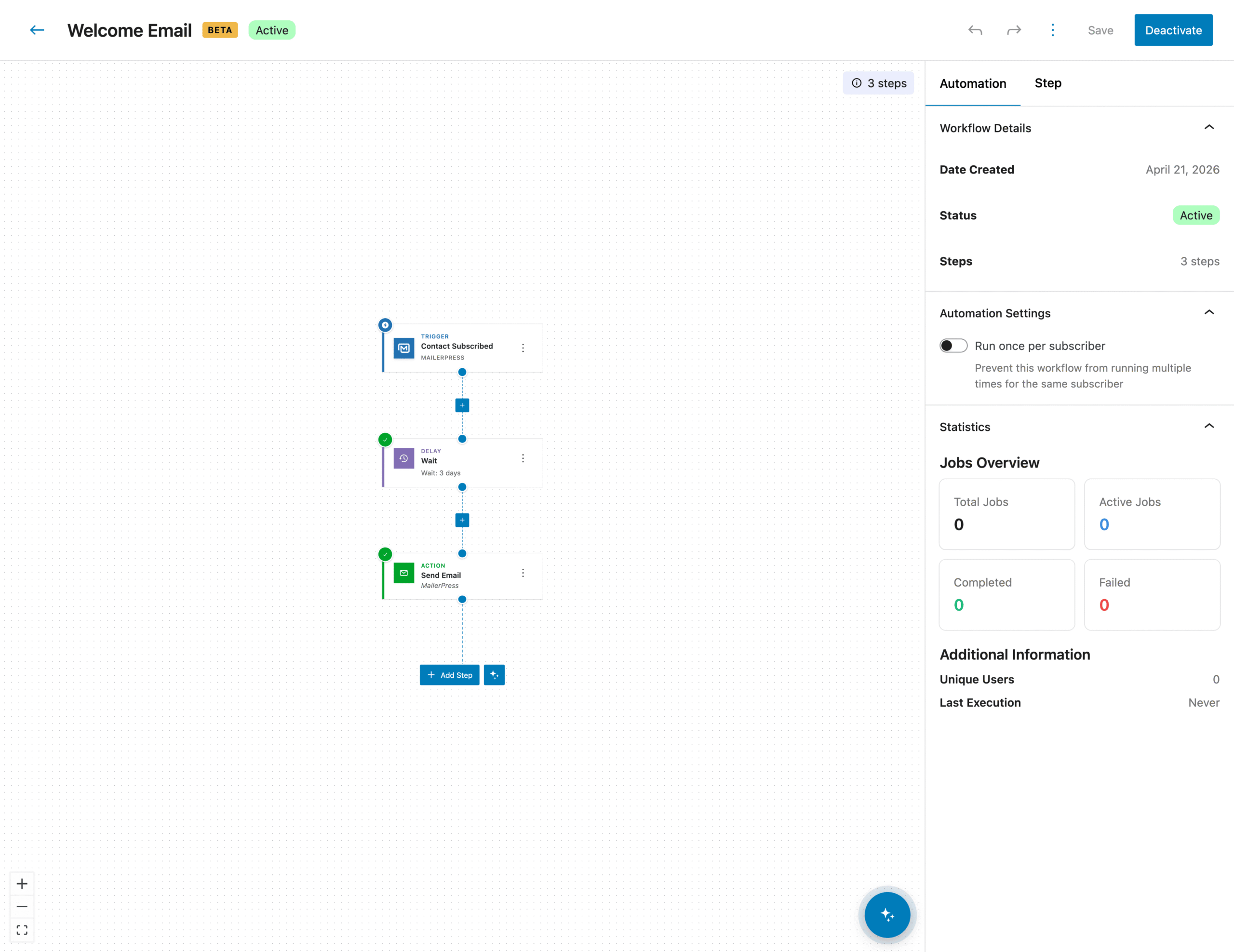
Drop an A/B step into a workflow, let MailerPress measure the variants and send the winner on its own. Test subject lines on a launch, then reuse the same scenario next quarter.
Revenue reported next to the open rate
Orders that follow a campaign are attributed to it, per campaign and per contact, with refunds deducted automatically. You walk into the budget meeting with the figure, not with a rate.
Everything a campaign needs. Without leaving WordPress.
01
Build the segment you actually wanted
Combine ten conditions — tags, lists, custom fields, engagement, opens, purchase amount, customer and subscription status, dates — save it, and reuse it on every campaign that follows.
02
Test it, then let it run without you
Build the scenario visually, add an A/B step, and MailerPress sends the winning variant on its own. Trigger on a sign-up, a tag, a list, a custom field, a birthday, an abandoned cart or an incoming webhook.
03
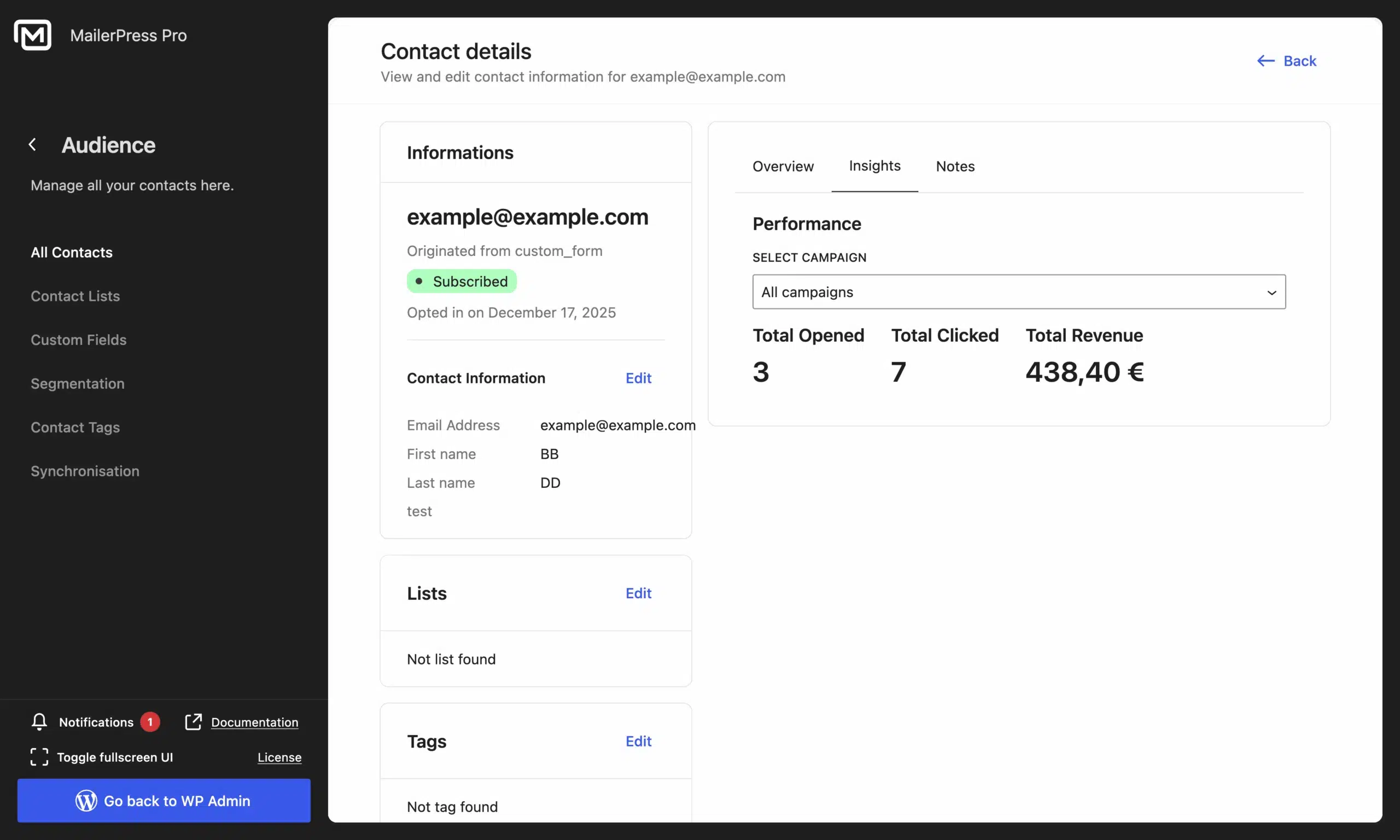
Report the revenue, not just the rate
Orders placed after a campaign are attributed to it, at campaign and contact level, with refunds deducted automatically. Open rate, click rate and euros, on the same screen.
04
Newsletters that build themselves
Point a block at posts, products, events or any custom post type and the campaign fills itself with what is already live on the site — and stays right when the content changes.
WordPress professionals, in their own words
If you can’t make your money back on a $199 investment with 100,000 websites, you’re doing something wrong.

Paul Charlton, WPTuts
Verified customer
MailerPress makes designing newsletters as easy as writing a classic WordPress article. It is a lightweight tool that already offers many features worthy of the biggest names, such as segmentation, statistics, and automations essential for sending newsletters.

Rémi Corson, ex-WooCommerce
Verified customer
The WordPress email editor is incredibly powerful, intuitive, and easy to use. You can store unlimited contacts and lists. Truly a game changer!

Aurelio Volle, CEO at WP Umbrella
Verified customer
What a joy to write emails directly from the WordPress editor! MailerPress is only at the beginning of its journey, but I’m convinced that the plugin will attract more and more users.

Alex Borto, WP Marmite
Verified customer
Top 3 reasons you’ll love MailerPress
Powerful
Ten segmentation conditions, A/B testing inside your workflows, seven automation triggers, revenue attribution with refunds deducted, and a documented REST API. The feature set of a platform, on infrastructure you already pay for.
Easy
It is the block editor your team already uses to publish pages. No new interface to learn, no training session, and role-based permissions so nobody sends a campaign they weren’t supposed to.
Fast
Import your list from Mailchimp, Brevo, Mailjet, SendGrid, Resend or EmailIt, pick a template, let AI draft the copy. The first campaign can go out the day you install the plugin.
You have a question? We’ve got you covered.
See the list below for our most frequently asked question.
Yes. A/B testing is a step inside the automation builder: you set the variants, MailerPress measures them and sends the winning one automatically. No dashboard to watch, and no higher plan to unlock the feature itself.
Ten conditions, combined freely: tags, list membership, any custom field, engagement status, whether a contact opened a specific email, purchase amount, paying-customer status, subscription status, sign-up date and last-updated date. Segments are saved and reused.
Yes, for WooCommerce stores. Orders placed after a campaign are attributed to it at both campaign and contact level, and refunds are deducted automatically — so the figure you report stays accurate after returns.
Yes. MailerPress ships synchronisation connectors for Mailchimp, Brevo, Mailjet, SendGrid, Resend and EmailIt, plus one that imports your existing WordPress users. CSV import works for everything else.
Emails sent, delivery rate, open rate, click rate, total opens and clicks, bounces, unsubscribes and unsubscribe rate — plus attributed revenue on WooCommerce stores. All inside the WordPress dashboard, with no external analytics account.
Amazon SES, Brevo, EmailIt, Gmail, MailerSend, Mailgun, Mailjet, Postmark, Resend, SendGrid, SMTP2GO, any generic SMTP server, and PHP mail. Each one comes with sending profiles matched to your plan’s rate limits, so throughput is tuned rather than guessed.
No. Everything above is built with blocks and a visual workflow editor. If your team wants to go further, there are hooks, filters and a documented REST API — but nothing on this page depends on them.
Didn’t find your question?
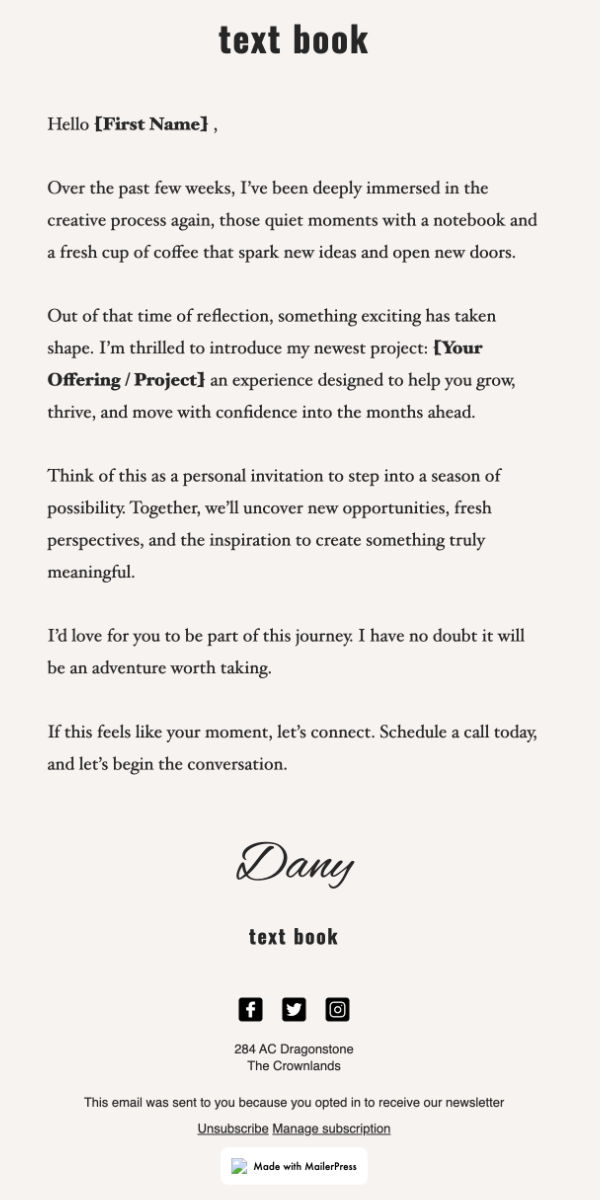
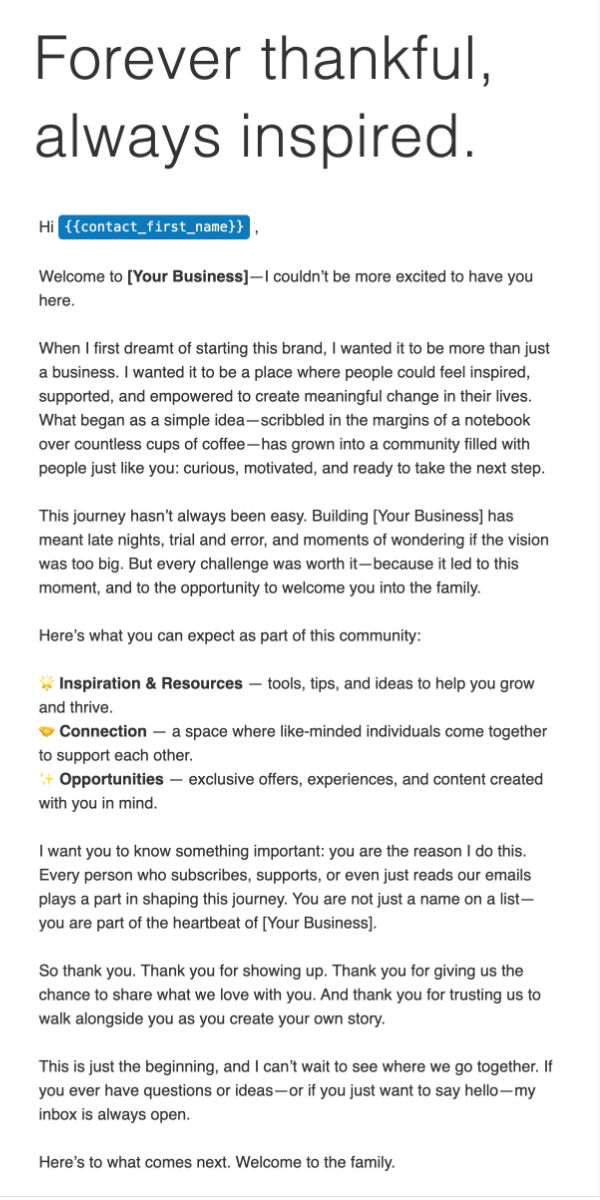
Pre-built templates, endless possibilities
Start from a layout that already converts — a launch, a welcome sequence, a limited-time sale — then make it yours. Save your version as a pattern and the next campaign starts at 80%.