




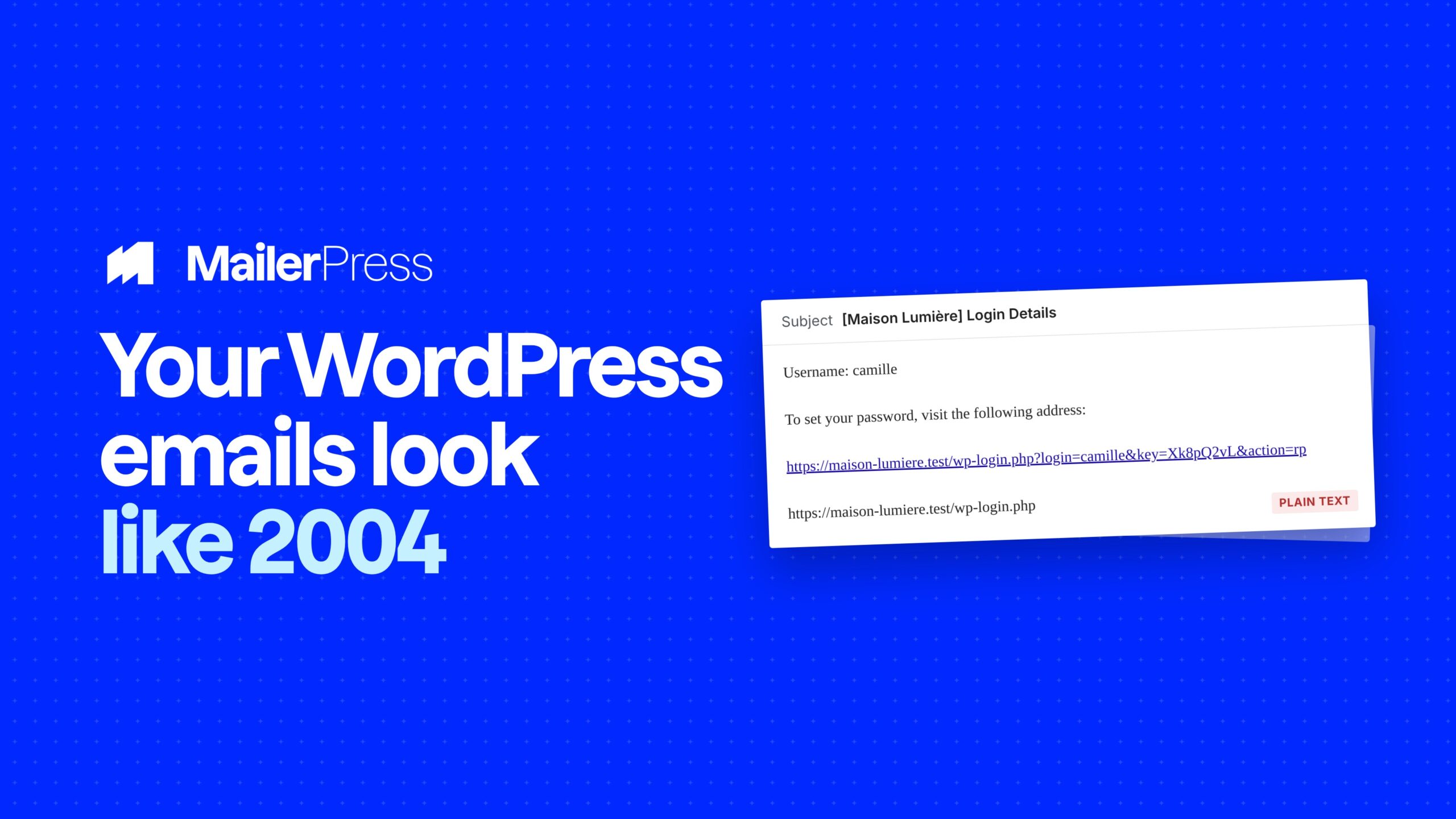
Your campaign looks like your brand. Your password reset email looks like 2004. They land in the same inbox, and only one of them is opened by absolutely everyone who signs up.
Pick an email, design it, switch it on
Everything you can do with WordPress emails
01
Eleven WordPress emails, redesigned
- New user welcome, with the set-password link.
- Password reset, password changed, email address changed.
- New user admin notification and admin email changed.
- Comment awaiting moderation and comment published.
- Automatic plugin, theme and core update reports.
02
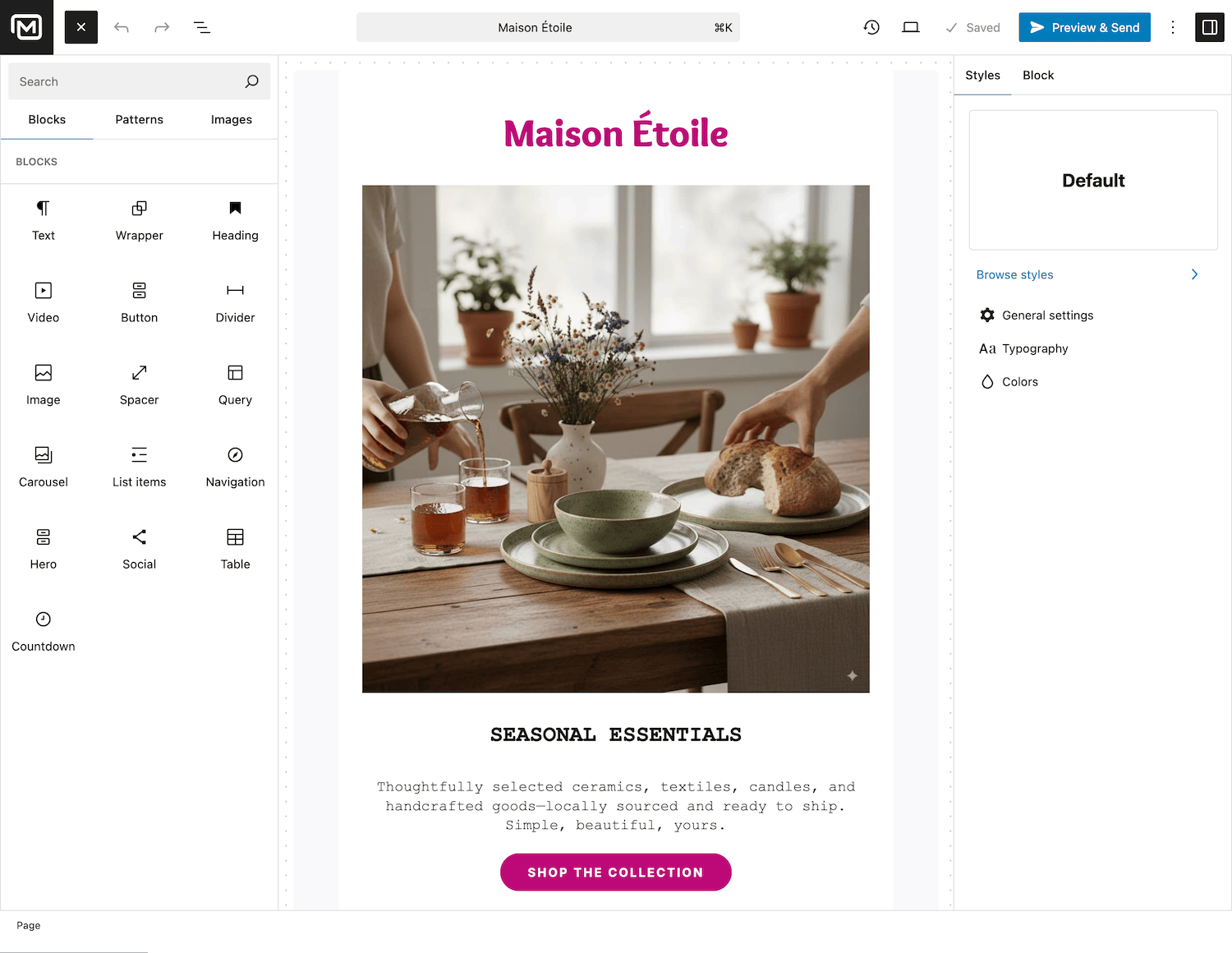
Built in the editor you already know
The same drag-and-drop editor as your campaigns: the same blocks, the same saved patterns and templates, and the colors and fonts that already come from your theme.
If you can build a newsletter, you can rebuild your password reset email.
03
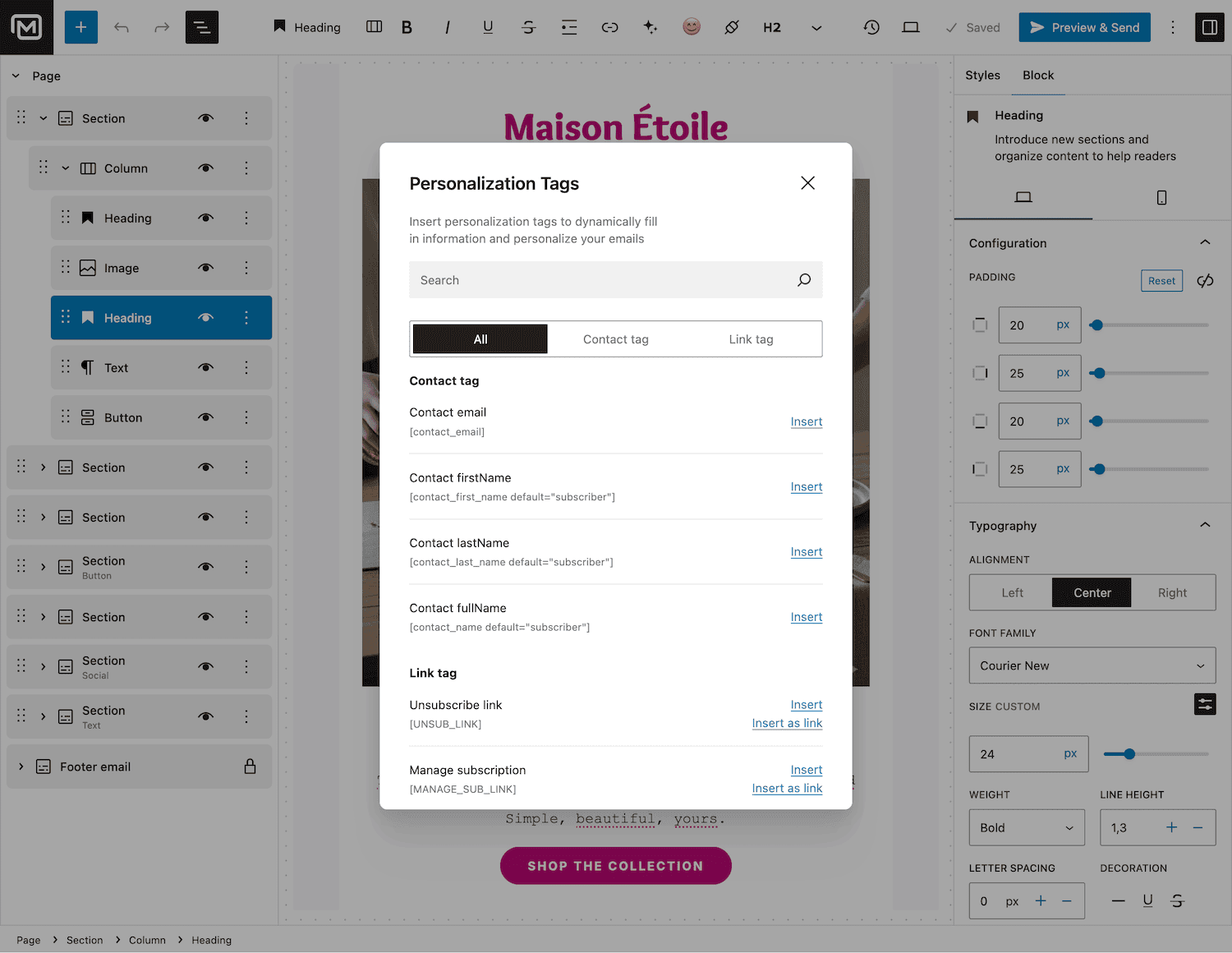
The dynamic parts stay dynamic
Every email type comes with its own variables. The welcome email carries the user’s login, display name, first and last name, email address and the set-password link. The reset email carries the reset link. All of them carry your site title, site URL and admin email.
Drop them into your design and WordPress fills them in for each recipient.
04
Three states, one email at a time
Each email type can be left to WordPress, replaced by your own design, or switched off completely so it is never sent.
Nothing changes until you decide it does. Start with the welcome email, check it in your own inbox, then move on to the next one.
05
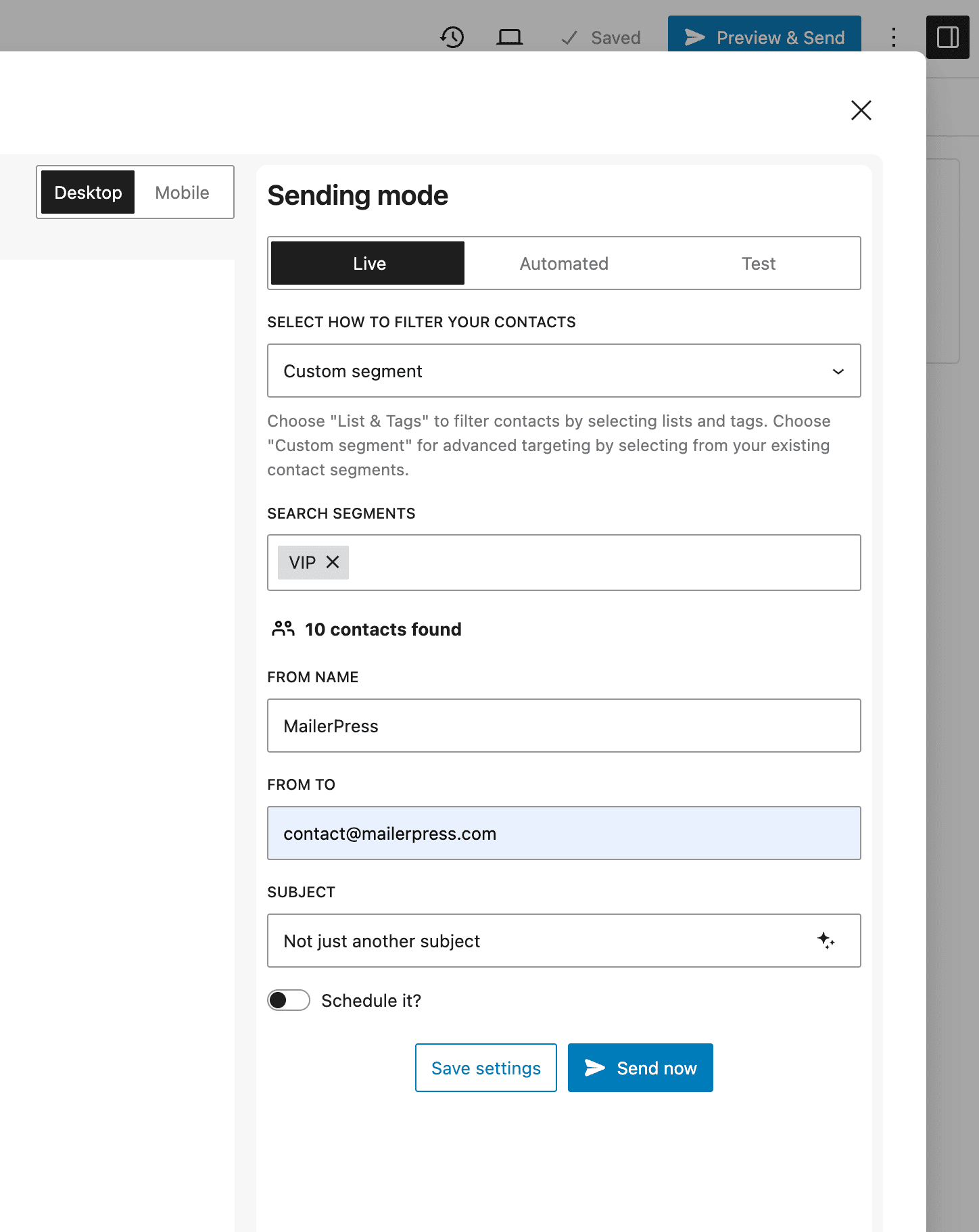
Your subject lines too
Design is only half of it. Every customized email type also gets its own subject line, so what people read in their inbox list is yours as well — not [Your Site] Password Reset
06
It still goes out the WordPress way
MailerPress plugs into the emails WordPress already sends and hands back your design in place of the plain text. No template override, no child theme, no code.
The trigger, the timing and the links are unchanged, so a password reset works exactly as before. It just looks like you now.
Take the full tour
-
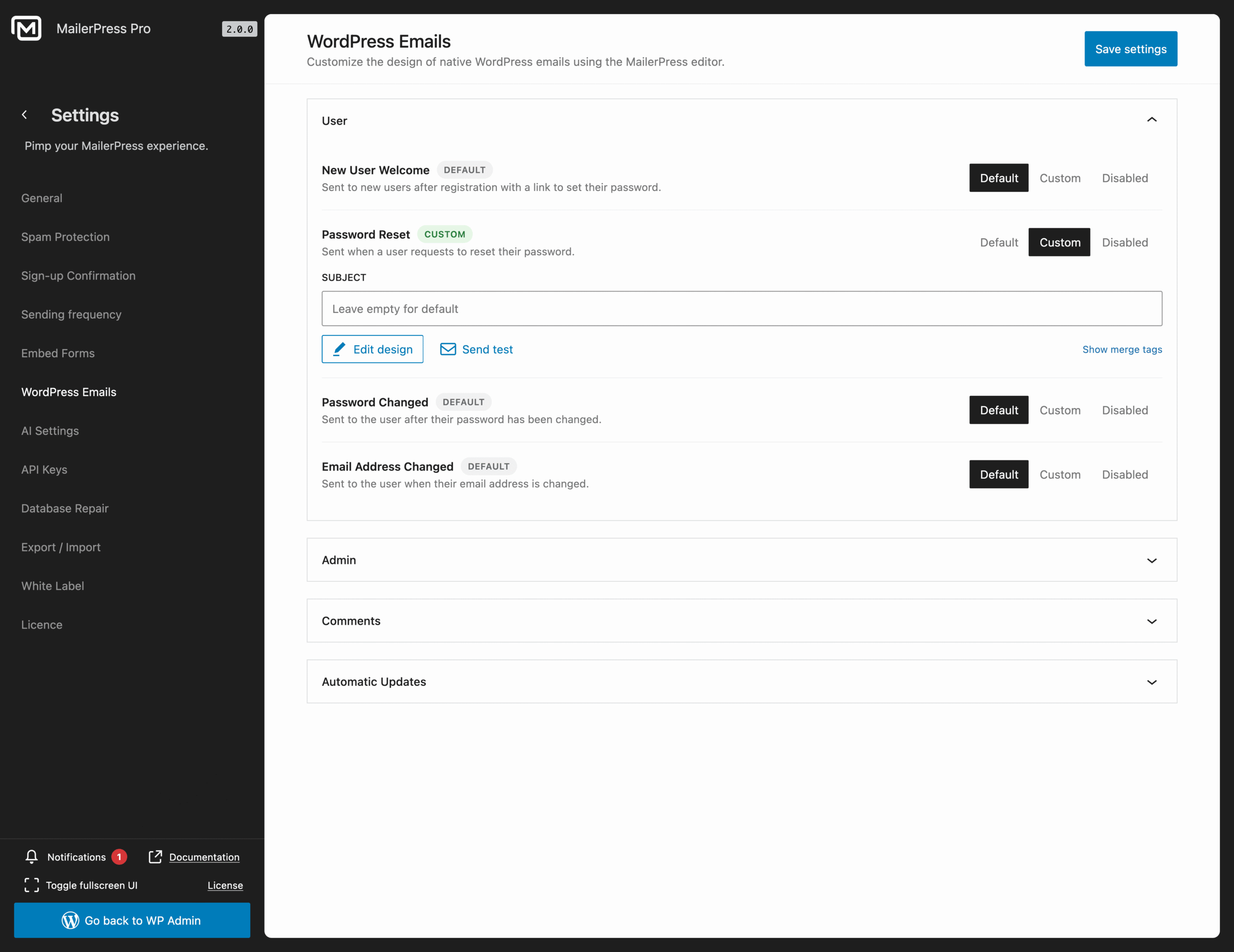
Customize native WordPress emails with MailerPress editor
Top 3 reasons you’ll love MailerPress
Powerful
Eleven WordPress email types, from user accounts to comment moderation and automatic update reports, each with its own dynamic variables and its own subject line.
Easy
No code, no template override, no child theme. Pick the email, design it in the drag-and-drop editor, save. Anything you leave alone keeps the WordPress default.
Fast
MailerPress replaces the content of emails WordPress already sends. There is no second queue and no change to when an email goes out.
Choose the right plan for you
All packages come with a 14-day money-back guarantee.
Pro
For bloggers, startups and non-governmental organizations.
$49
billed annually
1 website
Unlimited contacts
Unlimited campaigns
Business
For e-commerce, media companies and small businesses.
$99
billed annually
3 websites
Unlimited contacts
Unlimited campaigns
Enterprise
Best value
For web agencies and freelance developers with many clients.
$199
billed annually
Unlimited websites
Unlimited contacts
Unlimited campaigns
You have a question? We’ve got you covered.
See the list below for our most frequently asked question.
No. Each type is set up and switched on separately. Anything you leave alone keeps the WordPress default.
Yes. Links such as the reset link and the set-password link are provided by WordPress and inserted as variables, so they keep working exactly as before.
Yes. Each type can be left on the WordPress default, replaced with your own design, or disabled so that it is not sent at all.
No, WooCommerce transactional emails are handled by a dedicated feature. See the WooCommerce Email Customizer. Both are part of MailerPress Pro.
Didn’t find your question?
Get ready with MailerPress
Documentation
Discover products and features designed to support the growth of your business. If you are a beginner, read our guides to learn more about the basics.
Help & Support
Discover products and features designed to support the growth of your business. If you are a beginner, read our guides to learn more about the basics.
Changelog
Stay ahead with our transparent roadmap that outlines upcoming features, improvements, and next steps for MailerPress.