




Why client email eats your margin
Four things that quietly cost you hours on every client project.
Here’s how MailerPress can provide you concrete solutions for your email campaigns:
Fragmented workflows that slow you down
WordPress in one tab, the email platform in another, the client’s dashboard in a third. Every campaign starts with a copy-paste and ends with an export. Multiply that by fifteen clients.
A separate account for every client
Fifteen clients, fifteen workspaces, fifteen passwords, fifteen invoices. And when a client asks where their contact data actually lives, you have to go and check.
Templates that never look like your client
Most SaaS builders lock you into rigid layouts. You spend the budget making the email almost match the brand you designed. Almost.
A bill that grows with your results
Per-contact pricing punishes the exact thing you were hired to do. The client’s list doubles, their invoice doubles, and the difference comes out of your retainer.
One workflow, inside WordPress
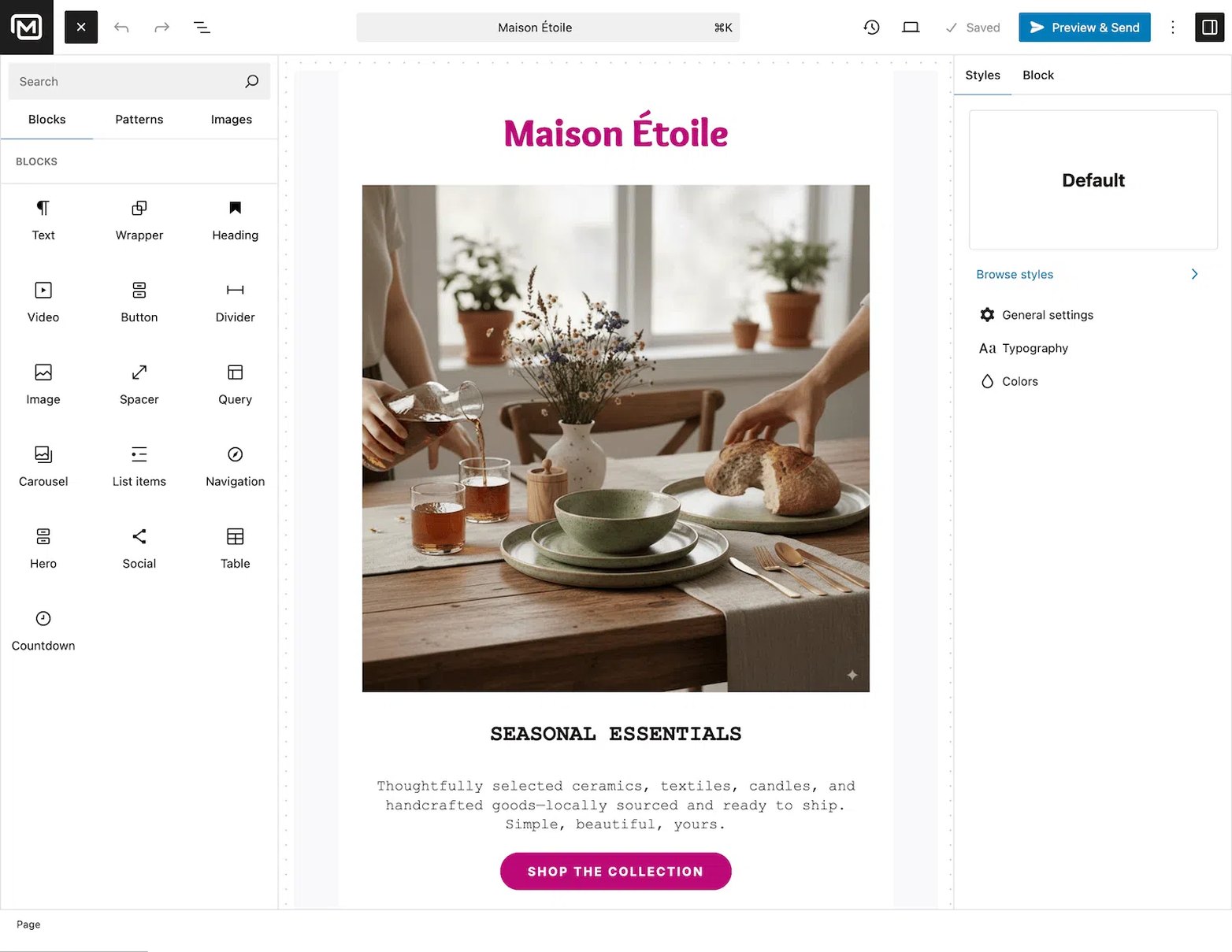
Write, design, send and measure in the same admin you use to build the site. No second tab, no import, no export. The campaign lives next to the content it promotes.
Every client on their own site
Each install keeps its own contacts, its own lists, its own consent records. GDPR questions answer themselves, and handing over the site is all it takes to hand over the data.
On brand, down to the pixel
Build emails with the block editor you already use, pull the colours and fonts straight from the theme, save the layout as a pattern, and reuse it on the next client in one click.
One licence, unlimited lists
You pay for the plugin, not for their subscribers. Whether a client has 500 contacts or 500,000, your cost stays identical — and so does your margin.
Run all your client email campaigns. Without leaving WordPress.
01
Build a client’s first campaign in an afternoon
Design responsive, on-brand emails with the same drag-and-drop blocks you already use to build their site. Save the layout as a template, and the second client takes half as long.
02
Write in the client’s tone, not in yours
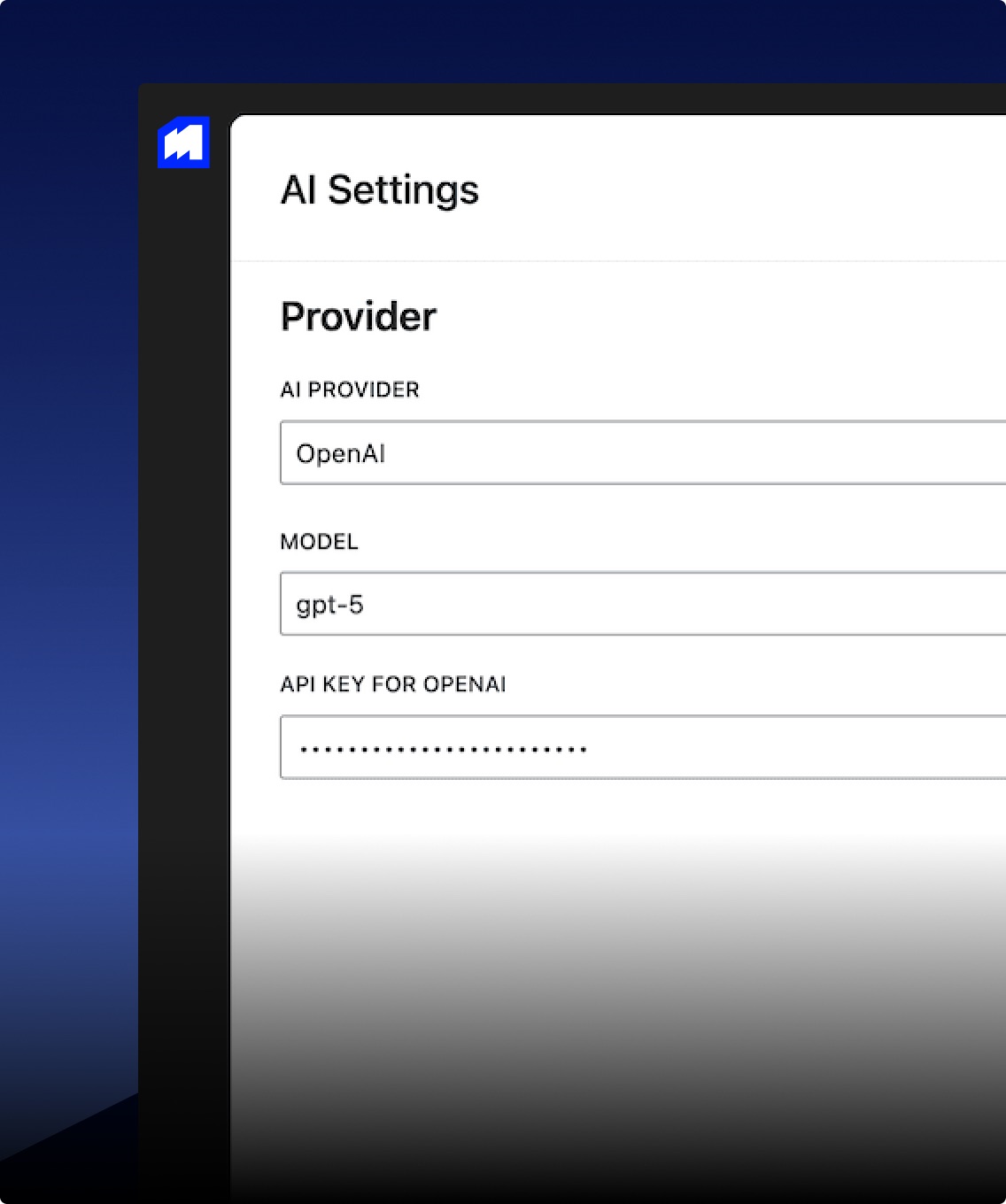
Generate, translate and rework email copy in seconds, straight from the editor. Bring your own provider and key — OpenAI, Mistral, DeepSeek or Google AI — so nothing is billed per word.
03
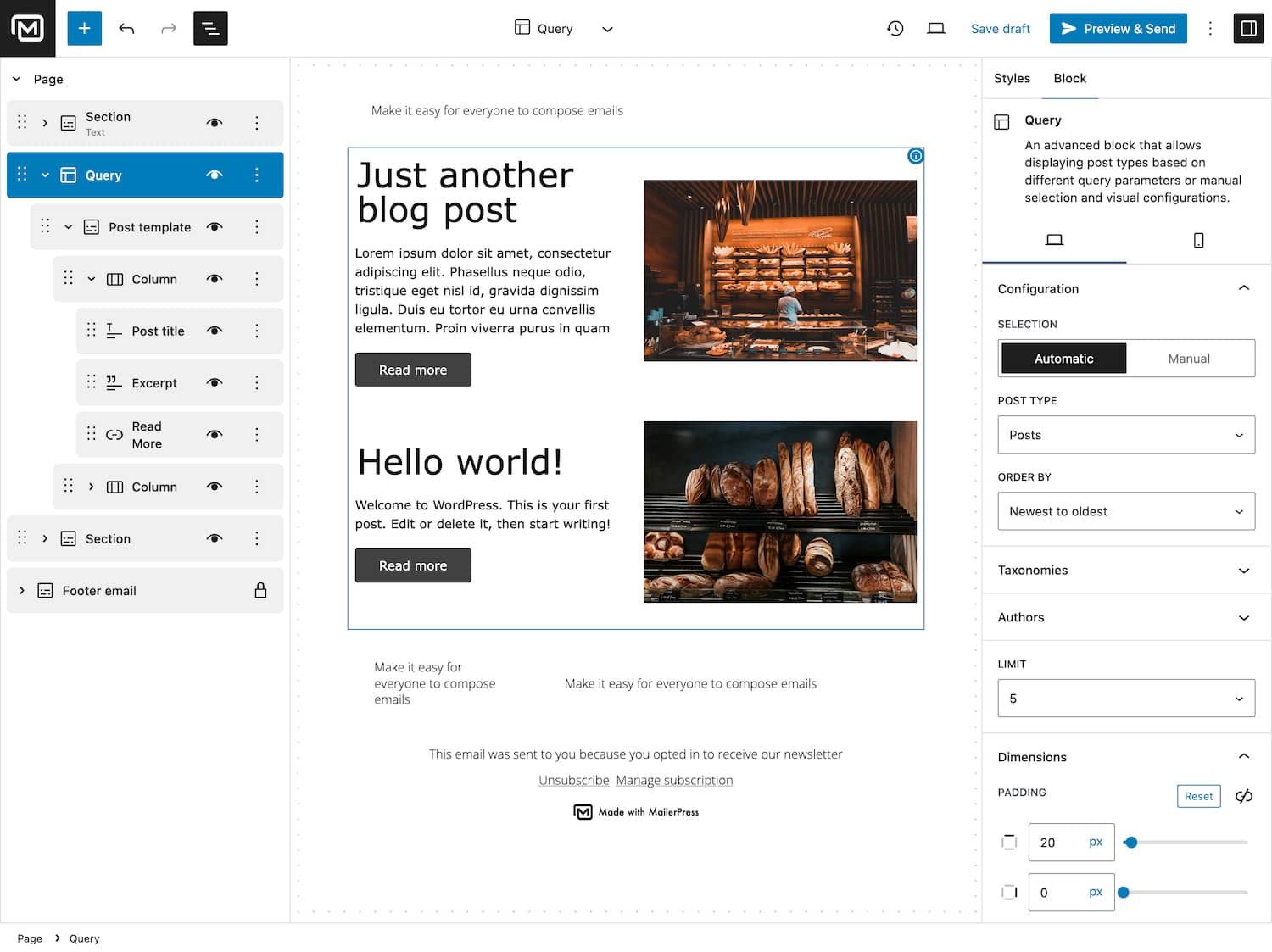
Newsletters that build themselves from the site
Point a block at a post type and the campaign fills itself with the client’s latest articles, products or events. Nothing to copy across, nothing to re-check before sending.
04
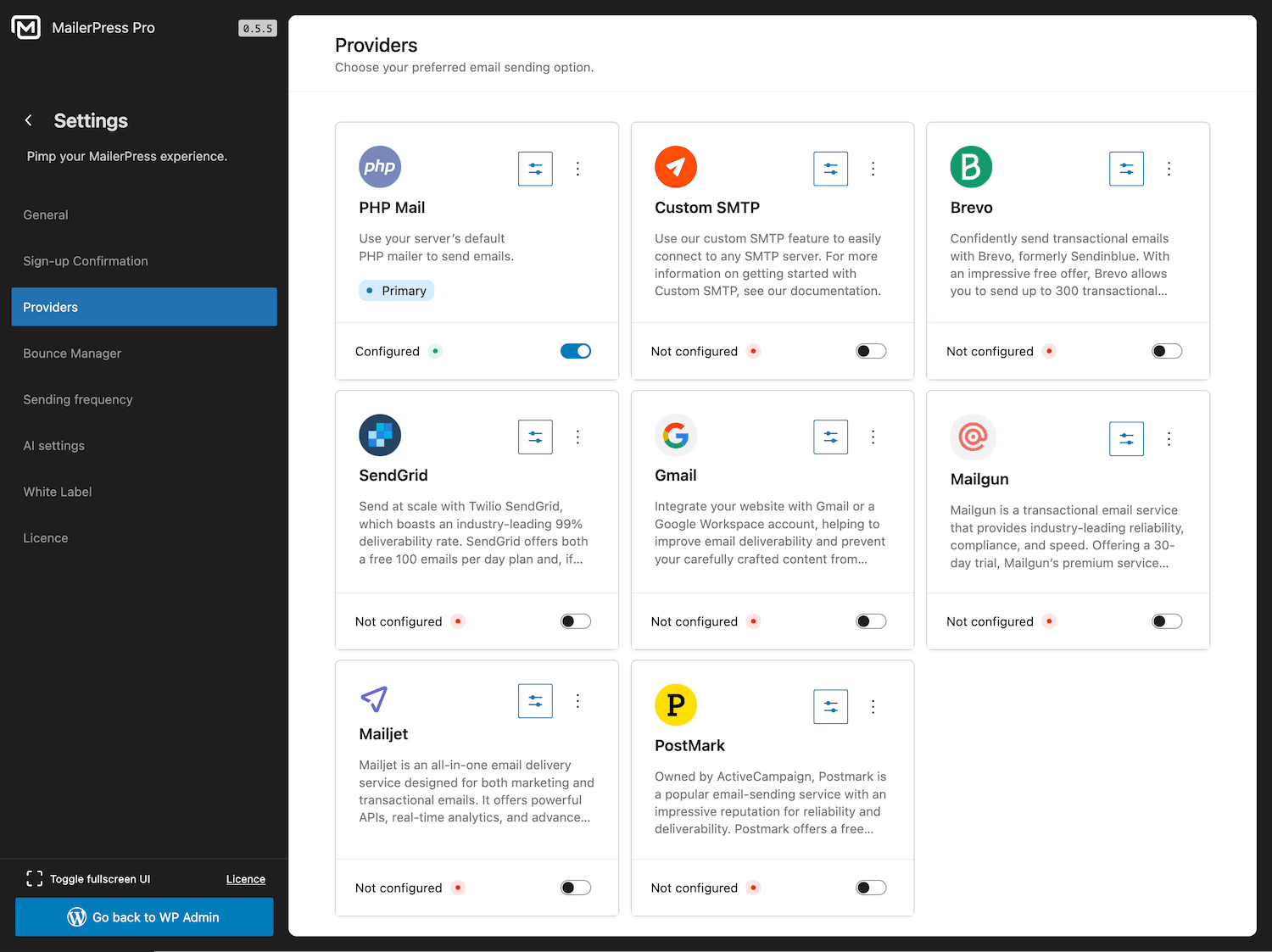
A different sending provider for every client
Brevo for one, their own SMTP for another, Postmark for the store. Each client keeps their own sending reputation, their own rates and their own contract.
WordPress professionals, in their own words
If you can’t make your money back on a $199 investment with 100,000 websites, you’re doing something wrong.

Paul Charlton, WPTuts
Verified customer
MailerPress makes designing newsletters as easy as writing a classic WordPress article. It is a lightweight tool that already offers many features worthy of the biggest names, such as segmentation, statistics, and automations essential for sending newsletters.

Rémi Corson, ex-WooCommerce
Verified customer
The WordPress email editor is incredibly powerful, intuitive, and easy to use. You can store unlimited contacts and lists. Truly a game changer!

Aurelio Volle, CEO at WP Umbrella
Verified customer
What a joy to write emails directly from the WordPress editor! MailerPress is only at the beginning of its journey, but I’m convinced that the plugin will attract more and more users.

Alex Borto, WP Marmite
Verified customer
Top 3 reasons you’ll love MailerPress
Powerful
Segmentation, automations, revenue attribution, WooCommerce transactional emails and a full REST API. Everything you’d otherwise bill as a SaaS subscription, running on the hosting your client already pays for.
Easy
If your client can publish a page, they can send a newsletter. Same blocks, same admin. No training deck, no onboarding call, no support ticket six months after handover.
Fast
Install, connect a sending provider, drop in your saved patterns. A new client can send their first campaign the day you hand over the site.
You have a question? We’ve got you covered.
See the list below for our most frequently asked question.
Yes. The “Unlimited site license” covers unlimited sites, so every client install runs its own MailerPress with its own contacts, lists and sending provider — under a single licence you renew once a year.
No. A client with 500 subscribers and a client with 500,000 cost you exactly the same. You pay for the plugin licence, and separately for whatever your sending provider charges to deliver the emails.
You can adapt the WordPress interface and the branding your client sees. More importantly, your client works inside their own site — not inside a platform carrying someone else’s logo and someone else’s support address.
Nothing to migrate. The contacts are already in their WordPress database — hand over the site and you have handed over everything, consent records included. No export window, no API quota, no leverage held by a third party.
You choose the sending route site by site: your own SMTP server, or Brevo, SendGrid, Mailgun, Mailjet, Postmark or Gmail. Each client keeps their own sender reputation, so one client’s bad campaign never affects another’s inbox placement.
Yes. Smart content queries pull posts, products, events or any custom post type straight into a campaign, and WooCommerce transactional emails — order confirmations, shipping updates, invoices — can be redesigned with the same editor.
No. If you can build a page with blocks, you can build an email. Developers who want more get hooks, filters and a REST API — but nothing on this page requires them.
Didn’t find your question?
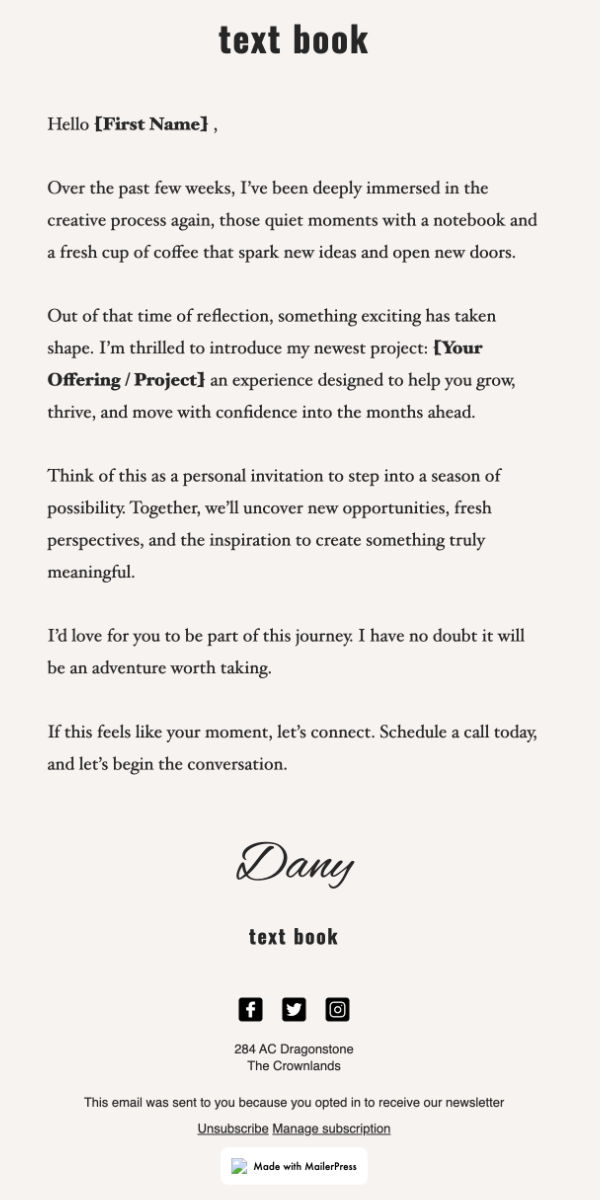
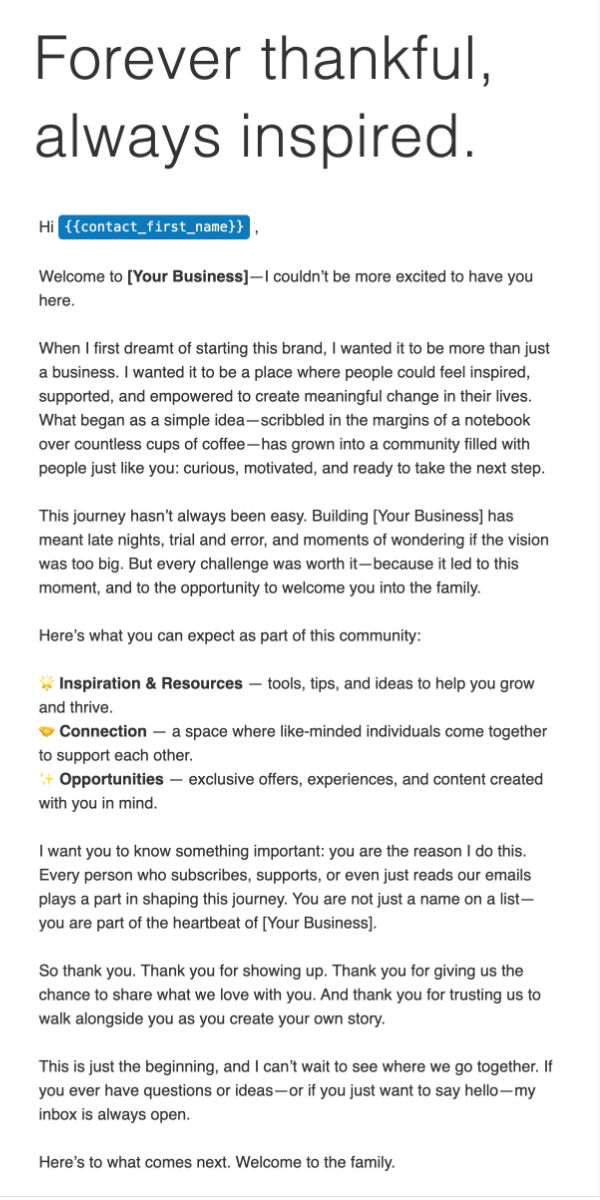
Pre-built templates, endless possibilities
Start from a layout that already converts — a launch, a welcome sequence, a limited-time sale — then make it your client’s. Save your version as a pattern and the next project starts at 80%.