




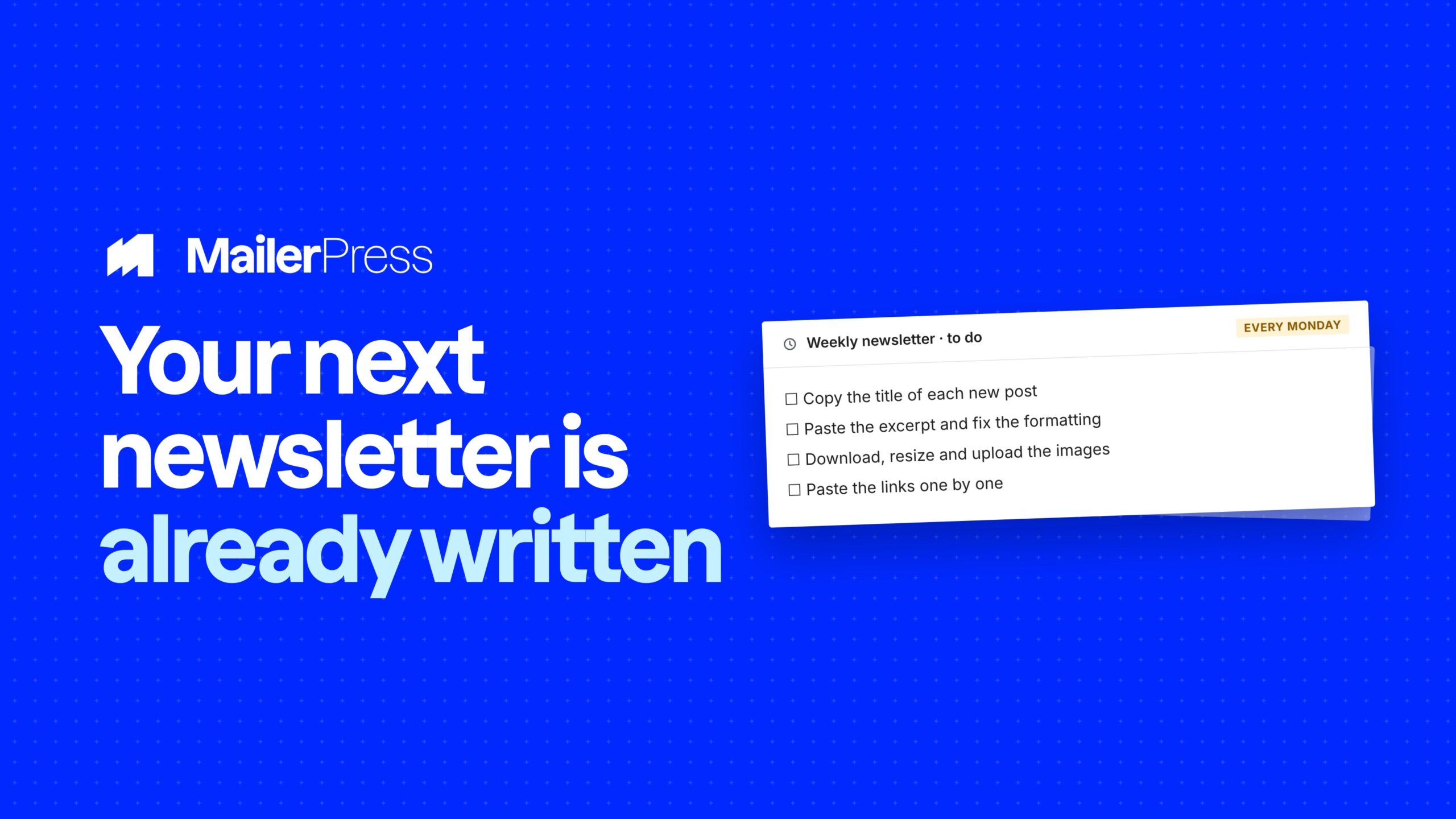
Your next newsletter is already written. It’s sitting in your WordPress posts, your products, your custom post types. Stop copying it across by hand — let the same query block you use on your site pull it straight into the email.
Query, design, send
Everything you can pull into an email
01
Turn your WordPress content into automated email campaigns
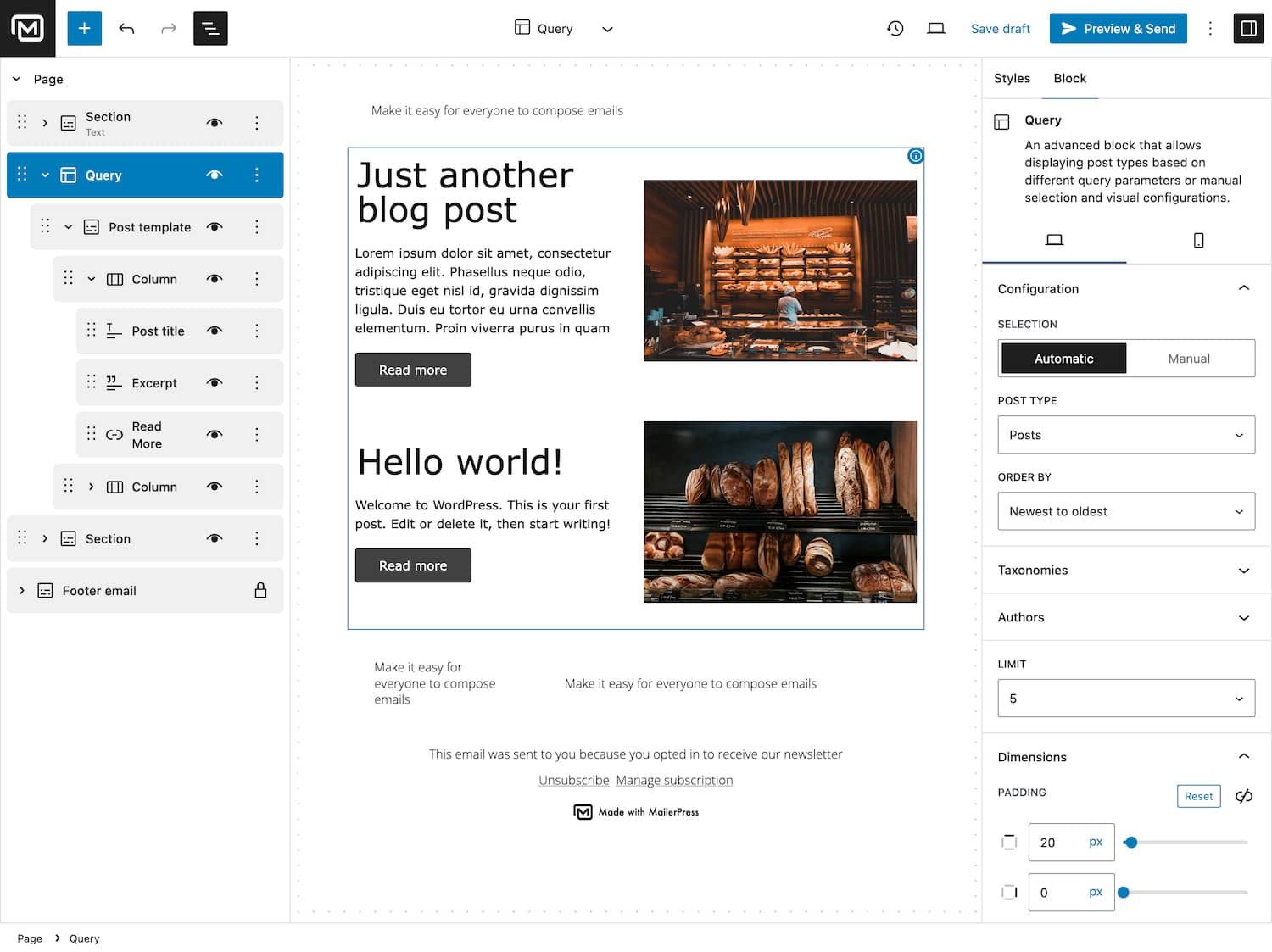
Easily pull posts, products, events, or any custom content into your newsletters. With Smart Content Queries, MailerPress gives you full control over what gets sent — and when. Build dynamic campaigns that update automatically every time you publish something new.
Choose any WordPress post type: posts, pages, products, and more.
Filter by taxonomies, categories, authors, and publication date.
Control order and number of posts with advanced conditions.
Automate content updates — no manual copy-pasting ever again.
02
Build email queries just like in the WordPress editor
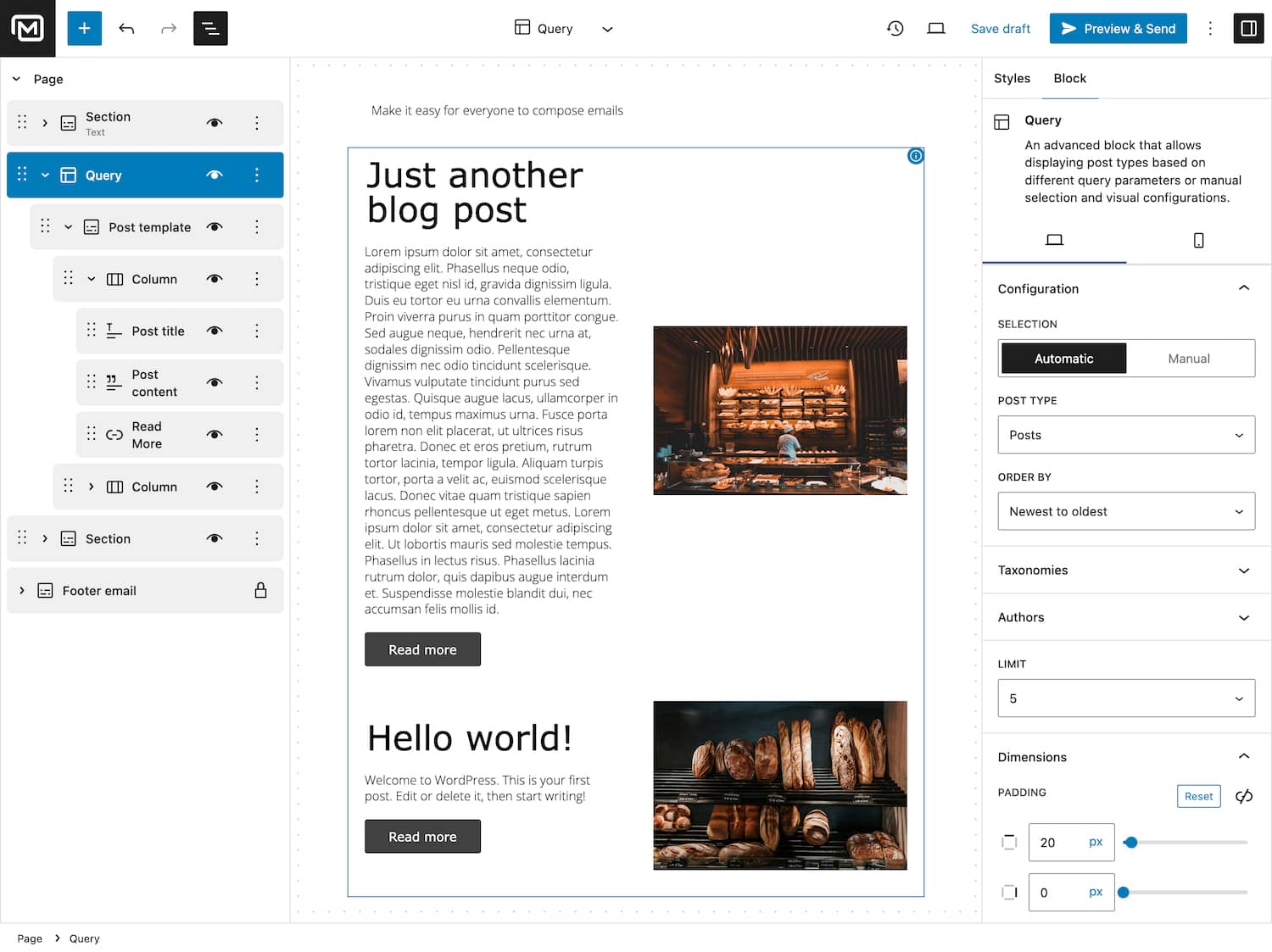
No need to learn something new. MailerPress uses the native WordPress query block, making it intuitive for anyone who already knows Gutenberg. If you can build a blog page, you can build an email campaign.
Uses the same query block interface as WordPress.
Instantly familiar for editors, marketers, and creators.
Preview exactly how your content will appear in emails.
No coding or complex configuration required.
03
Pull content automatically — or choose exactly what to send
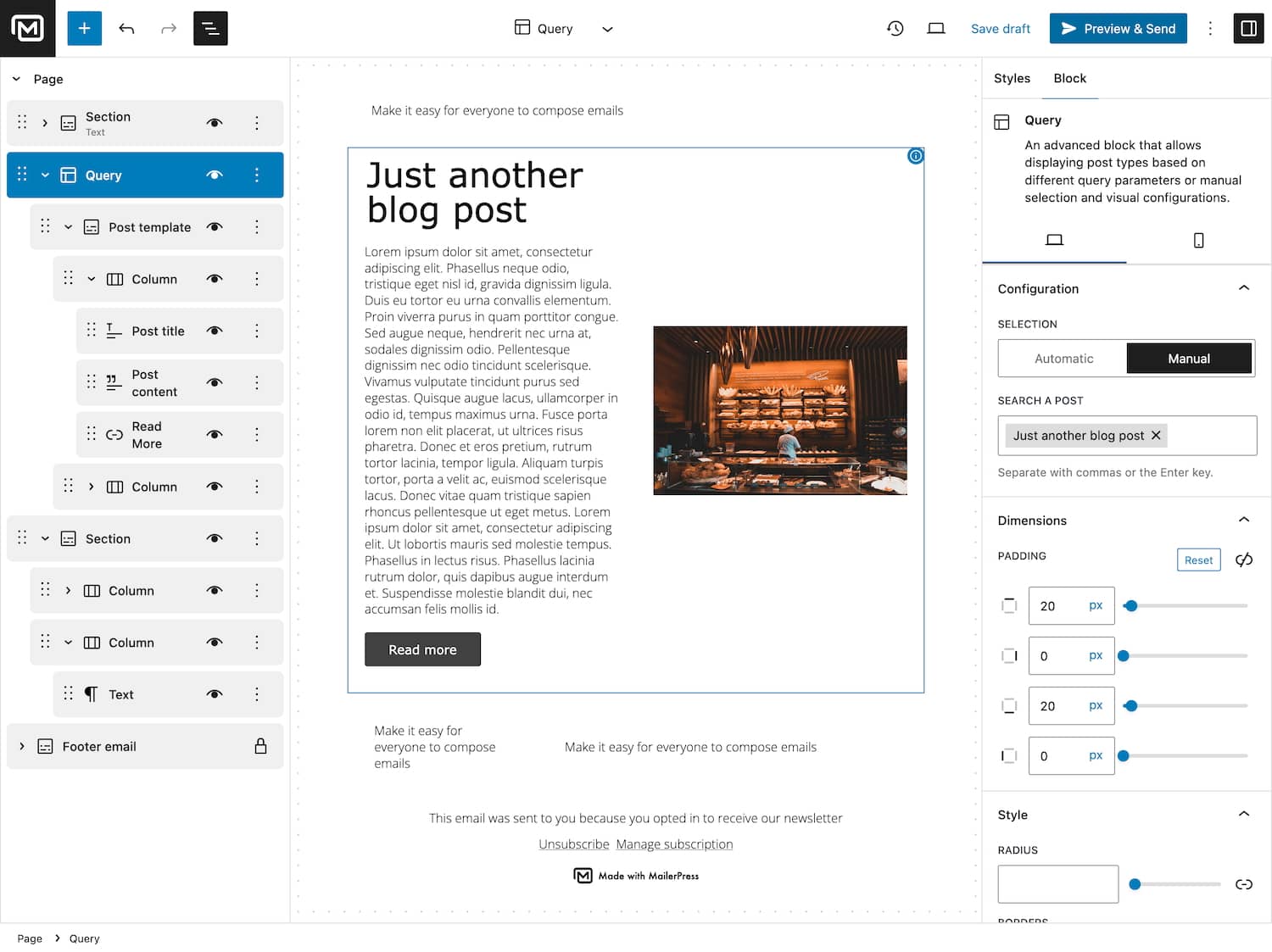
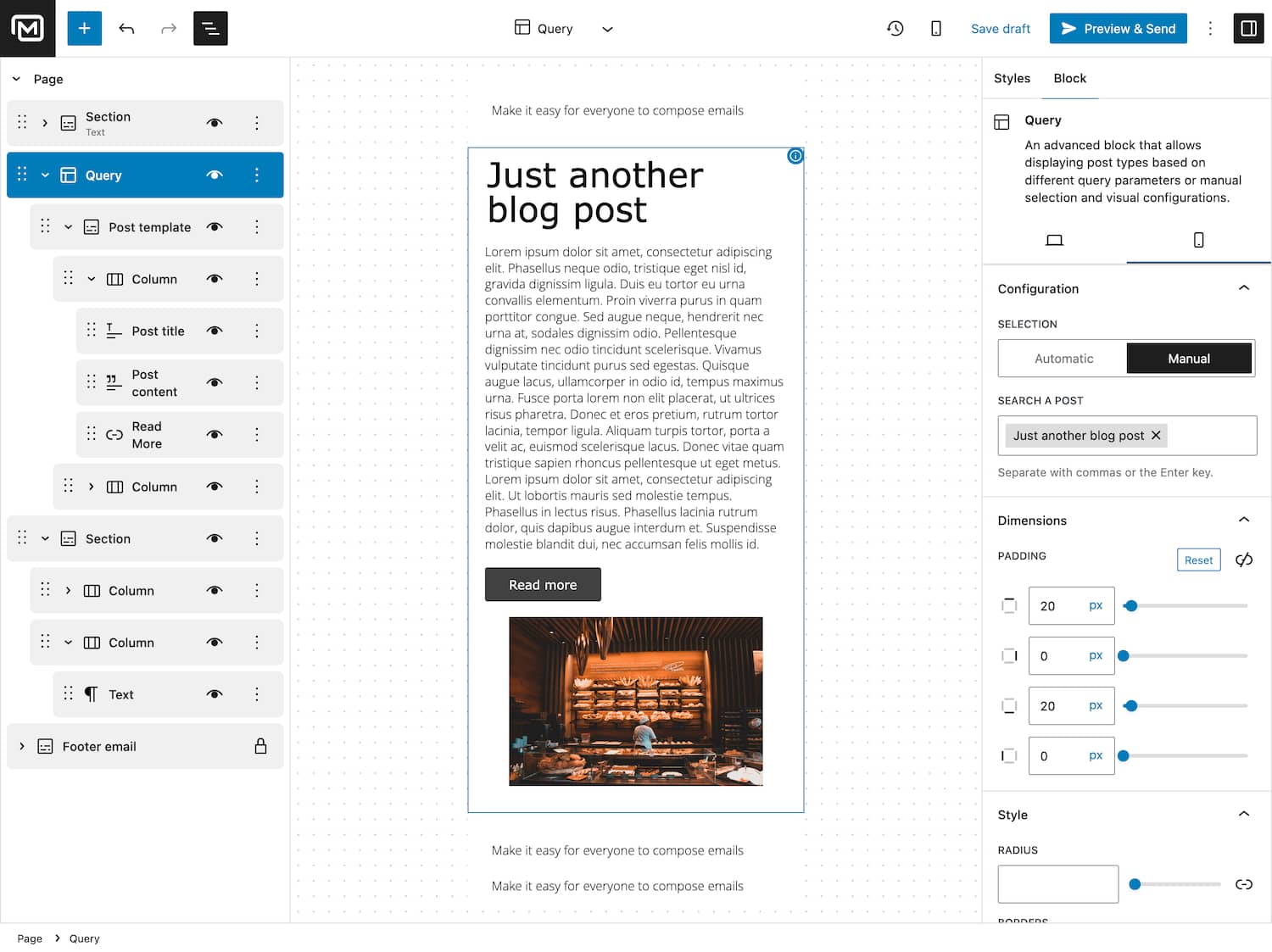
Decide how your campaigns are filled. Use automated content filters to dynamically include new posts, or manually enter post, page or post type to handpick what goes out. Total flexibility, zero hassle.
Automated filters by post type, taxonomy, author, date, and more.
Manual input for curated selections.
Mix automated and manual for ultimate control.
Always send the right content to the right audience.
04
Design perfect post layouts for every email
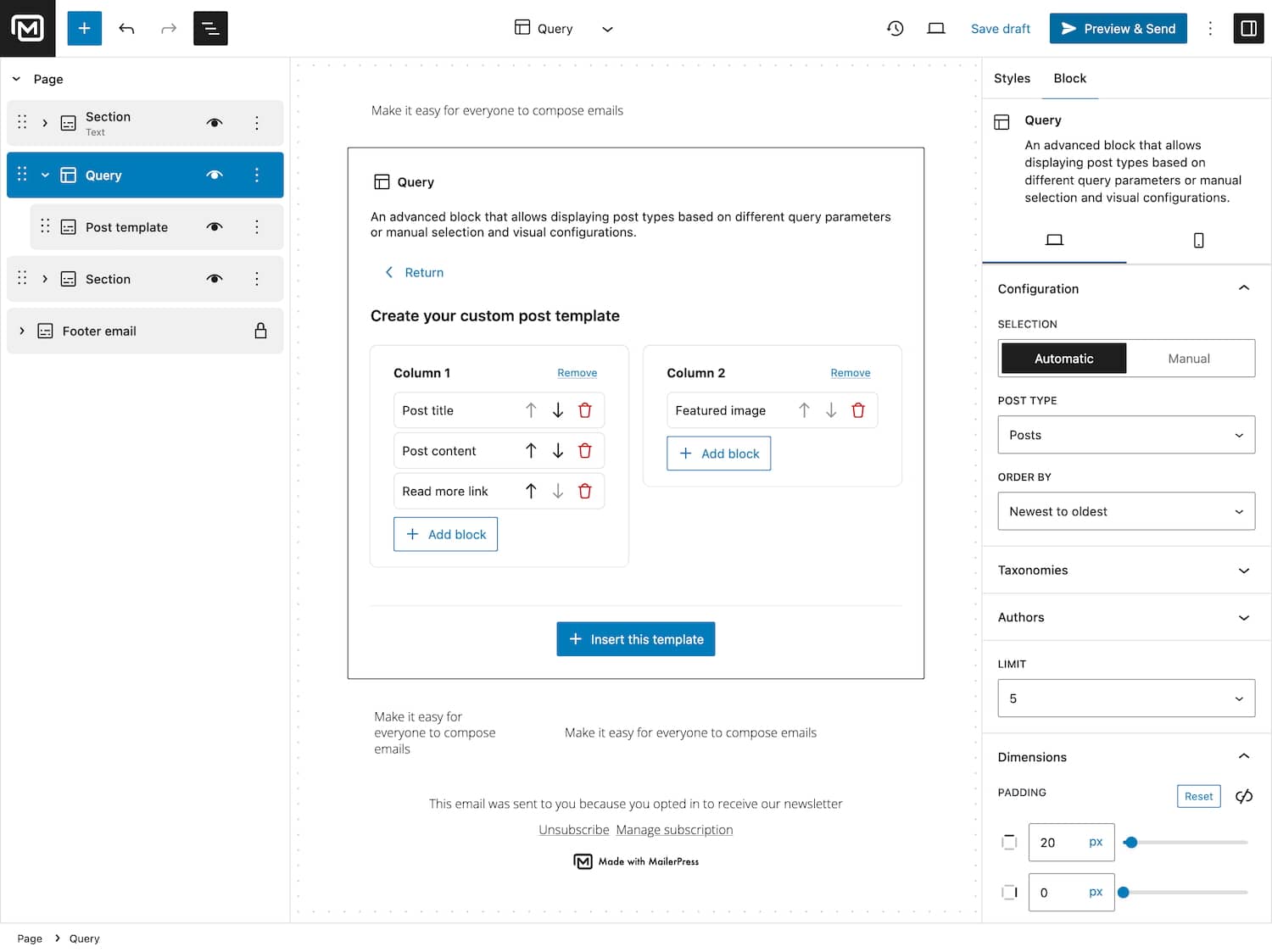
Create visually stunning content blocks with drag-and-drop post templates. Add titles, excerpts, thumbnails, product prices, and more — no coding needed. Want to skip the design? Start from a ready-made preset template.
Build layouts with drag-and-drop elements.
Choose between 1 or 2 column designs.
Add post titles, thumbnails, excerpts, and product info.
Use preset templates or create your own.
05
Perfect emails on every device
Over 60% of emails are opened on mobile. With MailerPress, you can customize your email design for mobile screens, ensuring your content looks beautiful and drives clicks — no matter the device.
Fully responsive design out of the box.
Adjust spacing, font sizes, and layout for mobile.
Optimize product grids and post templates.
Increase conversions with a mobile-first experience.
Take the full tour
-
MailerPress Query Block
Top 3 reasons you’ll love MailerPress
Powerful
Pull any WordPress content into your campaign: posts, WooCommerce products, events, or any custom post type. Filter by taxonomy, category, author and publication date, then control the order and how many items appear. Use automatic filters, hand-pick items by ID, or combine both in the same email.
Easy
It is the same query block you already use in the WordPress editor, so there is nothing new to learn and no code to write. Choose a one or two column layout, decide which elements to show, such as title, excerpt, thumbnail and price, and start from a preset template if you want a head start.
Fast
Your content is fetched when the campaign is sent or scheduled, so a newsletter always goes out with your latest posts and prices. No copy and paste, no rebuilding the same layout every week. Layouts are responsive, with spacing, font sizes and product grids adjusted for mobile.
Choose the right plan for you
All packages come with a 14-day money-back guarantee.
Pro
For bloggers, startups and non-governmental organizations.
$49
billed annually
1 website
Unlimited contacts
Unlimited campaigns
Business
For e-commerce, media companies and small businesses.
$99
billed annually
3 websites
Unlimited contacts
Unlimited campaigns
Enterprise
Best value
For web agencies and freelance developers with many clients.
$199
billed annually
Unlimited websites
Unlimited contacts
Unlimited campaigns
You have a question? We’ve got you covered.
See the list below for our most frequently asked question.
Not at all. Everything is done visually with the Query Block — no technical setup required.
You can manually pick specific posts or products by ID or fine-tune your filters.
Absolutely. MailerPress lets you fully customize the mobile view for perfect results on any screen.
Your query pulls the latest content automatically every time you send or schedule a campaign.
Didn’t find your question?
Get ready with MailerPress
Documentation
Discover products and features designed to support the growth of your business. If you are a beginner, read our guides to learn more about the basics.
Help & Support
Discover products and features designed to support the growth of your business. If you are a beginner, read our guides to learn more about the basics.
Changelog
Stay ahead with our transparent roadmap that outlines upcoming features, improvements, and next steps for MailerPress.