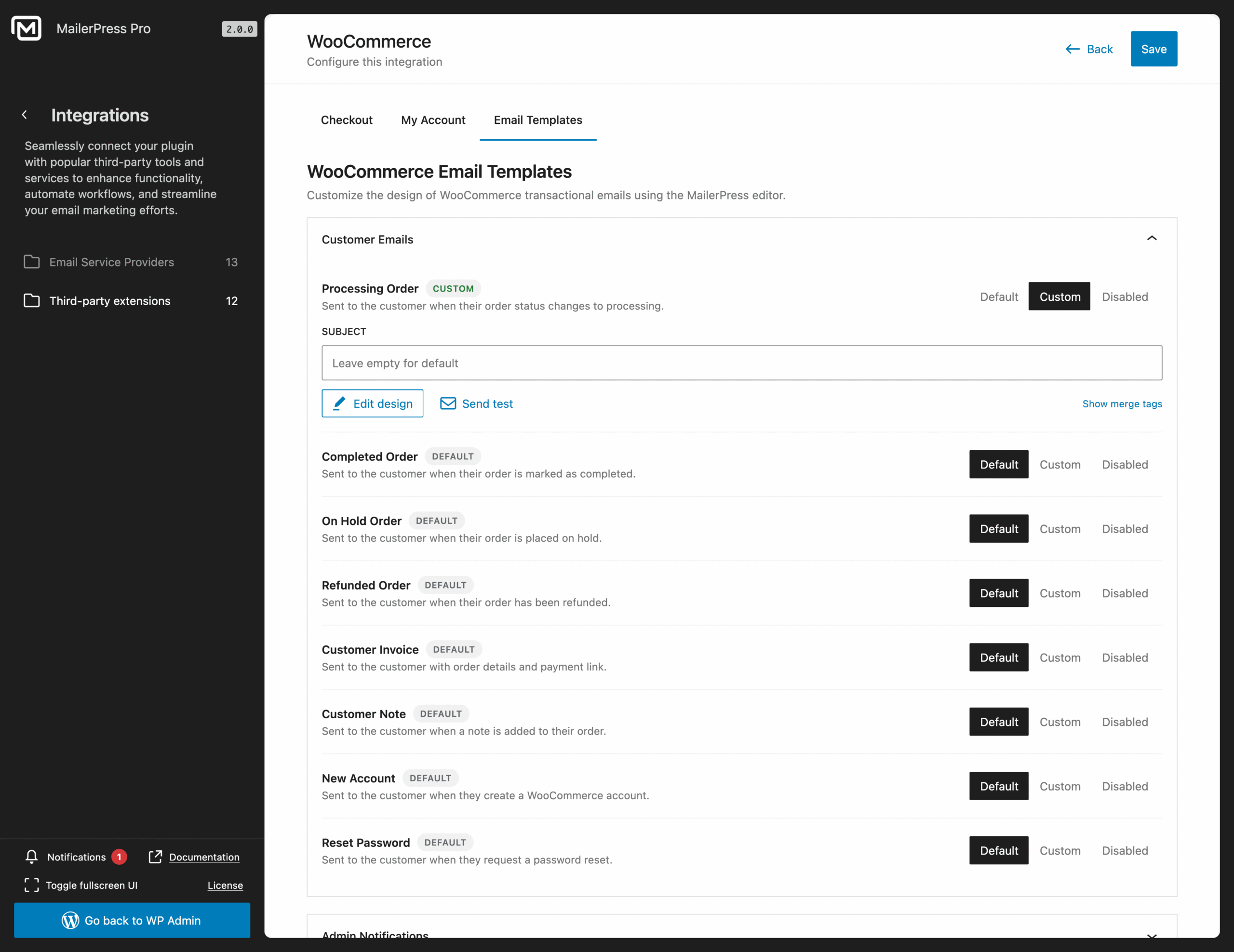





The email your customers are most likely to open is the one you never designed. Order confirmations. Shipping updates. Invoices. They go out looking like system notifications, while the rest of your store looks like a brand. That stops here.
Design once, send forever
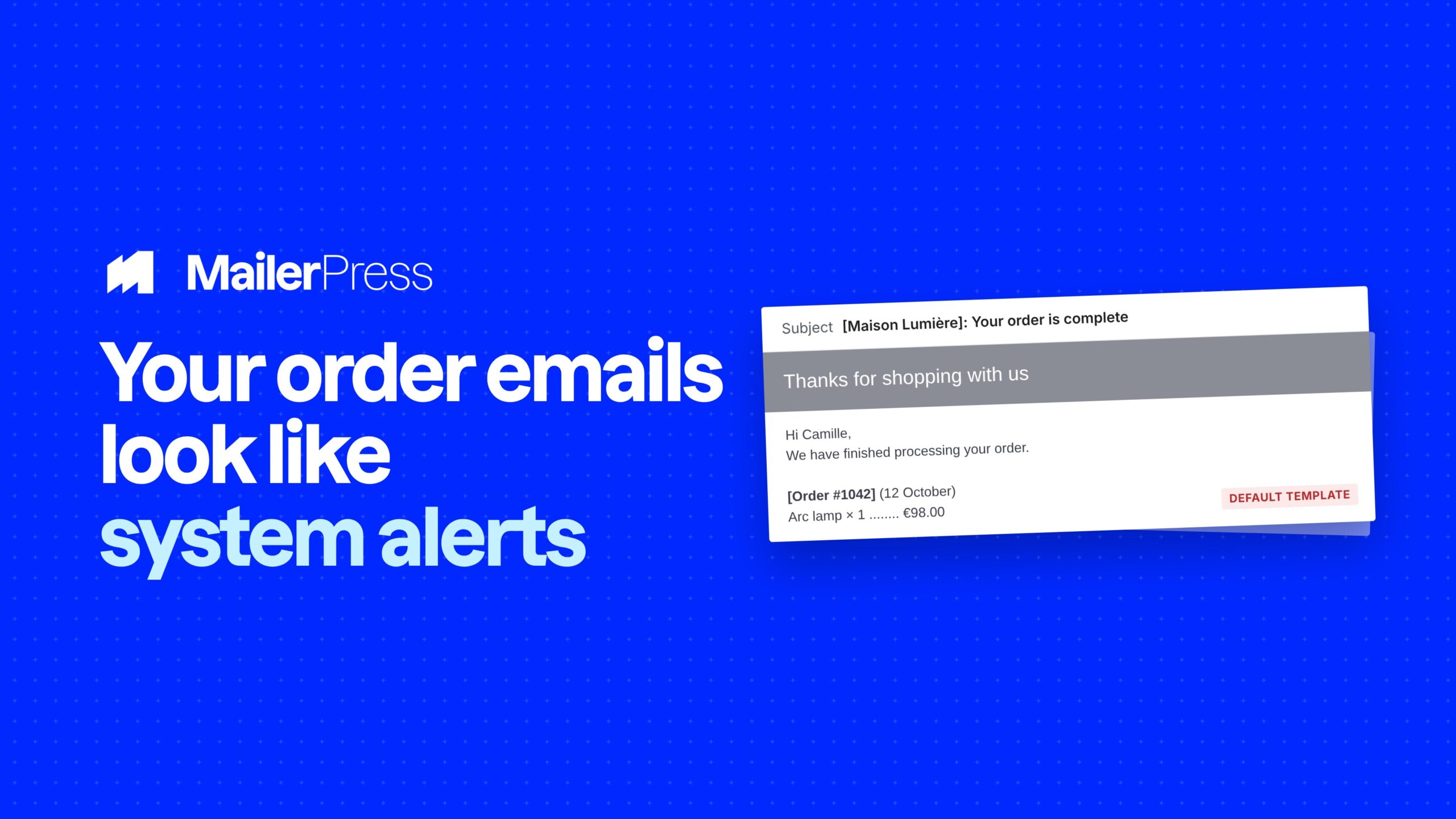
Everything your store can send
01
Redesign every store and WordPress email with drag-and-drop
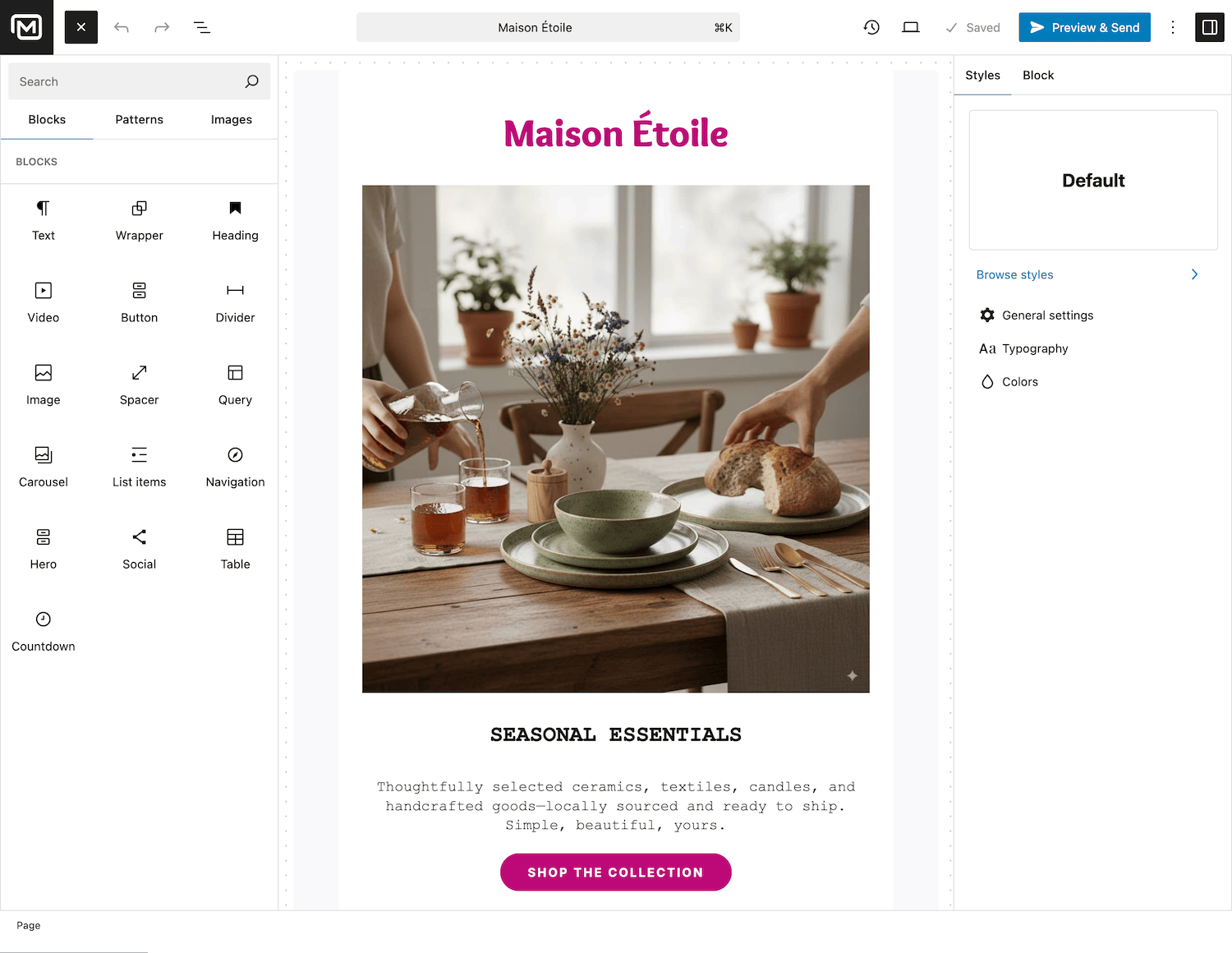
Forget the WooCommerce email settings screen with its two color pickers. MailerPress replaces the default templates with a full visual editor built on the WordPress Block Editor. Drag blocks, drop in images, set your fonts and colors once with full theme.json support, and every email your site sends inherits your branding.
Build with the same drag-and-drop blocks as your campaigns.
Consistent branding through theme.json and Full Site Editing.
Live preview and responsive layouts that render across email clients.
Google Fonts with local hosting for fast, on-brand emails.
02
Customize every transactional email your site sends
MailerPress hooks into both WooCommerce and WordPress core, and lets you override their emails one by one — customer, admin, subscriptions, and WordPress account notifications. Keep the original trigger and data; replace only the design.
WooCommerce Subscriptions (requires the WooCommerce Subscriptions extension) — renewal invoice, on-hold, renewal processing/complete, switched, plus admin notifications (cancelled, expired, suspended, new renewal/switch order): Processing Order, Completed Order, On Hold Order, Refunded Order, Customer Invoice, Customer Note, New Account, Reset Password.
WooCommerce – Admin: New Order, Cancelled Order, Failed Order.
WooCommerce Subscriptions (requires the WooCommerce Subscriptions extension) — renewal invoice, on-hold, renewal processing/complete, switched, plus admin notifications (cancelled, expired, suspended, new renewal/switch order).
WordPress core emails: New User Welcome, Password Reset, Password Changed, Email Address Changed, New User Admin Notification, Admin Email Changed, and comment notifications.
Insert live data with merge tags: order number, order total, order date, order status, customer name, and more.
03
Recover abandoned carts automatically
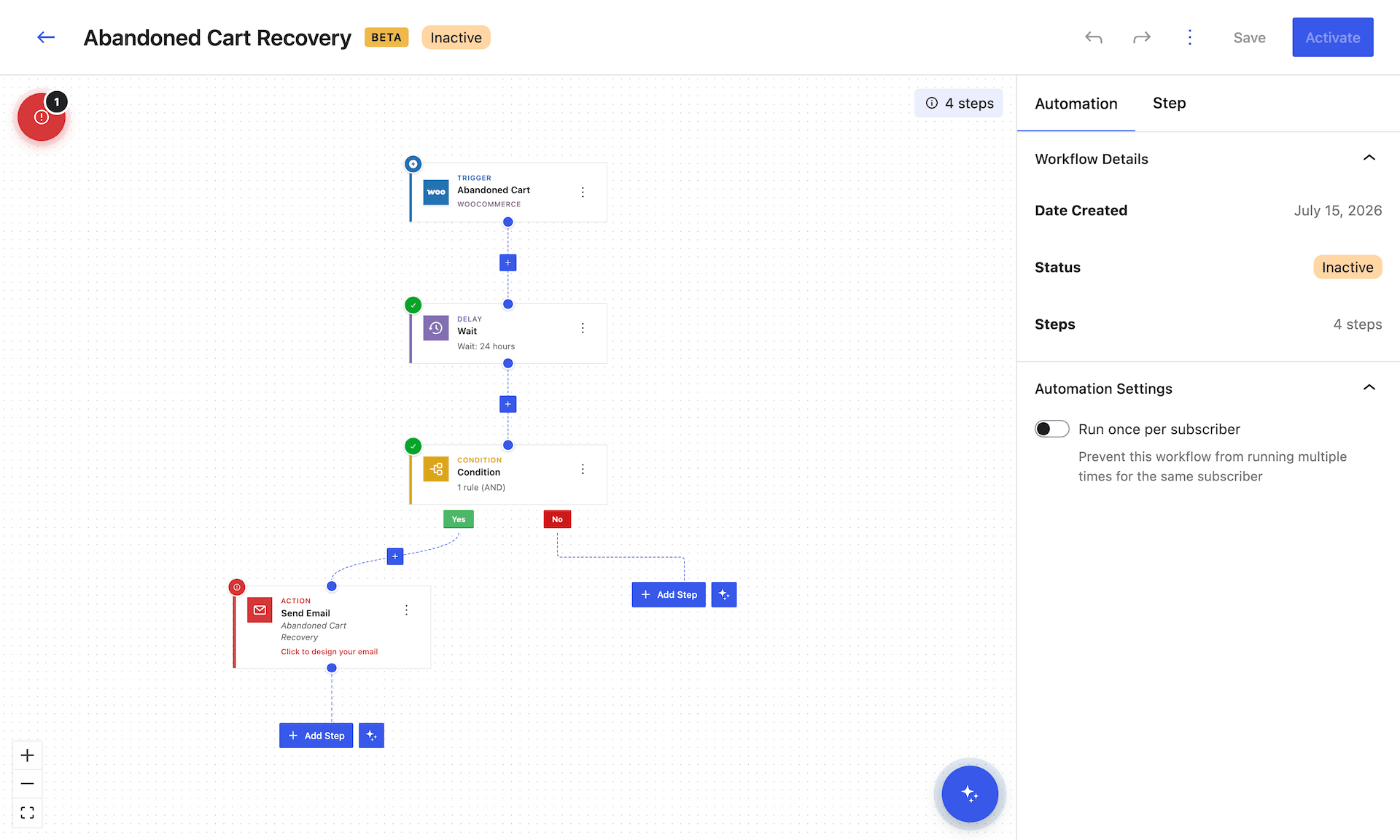
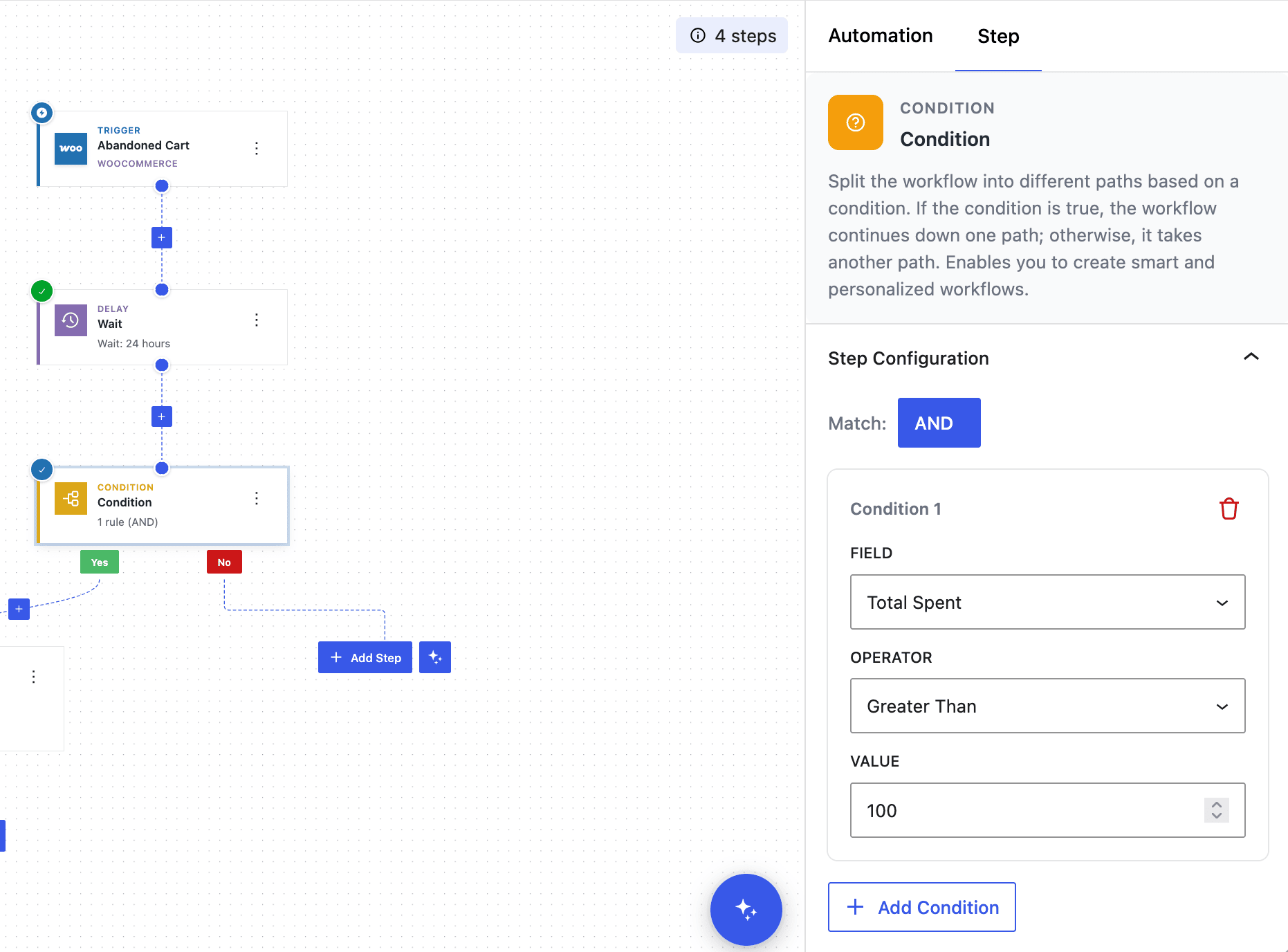
Most stores lose the majority of their carts. MailerPress captures cart activity — including guest shoppers as soon as they enter an email — and runs an Abandoned Cart automation that brings them back. The dedicated Cart Recovery Button returns shoppers straight to checkout with their items already restored.
Ready-made Abandoned Cart automation and email template.
Captures guest-checkout carts, not just logged-in customers.
One-click Cart Recovery Button that rebuilds the checkout.
Fully editable timing, wording, and design.
04
Turn one purchase into the next
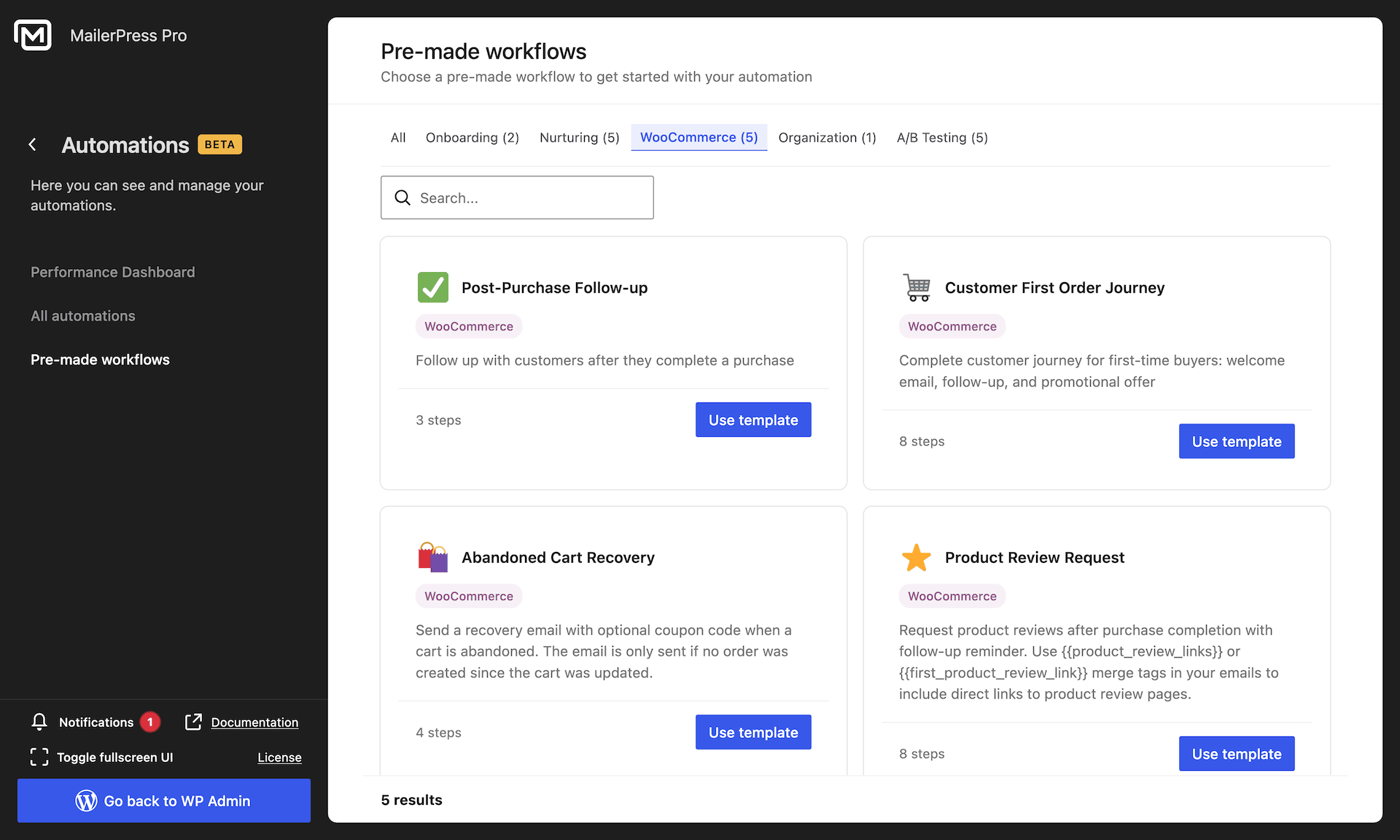
The moment after checkout is your best selling opportunity. Use post-purchase automations to say thank you, request reviews, and bring customers back — all designed in the same editor.
Post-purchase Product Review block with dynamic product cards and a “Leave a Review” button.
Thank-you and review-request templates ready to send.
Re-engagement flows for customers who’ve gone quiet.
Pull live product content straight into your newsletters.
05
Segment customers by what they actually buy
Generic blasts convert poorly. MailerPress segments contacts on real WooCommerce behavior so the right offer reaches the right customer.
Filter by purchase amount to reward or re-target big spenders.
Target paying customers vs. subscribers who never bought.
Segment on subscription status for renewals and win-backs.
Combine with tags, lists, and engagement for precise audiences.
06
See the revenue every campaign brings in
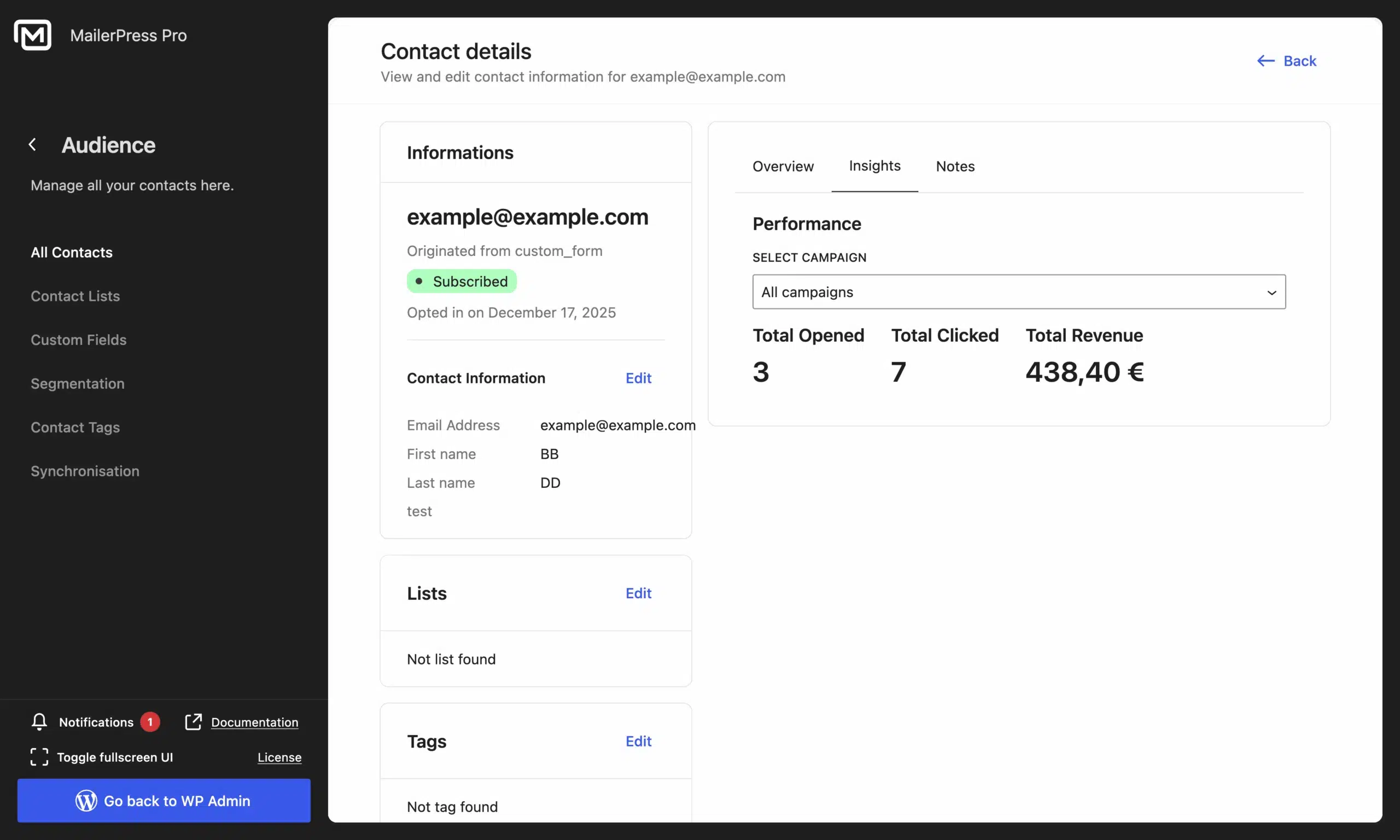
Design is only half the story. MailerPress tracks the revenue each campaign and contact generates directly from WooCommerce orders, and adjusts automatically when an order is refunded — so you always know what your emails are worth.
Per-campaign and per-contact revenue attribution.
Automatic adjustment on refunds for accurate numbers.
Store-wide totals to prove email ROI.
All reported inside your WordPress dashboard.
Take the full tour
-
MailerPress email editor for WordPress
Top 3 reasons you’ll love MailerPress
Powerful
Redesign every transactional email WooCommerce and WordPress send: order statuses, invoices, customer notes, new account and password reset, admin alerts for new, cancelled and failed orders, and the full set of WooCommerce Subscriptions emails. Merge tags pull in live order data such as order number, total, date, status, customer name and products.
Easy
You edit these emails in the same block editor you already use for your content, with drag and drop and no code. The builder reads your theme.json and Full Site Editing styles, so your emails match your site without rebuilding your branding twice. Change one email or apply your design across all of them.
Fast
Templates are responsive and tested across email clients, and Google Fonts are served from your own site rather than an external domain. Everything runs inside WordPress, so there is no external service to configure and no plugin to bridge your store with a third-party editor.
Choose the right plan for you
All packages come with a 14-day money-back guarantee.
Pro
For bloggers, startups and non-governmental organizations.
$49
billed annually
1 website
Unlimited contacts
Unlimited campaigns
Business
For e-commerce, media companies and small businesses.
$99
billed annually
3 websites
Unlimited contacts
Unlimited campaigns
Enterprise
Best value
For web agencies and freelance developers with many clients.
$199
billed annually
Unlimited websites
Unlimited contacts
Unlimited campaigns
You have a question? We’ve got you covered.
See the list below for our most frequently asked question.
You can redesign all core customer emails (processing, completed, on-hold and refunded orders, invoices, customer notes, new account, password reset), the admin notifications (new, cancelled and failed orders), and the full range of WooCommerce Subscriptions emails — while keeping WooCommerce’s original triggers and order data.
Yes. Beyond WooCommerce, MailerPress Pro lets you redesign core WordPress emails — new user welcome, password reset, password and email-address change notifications, the admin new-user notice, the admin email-change notice, and comment notifications — using the same drag-and-drop editor.
No. MailerPress uses a drag-and-drop editor based on the WordPress Block Editor. You design your store and WordPress emails visually, exactly like you’d build a page or a newsletter.
Yes. MailerPress recognizes WooCommerce Subscriptions emails — renewal invoices, renewal processing and complete, on-hold, switched, cancelled, expired and suspended — and lets you customize each one.
Yes. A ready-made Abandoned Cart automation captures cart activity, including guest shoppers, and sends a recovery email with a Cart Recovery Button that returns customers to checkout with their items restored.
Yes. MailerPress attributes WooCommerce order revenue to the campaign and contact that drove it, updates automatically on refunds, and shows store-wide totals in your dashboard.
WooCommerce and WordPress email customization is part of MailerPress Pro. The free plugin covers newsletters, subscriber management, and opt-in forms; a paid plan unlocks WooCommerce and WordPress emails, automations, and premium sending providers.
Didn’t find your question?
Get ready with MailerPress
Documentation
Discover products and features designed to support the growth of your business. If you are a beginner, read our guides to learn more about the basics.
Help & Support
Discover products and features designed to support the growth of your business. If you are a beginner, read our guides to learn more about the basics.
Changelog
Stay ahead with our transparent roadmap that outlines upcoming features, improvements, and next steps for MailerPress.