Most of the work in MailerPress 2.2 doesn’t fit in a list of new features. In the four weeks since 2.1, we mostly went back over the interface, one screen at a time.
Why we went back to the interface
From day one, MailerPress has wanted to feel at home in WordPress. It already used the WordPress components, but as a bundled and often restyled copy, not necessarily the one your site runs.
In a year, the product has grown a lot: automations in 2.0, then A/B testing, conditional content and the Migration Center in 2.1. Each new screen came with its own controls. We had our own tabs, our own notices, three different ways of showing steps and a blue of our own, which stayed blue even when you had picked another admin color scheme.
One by one, these differences went unnoticed. Added up, MailerPress looked like WordPress from a distance, not up close. The menu had gone the same way: the settings alone lined up seven links under three headings.
One question for every screen
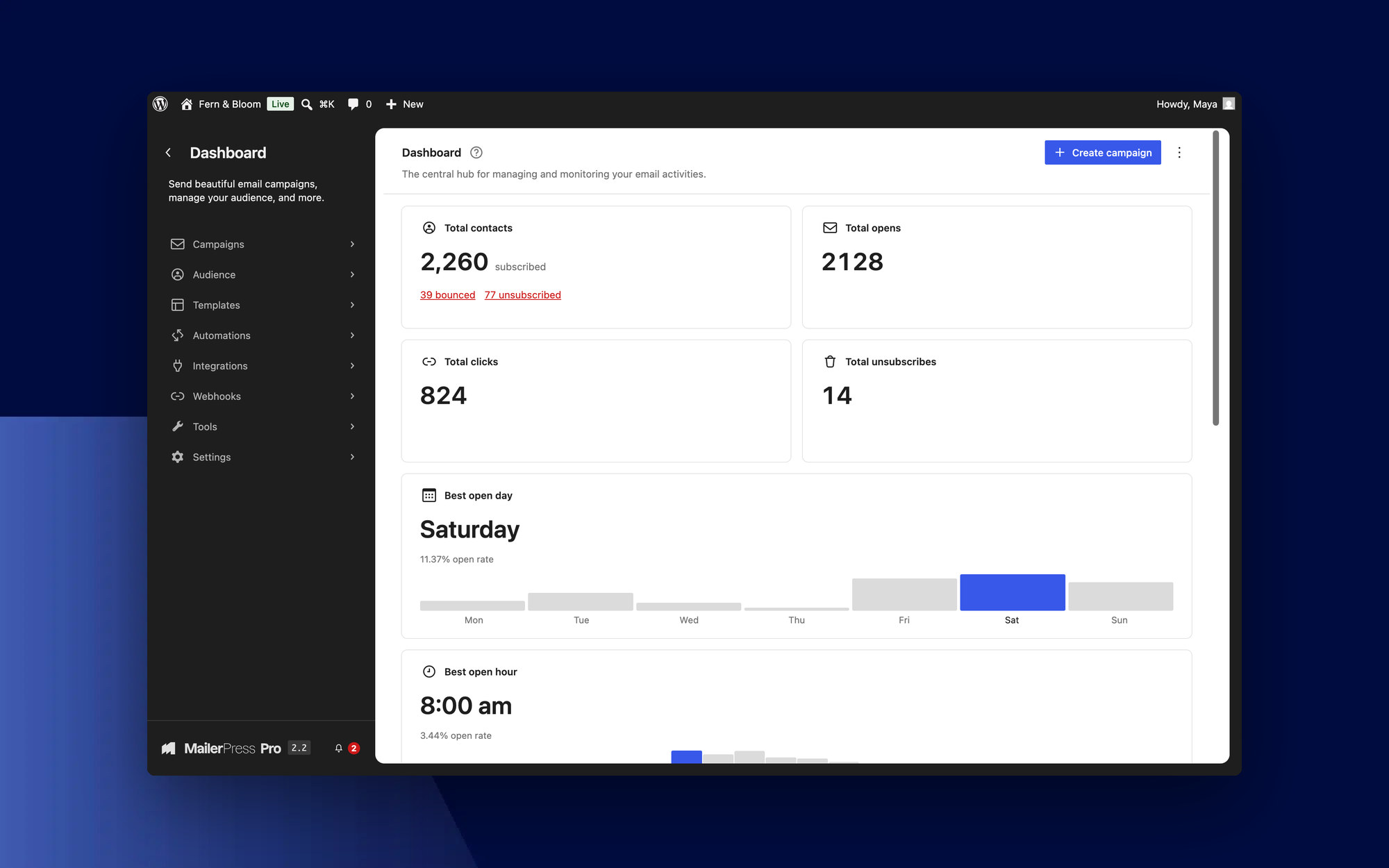
For every screen, we started from the same question: how would WordPress do this? Wherever WordPress offers a component, MailerPress now uses the one your site runs: buttons, tabs, panels, lists, badges, notices and empty states. Colors follow your admin color scheme everywhere.
The sidebar now mirrors the Site Editor’s, and the menu has been reorganized so every screen is one click away. Your browser’s Back button takes you back where you were.
Every screen header keeps a single primary button, with the other actions under the ⋮ menu. The dashboard shows the essentials first, and the other widgets are still there when you customize it. As for the setup wizard, it is shorter and ends with a single action: create your first campaign.
An email editor that feels like the block editor
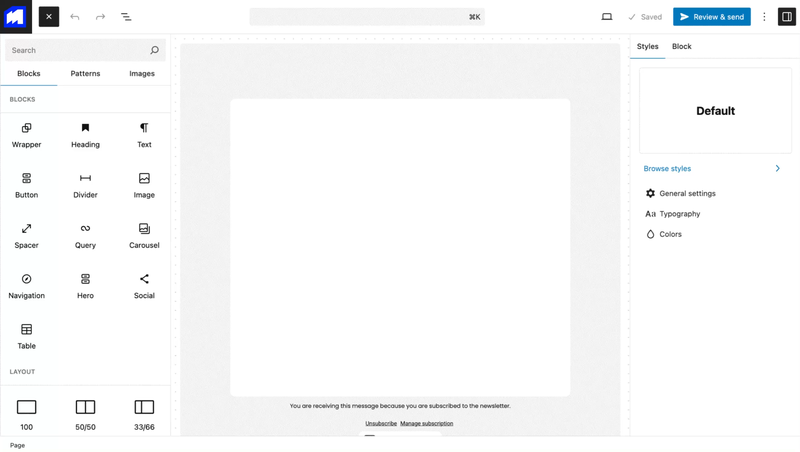
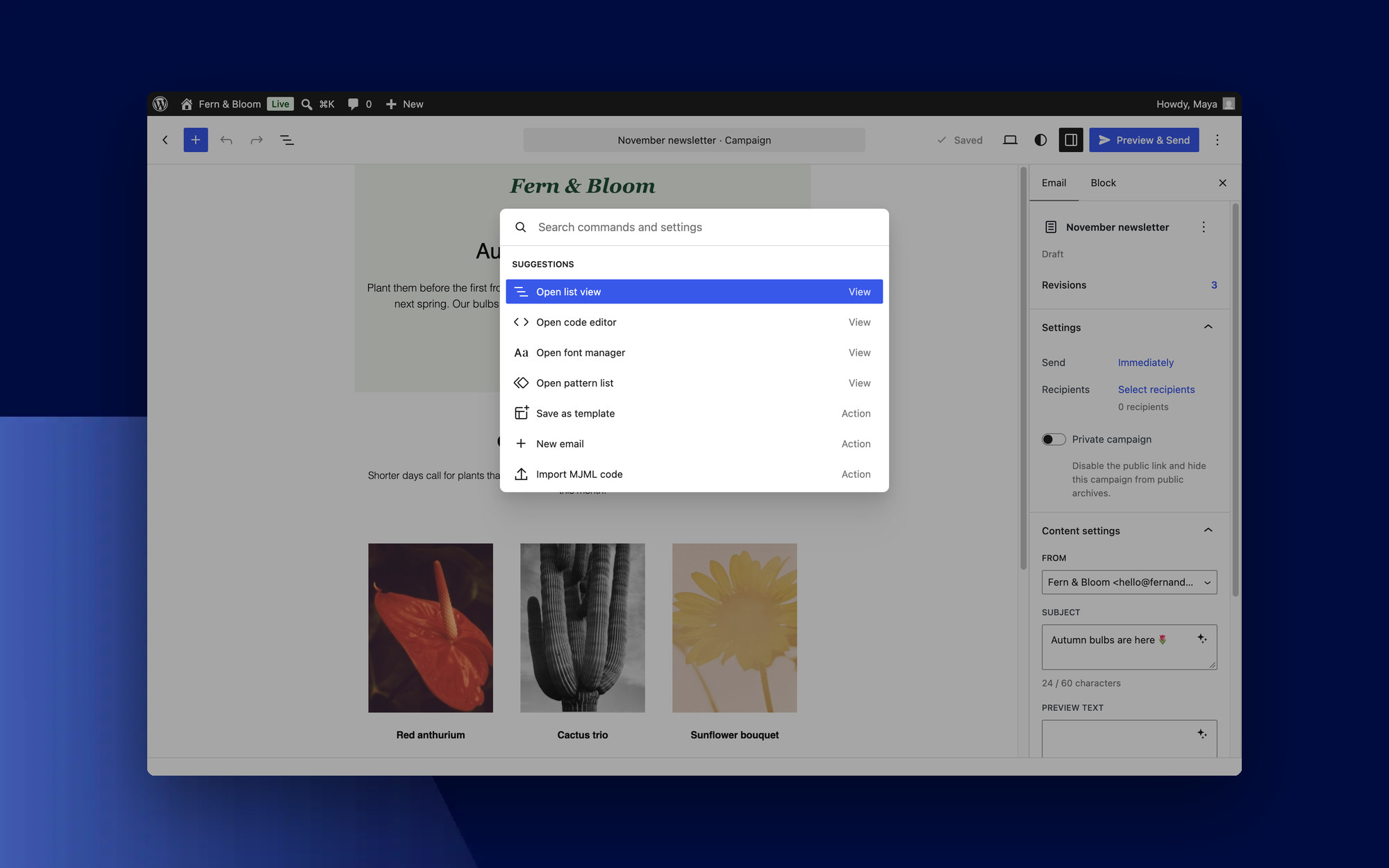
The editor follows the same logic. Campaign settings (sender, subject, preview text, recipients) now sit in the sidebar, like a post’s settings. At the top, the document bar shows what you are working on, and ⌘K (Ctrl+K on Windows) opens the command palette. Sending yourself a test email has its own window.
Your emails already picked up your theme’s colors and typography. In 2.2, the Styles panel offers the same palettes, styles and font sizes as the Site Editor, and the fonts you choose for an email stay with that email.
The automation editor got the same treatment: a sidebar to insert triggers and actions, along with WordPress notices and badges.
On tablets and phones
MailerPress screens were designed for a computer. The email editor, the automation editor and your lists now adapt to tablets and phones, so you can review a campaign or look up a contact from your phone.
Lighter and faster
Relying on WordPress has another benefit: MailerPress no longer ships its own copy of the components, so it loads less code and does less work in the background. The dashboard, your lists and the editor open noticeably faster.
We also tightened security along the way: your API keys, tokens and SMTP passwords are always masked and never sent to your browser.
Also in MailerPress Pro
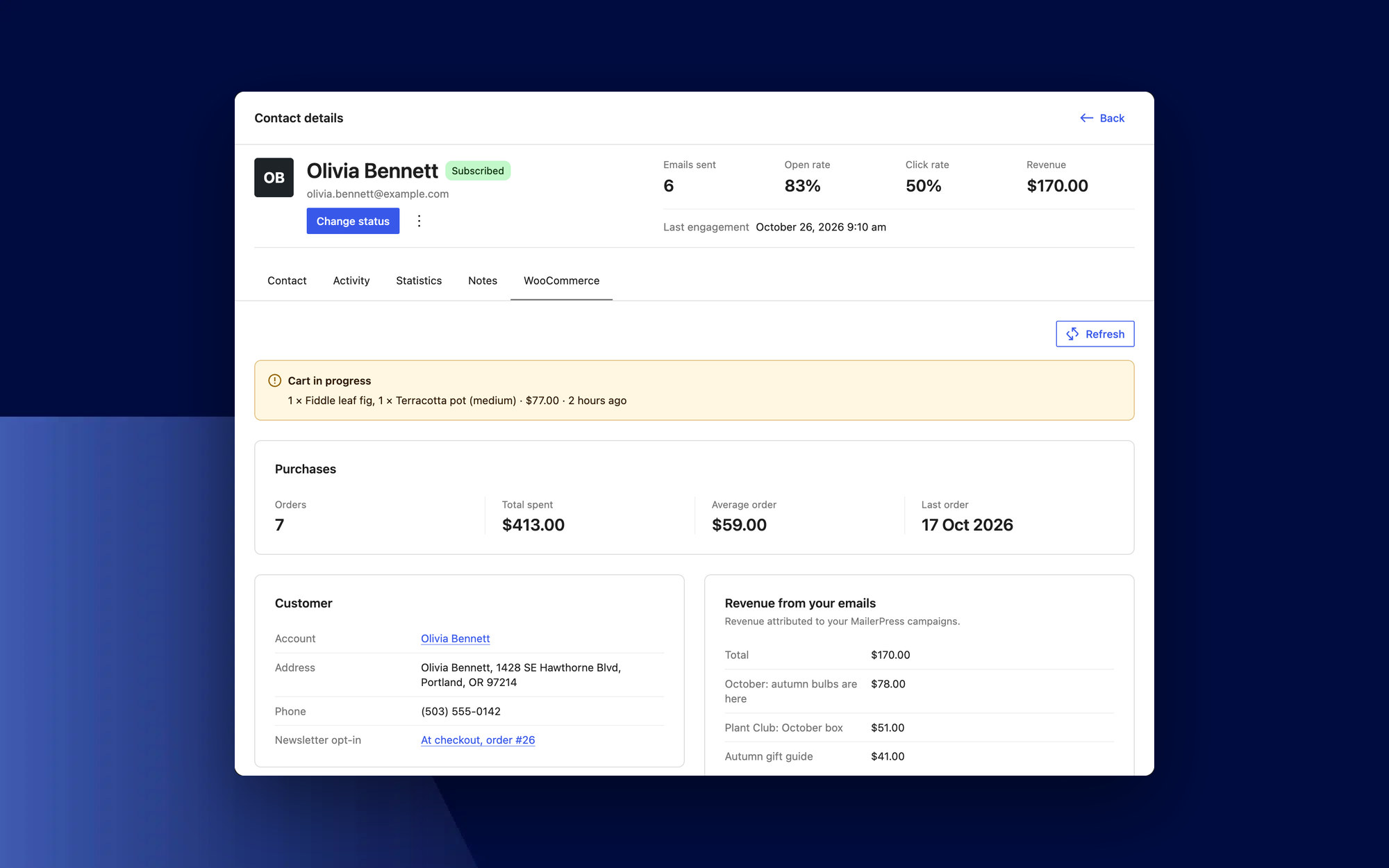
Every contact now has a WooCommerce tab: their orders, total spent, cart in progress, top products and the revenue your emails generated. You know who you are writing to before you hit send.
In campaign statistics, the click heatmap can now be shown for a single recipient. AI settings are simpler, and white label settings work as expected.
2.2 also fixes more than twenty issues, including signup forms, CSV imports, automations, A/B tests and bounce tracking.
Changelog
View the full changelog.
Get MailerPress 2.2
MailerPress 2.2 is available now. You can update the plugin directly from your WordPress dashboard or download the latest version from your account. If you use MailerPress Pro, update it at the same time to keep premium templates, WordPress emails and all your Pro features working. A notice reminds you if your Pro version is out of date.
A redesign this size changes habits. If a screen feels less convenient than before, tell us: that’s exactly the feedback we need for what comes next.
If you have any questions regarding the new features, please consult our documentation or contact support.