Connect Paid Memberships Pro to MailerPress to add a newsletter checkbox to the membership checkout and let members manage their subscriptions from their account. Members who tick the box are added to MailerPress with the lists and tags you choose (tags are labels used to group contacts).
This integration requires MailerPress Pro and an active Paid Memberships Pro plugin.
Open the Paid Memberships Pro settings
- Go to MailerPress > Integrations.
- Open the Third-party extensions tab. Click E-commerce to show only the store and membership integrations.
- On the Paid Memberships Pro card, click Configure.
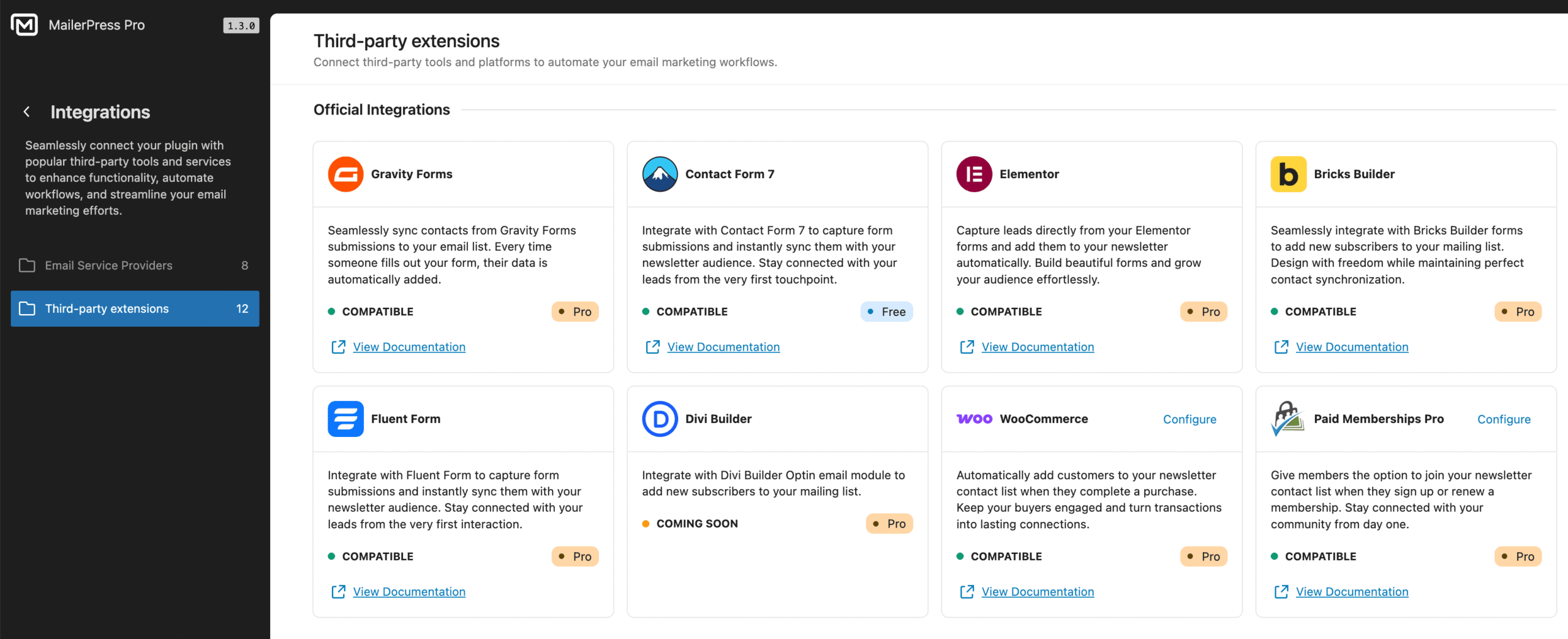
The settings have two tabs, Checkout and Member Profile. The Save button saves both. If Paid Memberships Pro isn’t active, the page shows Paid Memberships Pro is not installed or activated.
Add a newsletter checkbox to the membership checkout
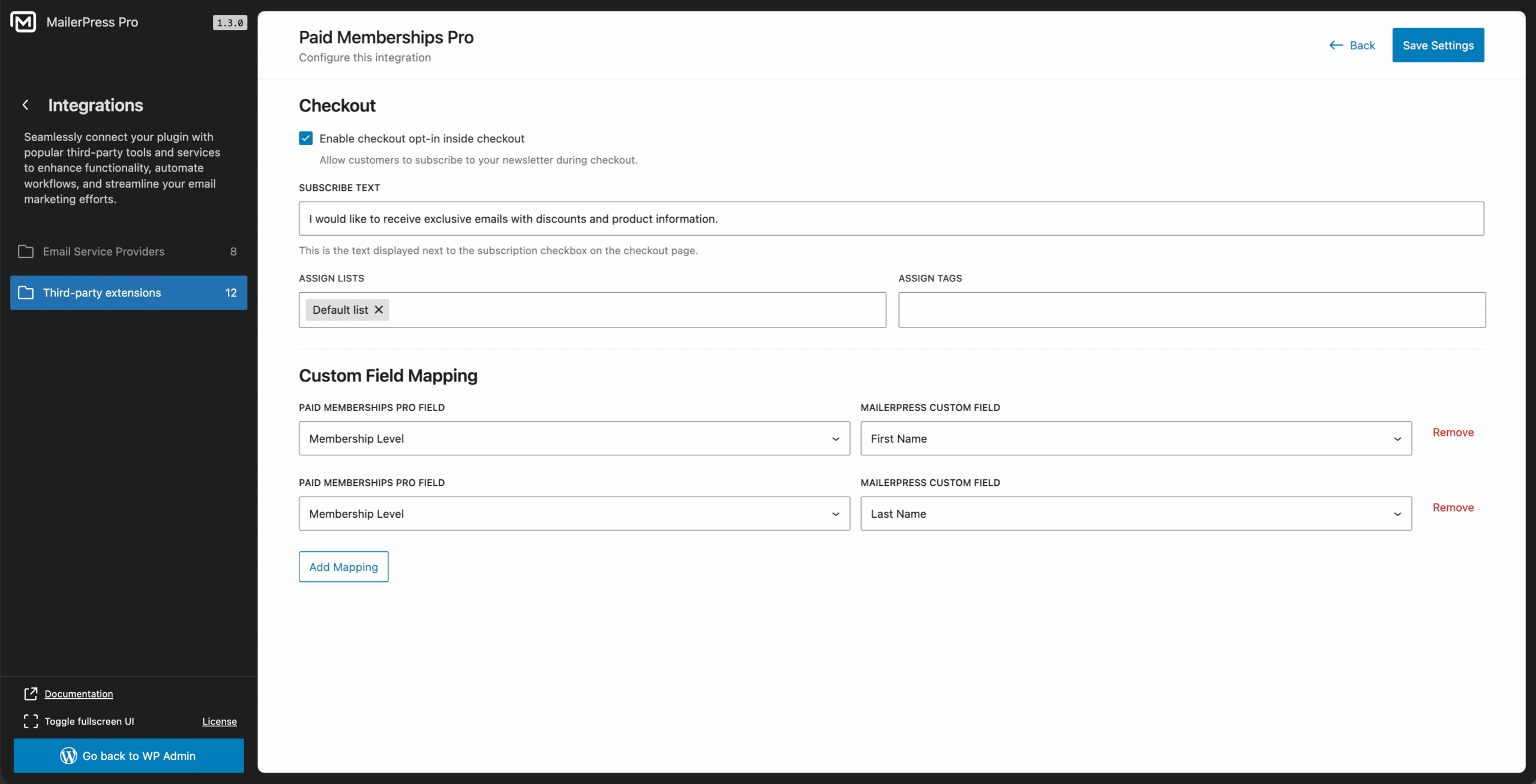
In the Checkout tab:
- Check Enable checkout opt-in inside checkout.
- In Subscribe text, enter the text shown next to the checkbox, for example “I would like to receive exclusive emails with discounts and product information.”
- In Assign Lists and Assign Tags, choose the lists and tags to give to members who tick the box.
- Click Save.
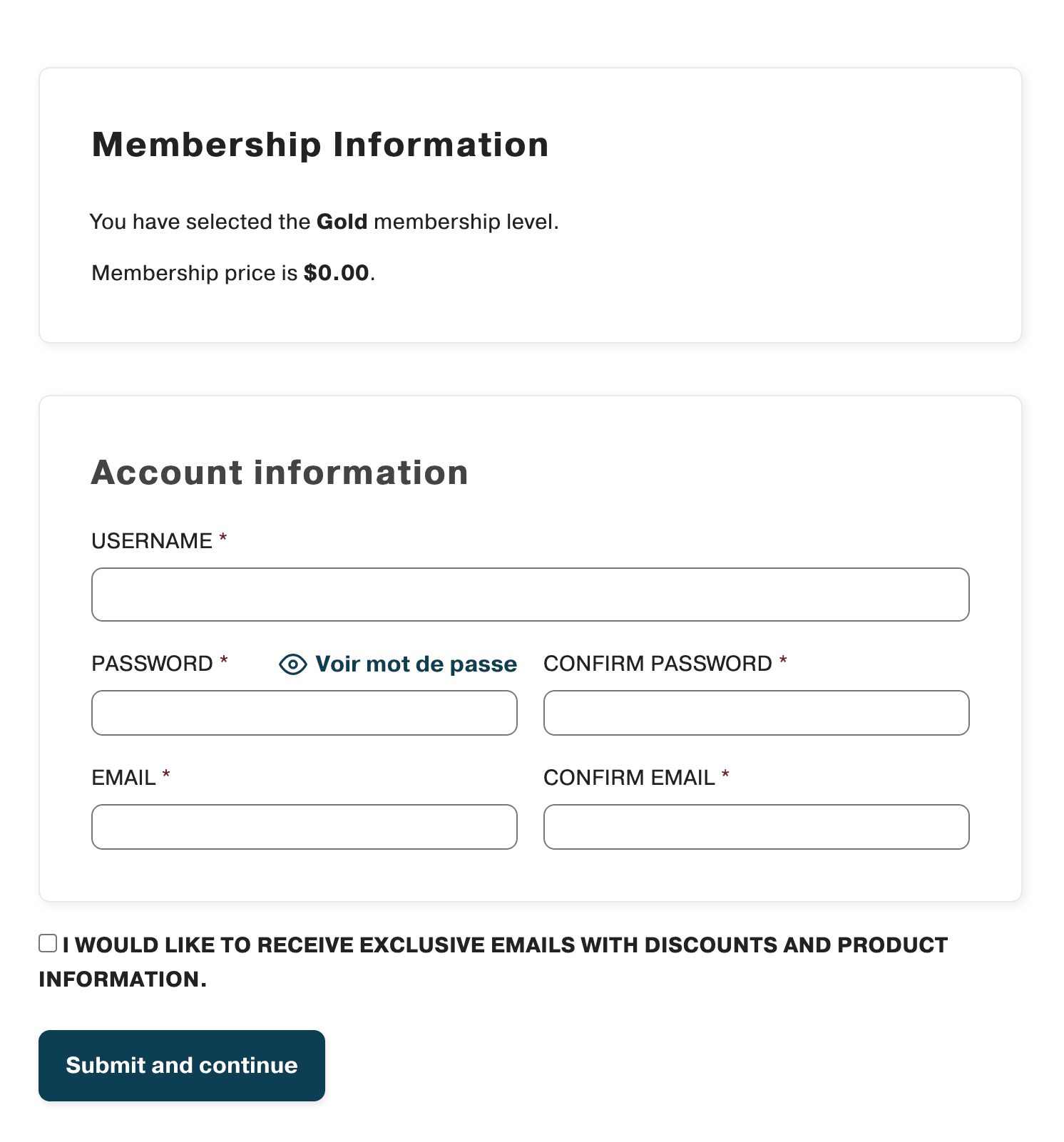
The checkbox appears on the checkout page, just before the submit button. It is unchecked by default. If the page reloads after an error, the member’s choice is kept.
What happens after checkout
- When the member completes the checkout with the box ticked, MailerPress creates the contact, or updates it if the email address already exists.
- The contact gets the email address, first name and last name of the member’s WordPress account.
- The contact is added to the lists and tags you selected. If you don’t select any list, MailerPress uses your default list.
- If sign-up confirmation (double opt-in) is enabled, a new contact stays Pending until they click the link in the confirmation email.
To check a member, open their profile in the Paid Memberships Pro member editor. The MailerPress panel shows Synced (ID: …) with a link to the contact if the member joined through the checkout checkbox, or Not synced otherwise.
Let members manage their subscriptions
In the Member Profile tab, turn on Enable Member Profile tab. MailerPress adds a newsletter section to the Paid Memberships Pro account page (the page that contains the [pmpro_account] shortcode). Logged-in members can subscribe to or unsubscribe from your lists there.
| Setting | Description |
|---|---|
| Page Heading | Heading of the section. If empty, the section is titled “Newsletter Preferences”. |
| Page Description | Optional text shown below the heading. |
| Show Name Fields | Shows first name and last name fields in the form. |
| Filter Lists | Lists the member can manage. Leave empty to show all lists. |
| Form Title | Optional title of the subscription form. |
| Button Text | Text of the save button. |
| Success Message | Message shown after the preferences are saved. |
| Error Message | Message shown if saving fails. |
For the subscription pages MailerPress provides, see Manage MailerPress Subscription and Unsubscribe Pages.