Today, we’re introducing OptinFlare, our second WordPress plugin.
It does one thing: it helps you turn visitors into subscribers, with popups and opt-in forms that show up at the right moment. The free version is available on WordPress.org, and OptinFlare Pro is sold on optinflare.com.
It also answers a question we kept running into while building MailerPress.
Every list starts with a form
MailerPress rests on one idea, the one we told in A new chapter for MailerPress: email should be part of WordPress, not a copy of it somewhere else. Your content, your products and your contacts already live in WordPress, so that’s where your campaigns should be made and sent.
But a newsletter is only as good as the list behind it, and a list doesn’t build itself. Someone has to leave their email address, and most of the time, they do it in a form.
MailerPress has had sign-up forms for a long time: a block, an Elementor widget, a Bricks element, forms you can embed on another site. They do their job well, right where you place them.
What they don’t do is pick the moment. Showing a popup to a visitor who is about to leave. Sliding in a box after the second article, not the first. Keeping a bar at the top of the shop during a sale, then taking it down on time. Leaving alone the people who already subscribed.
That part is a craft of its own, and the usual answer is a service outside WordPress, with its own dashboard, its own subscription and its own copy of your contacts. It’s exactly what we set out to avoid with MailerPress.
So we built the missing piece, as a plugin of its own.
What OptinFlare does
OptinFlare shows your forms in six formats: popup, fly-in, sticky bar, inline, fullscreen, or embedded anywhere with a block or a shortcode.
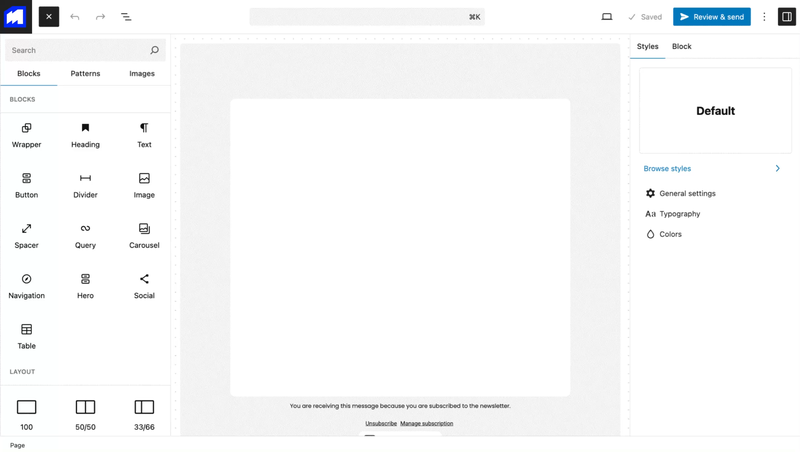
Each form is designed in a visual editor made of blocks. You start from a template or from scratch, and you see a live preview of your real pages, on desktop and on mobile. On a block theme, your forms can pick up the theme’s colours and fonts, so they look like the rest of your site.
Then you decide when they appear: after a delay, at a scroll depth, on exit intent or on a click. OptinFlare Pro adds inactivity and reaching a given section of the page. Display rules narrow it down further, by page, post type, URL, device, referrer, UTM parameter, schedule or past interactions.
Spam protection comes built in, and all of it is free: a honeypot, single-use tokens, rate limiting, and Cloudflare Turnstile, reCAPTCHA or hCaptcha if you want a CAPTCHA.
Every sign-up is stored in WordPress, with a timeline for each contact, notes and a CSV export. You don’t even need an email tool to get started.
With MailerPress, there’s nothing to connect
This is where the two plugins meet.
Install OptinFlare on a site that runs MailerPress, and MailerPress becomes the default destination of your forms. No API key, no sync, no settings page to fill in.
Contacts arrive in the lists and with the tags you choose, along with their names and any custom field you map. Each one keeps track of the form it came from. And your double opt-in setting in MailerPress still decides whether they need to confirm.
With MailerPress Pro, a form submission can also start an automation, a welcome sequence for instance, the moment someone signs up.
OptinFlare doesn’t require MailerPress, though. It works with MailPoet, FluentCRM, The Newsletter Plugin and AcyMailing, and OptinFlare Pro connects to Mailchimp, Brevo, Kit, MailerLite, SendGrid and ActiveCampaign. We simply made sure that with MailerPress, it works the moment you activate it.
Free to start, Pro to go further
The free version includes the six formats, the editor with 17 of its 22 blocks, five templates, five triggers, the spam protection and every WordPress newsletter integration, MailerPress first.
OptinFlare Pro adds the five other blocks, 43 templates, two more triggers, two-step opt-ins, countdowns, and the connections to email services, WooCommerce and webhooks.
This is only the beginning of OptinFlare. Try it, and tell us what you’d like it to do next.
Until December 2: OptinFlare Pro for life, at $99
For Black Friday, OptinFlare Pro comes as a lifetime licence for unlimited websites: one payment of $99, no renewal, updates and support for life. The offer runs from November 25 to December 2, 2026 at 11:59 pm (CET).
And if you’re here for MailerPress, the Business and Enterprise plans are 30% off over the same week, renewals included.