




You already have a form plugin. You already have a page builder. You already have a checkout. MailerPress doesn’t ask you to replace any of them — it just changes where your subscribers land.
Add, publish, collect
Everything a signup form should do
01
Native Gutenberg blocks, not an embed
Build your form in the editor you already know, with the blocks you already use.
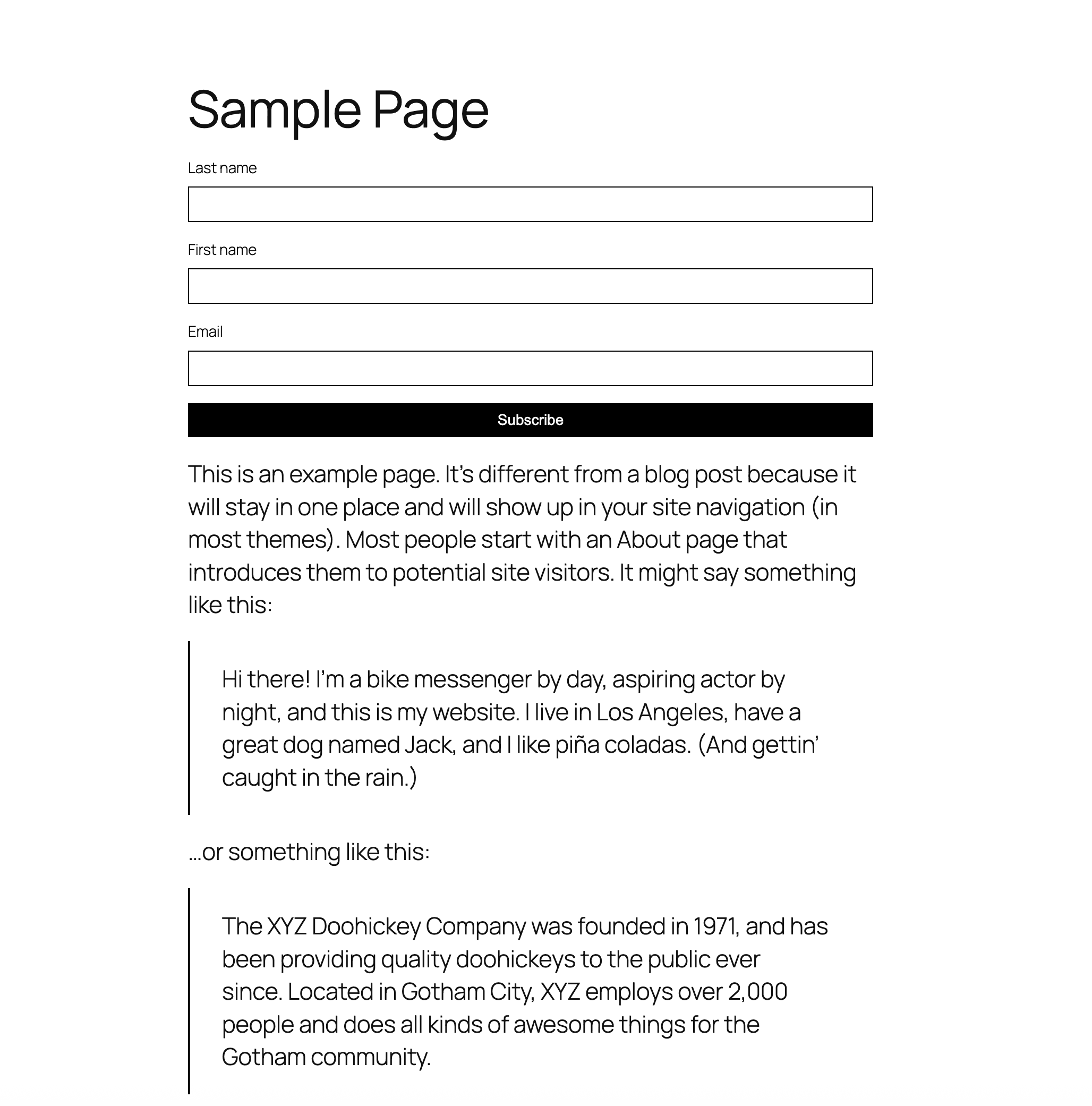
A real MailerPress form block, with its own input and button blocks inside — styled with the same controls as the rest of your page.
No iframe and no external script: the form is part of your page, so it inherits your theme and stays fast.
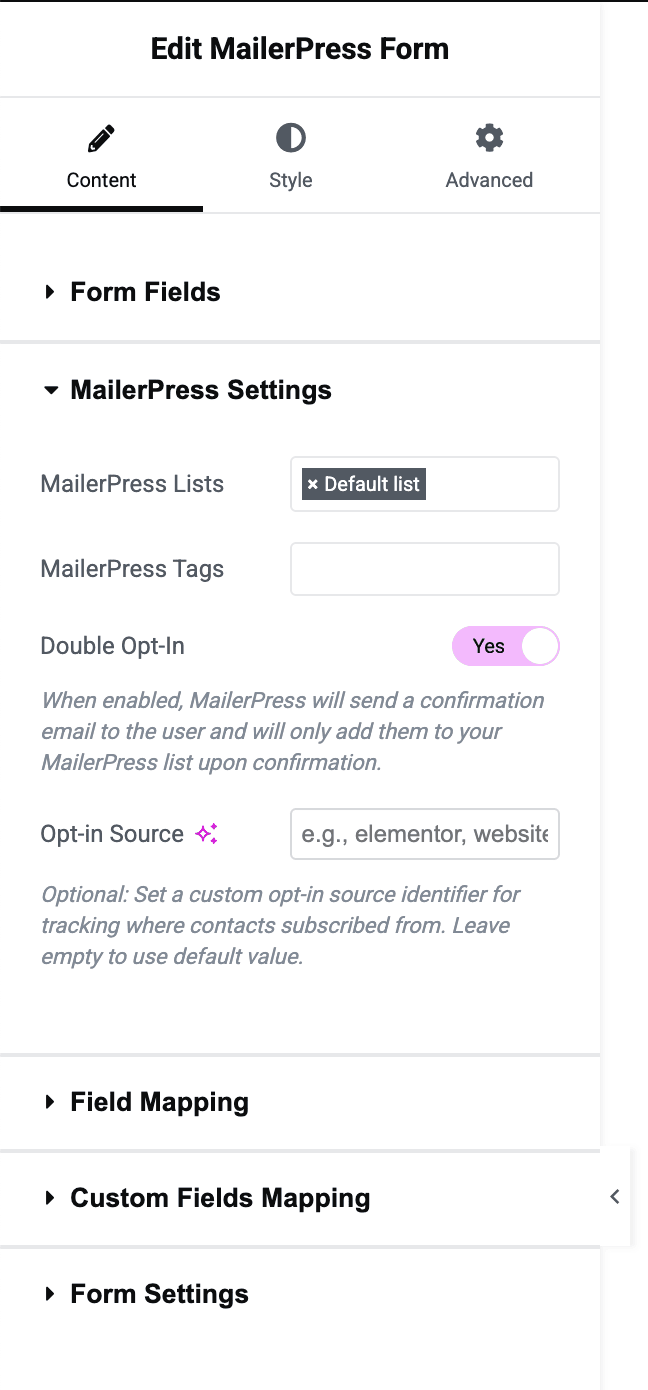
Pick the lists and tags a subscriber joins, right from the block settings.
Publish your past newsletters as a public archive with the campaign archive block — indexable content that brings in new subscribers.
02
One shortcode, every page builder
If it can hold a shortcode, it can hold your signup form.
Drop [mailerpress_optin] into Elementor, Divi, Beaver Builder, Bricks, a widget area, or a plain post.
Subscribe to several lists at once and apply tags automatically on signup.
Set the button label, colors and border radius without touching CSS.
Show or hide first and last name fields, rename every label, and write your own success message.
Redirect to a thank-you page after signup — by page or by URL.
03
Works with the form plugin you already use
Keep your forms. Change where the contacts go.
Gravity Forms: a proper official add-on, with feeds — map any field, on any form.
Fluent Forms: a native integration, built on the Fluent Forms framework.
Elementor: a dedicated widget, plus an action for Elementor Pro forms.
Bricks: a custom Bricks element. Divi: a native email provider in the Email Optin module.
Contact Form 7: supported in the free plugin.
04
Turn buyers into subscribers at checkout
Your best future subscriber is the person about to pay you.
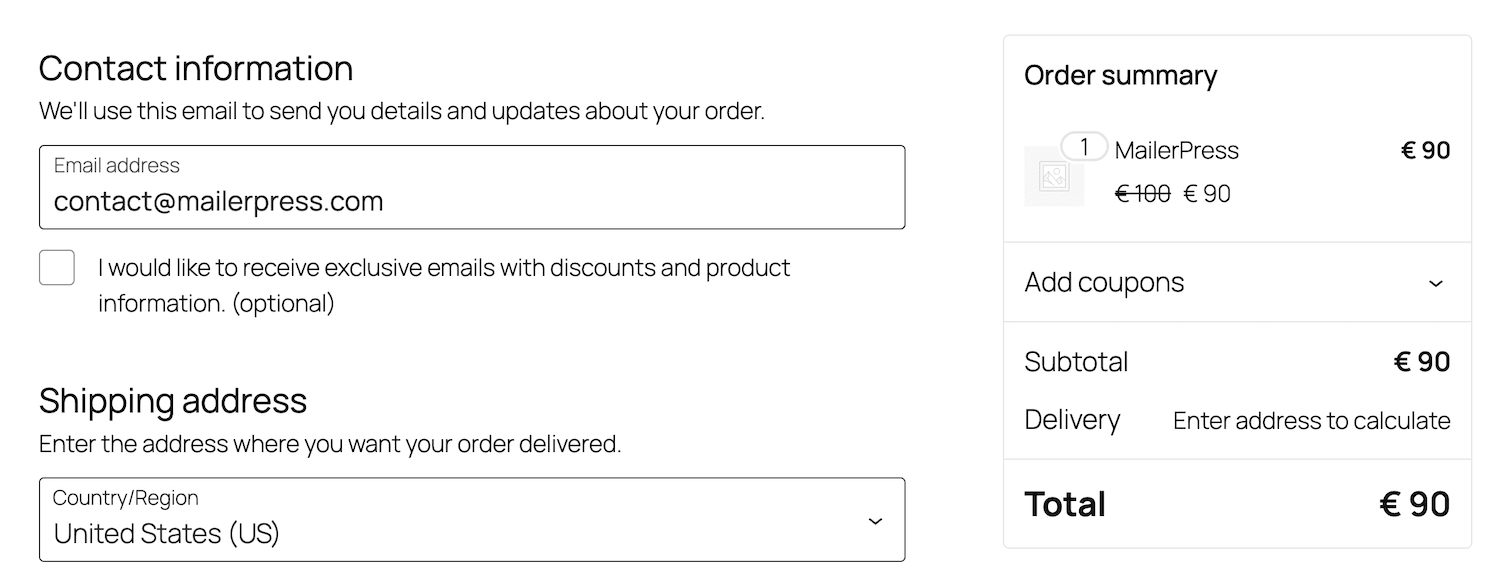
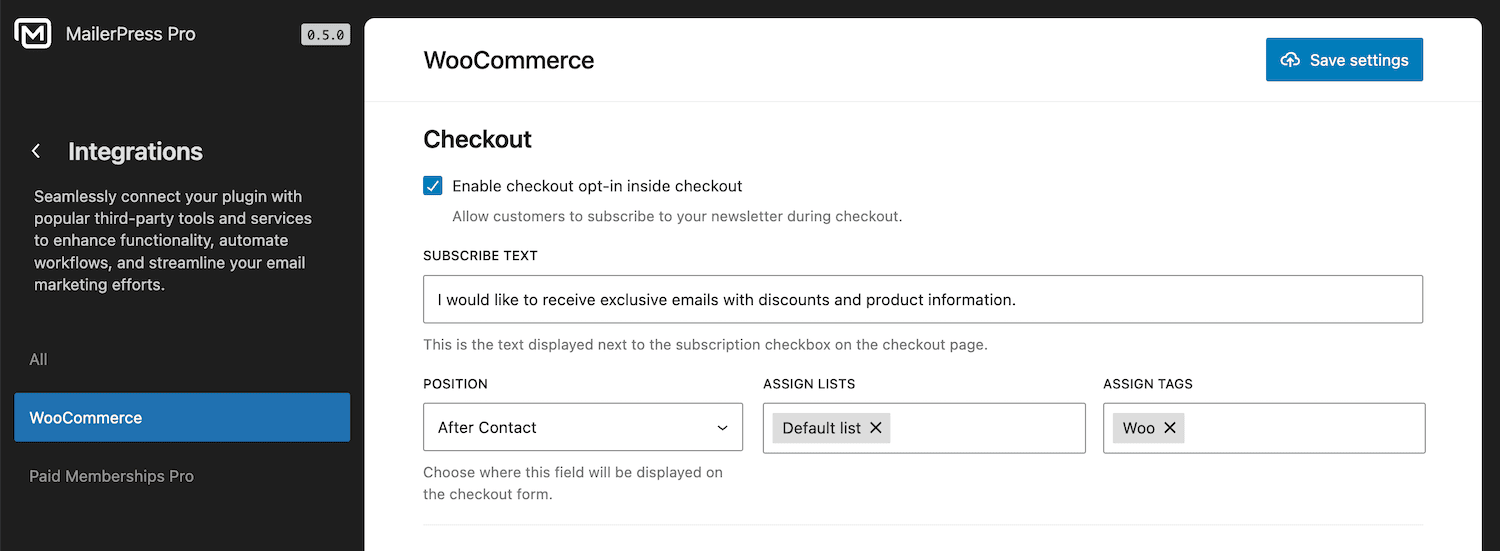
An opt-in checkbox on the WooCommerce checkout — classic checkout or the new Blocks checkout, both supported.
Choose exactly where it appears: contact, address, order, terms or payment step.
Map checkout fields to your MailerPress custom fields, so you can segment on them later.
Same for SureCart, FluentCart and Paid Memberships Pro, including a Newsletters tab in the customer account.
05
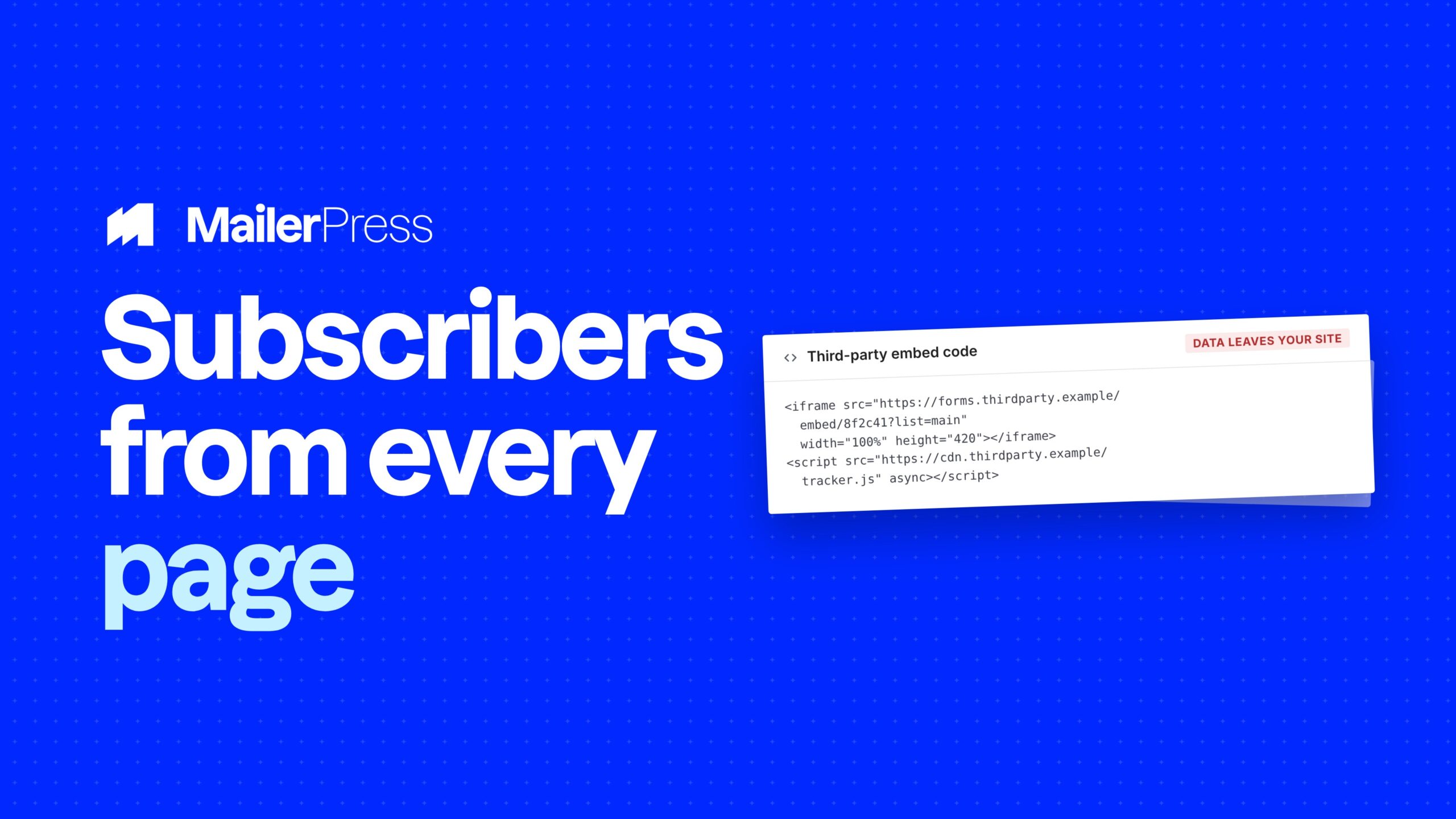
Embed your form on any site, even outside WordPress
One snippet. Your landing page, your client’s site, anywhere.
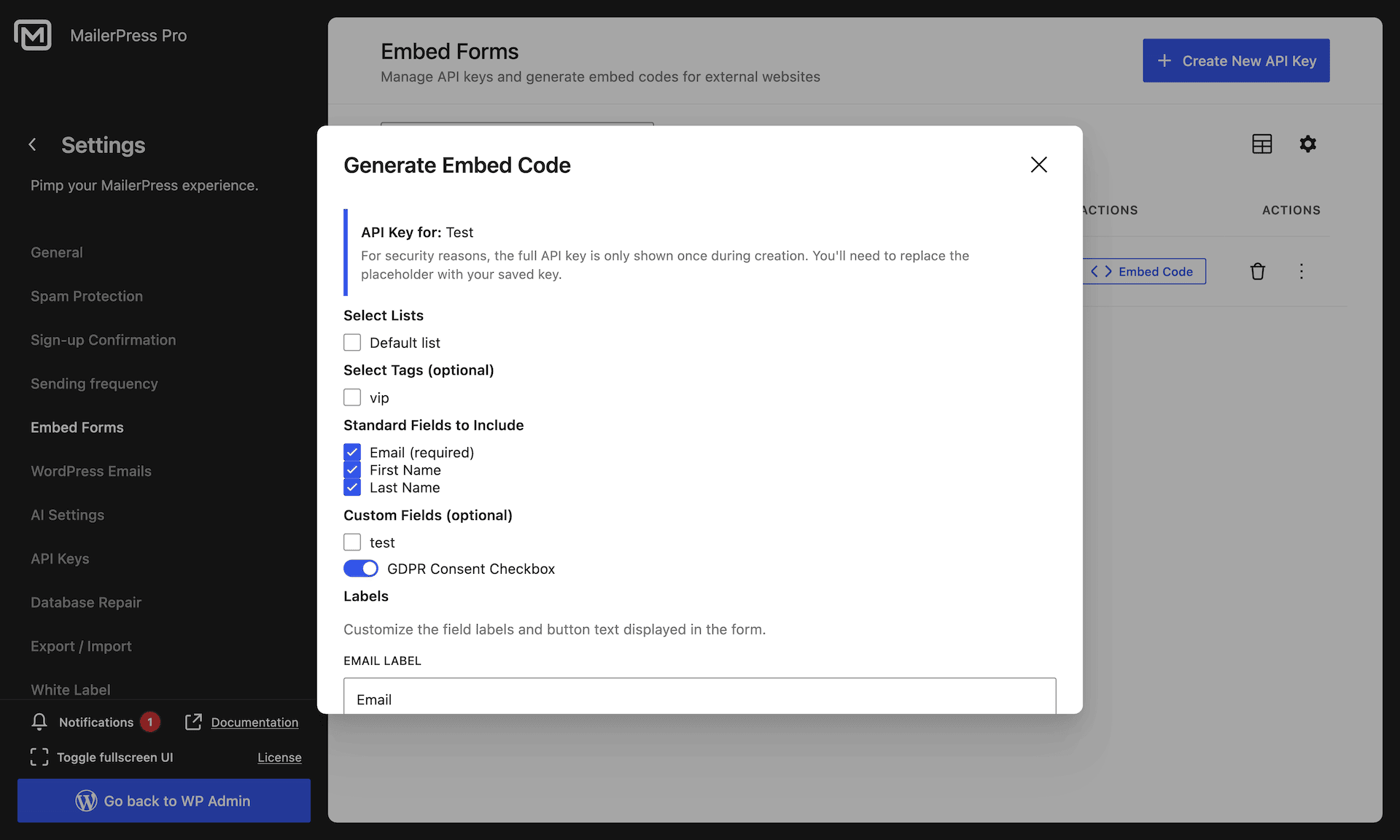
Paste a single line of HTML and your form appears — no WordPress needed on the other end.
Each embed gets its own API key: create, activate, revoke, delete, at any time.
Lock a key to specific domains, so nobody can reuse your form somewhere else.
Rate limiting and a honeypot are built in, plus your own custom CSS and a GDPR consent checkbox that stores the consent date.
06
Double opt-in, done properly
Prove consent, protect your deliverability, keep your list clean.
The confirmation email is a real, editable email — your design, your words, your brand. Not a hardcoded template.
Contacts sit in a pending state until they confirm, and never receive a campaign before that.
Forgot to confirm? MailerPress can send an automatic reminder.
Every entry point respects it — blocks, shortcode, checkout, form plugins, embedded forms and incoming webhooks alike.
Fully translatable, WPML included.
07
Spam protection on by default
No CAPTCHA. No Google. No bots either.
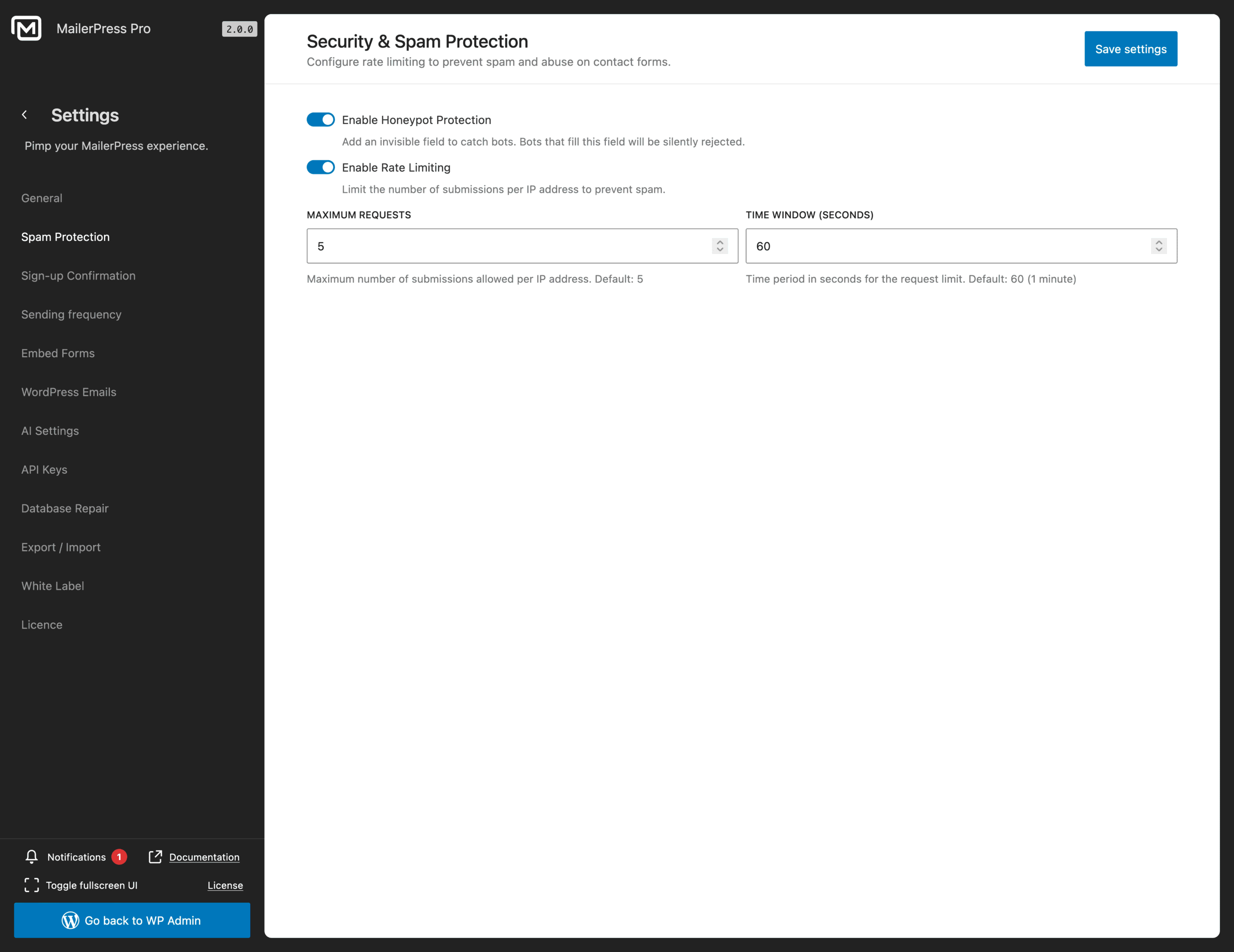
A honeypot field is active out of the box — you have nothing to enable.
Rate limiting caps submissions from the same source, and you can tune both the limit and the window.
Behind a proxy or a CDN? Declare your trusted proxies and the real visitor IP is used.
Nothing is sent to a third-party service to decide whether your visitor is human.
08
Let subscribers manage themselves
Fewer unsubscribes, fewer support emails.
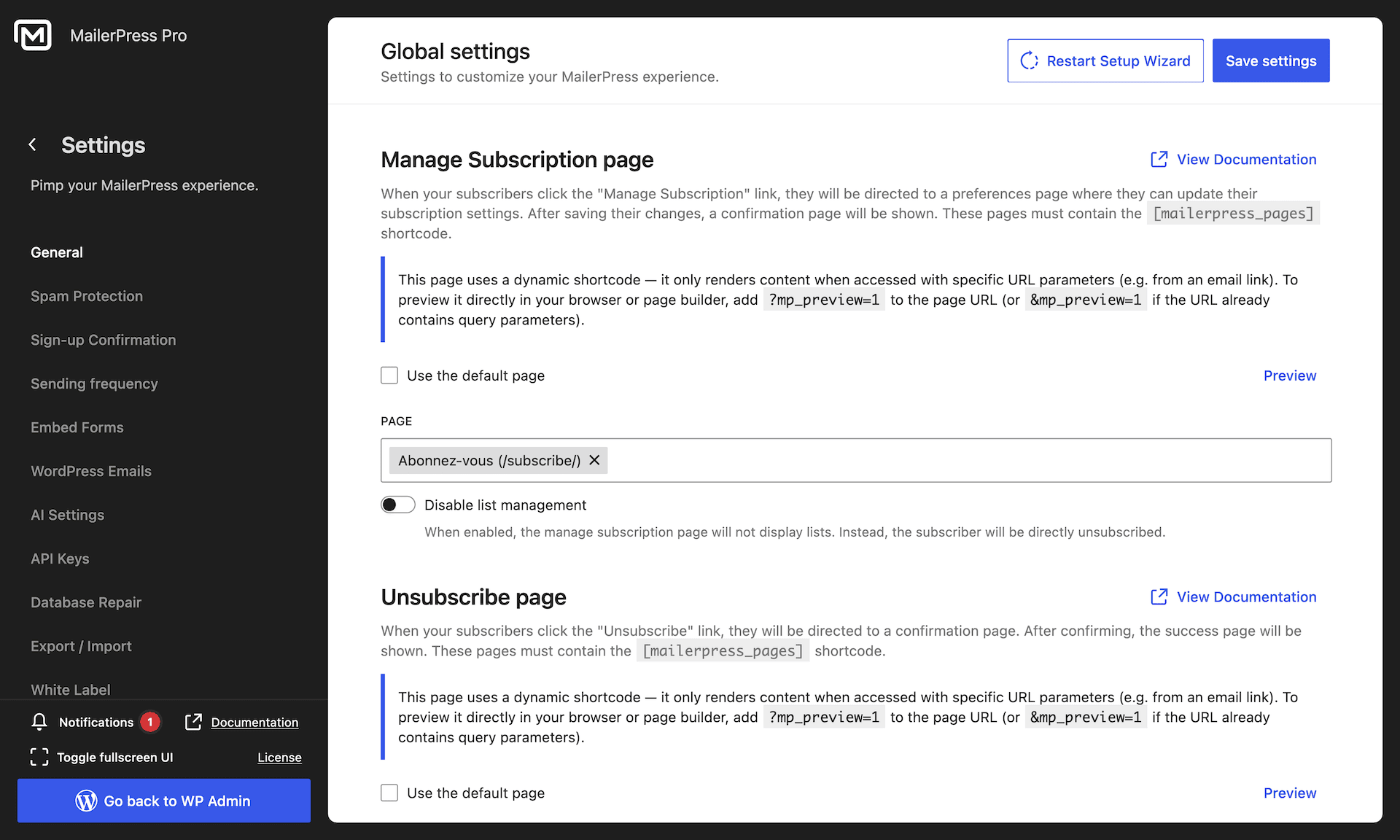
A preference centre your logged-in users can open from any page, to pick the lists they want.
A Newsletters tab in the WooCommerce My Account page — title, position and content are yours to set.
Unsubscribing from one list no longer means unsubscribing from everything.Fully translatable, WPML included.
Take the full tour
-
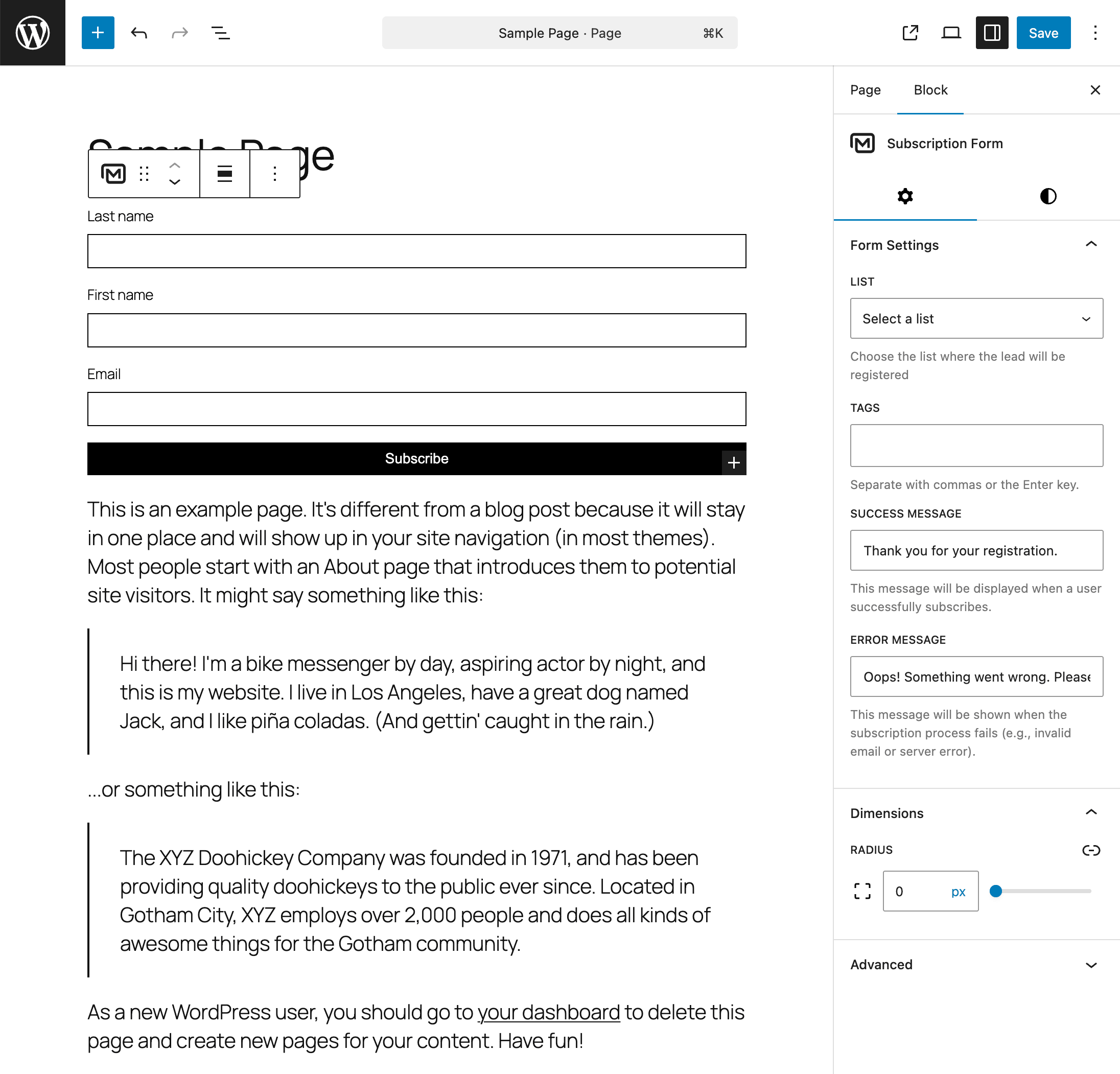
MailerPress Subscription Form block settings
Top 3 reasons you’ll love MailerPress
Powerful
Build your forms with native Gutenberg blocks, place them anywhere with the [mailerpress_optin] shortcode, or embed them on an external site. Subscribe people to several lists at once, apply tags automatically, and record GDPR consent with its date. Double opt-in applies to every entry point, including your WooCommerce checkout.
Easy
Add a form block, pick your fields, then set the button label, colors and border radius. No CSS required. The shortcode works in Elementor, Divi, Bricks, Beaver Builder and widget areas, and native integrations cover Gravity Forms, Fluent Forms and Contact Form 7. Send new subscribers to a thank-you page or show your own success message.
Fast
Your forms are real blocks on your page, not an embed from another service. There is nothing external to load and nothing to slow your page down. A built-in honeypot and rate limiting handle spam without a third-party CAPTCHA, and every subscriber goes straight into your own database.
Choose the right plan for you
All packages come with a 14-day money-back guarantee.
Pro
For bloggers, startups and non-governmental organizations.
$49
billed annually
1 website
Unlimited contacts
Unlimited campaigns
Business
For e-commerce, media companies and small businesses.
$99
billed annually
3 websites
Unlimited contacts
Unlimited campaigns
Enterprise
Best value
For web agencies and freelance developers with many clients.
$199
billed annually
Unlimited websites
Unlimited contacts
Unlimited campaigns
You have a question? We’ve got you covered.
See the list below for our most frequently asked question.
No. MailerPress ships native Gutenberg blocks, and a shortcode that works anywhere else — including page builders, widget areas and templates.
Yes, if it is Gravity Forms, Fluent Forms, Elementor, Bricks, Divi or Contact Form 7. Keep your existing forms; MailerPress simply becomes their destination.
Yes. Paste one line of HTML on any site and secure it with an API key locked to your domains.
It is optional, but recommended — and unlike most plugins, the confirmation email is fully editable in the drag-and-drop editor.
A honeypot and rate limiting are enabled by default. No third-party CAPTCHA, so no visitor data is sent to an external service.
Yes. Blocks, the shortcode, double opt-in and spam protection are all free. Form plugin integrations, checkout opt-in and embedded forms are part of MailerPress Pro.
Didn’t find your question?
Get ready with MailerPress
Documentation
Discover products and features designed to support the growth of your business. If you are a beginner, read our guides to learn more about the basics.
Help & Support
Discover products and features designed to support the growth of your business. If you are a beginner, read our guides to learn more about the basics.
Changelog
Stay ahead with our transparent roadmap that outlines upcoming features, improvements, and next steps for MailerPress.