




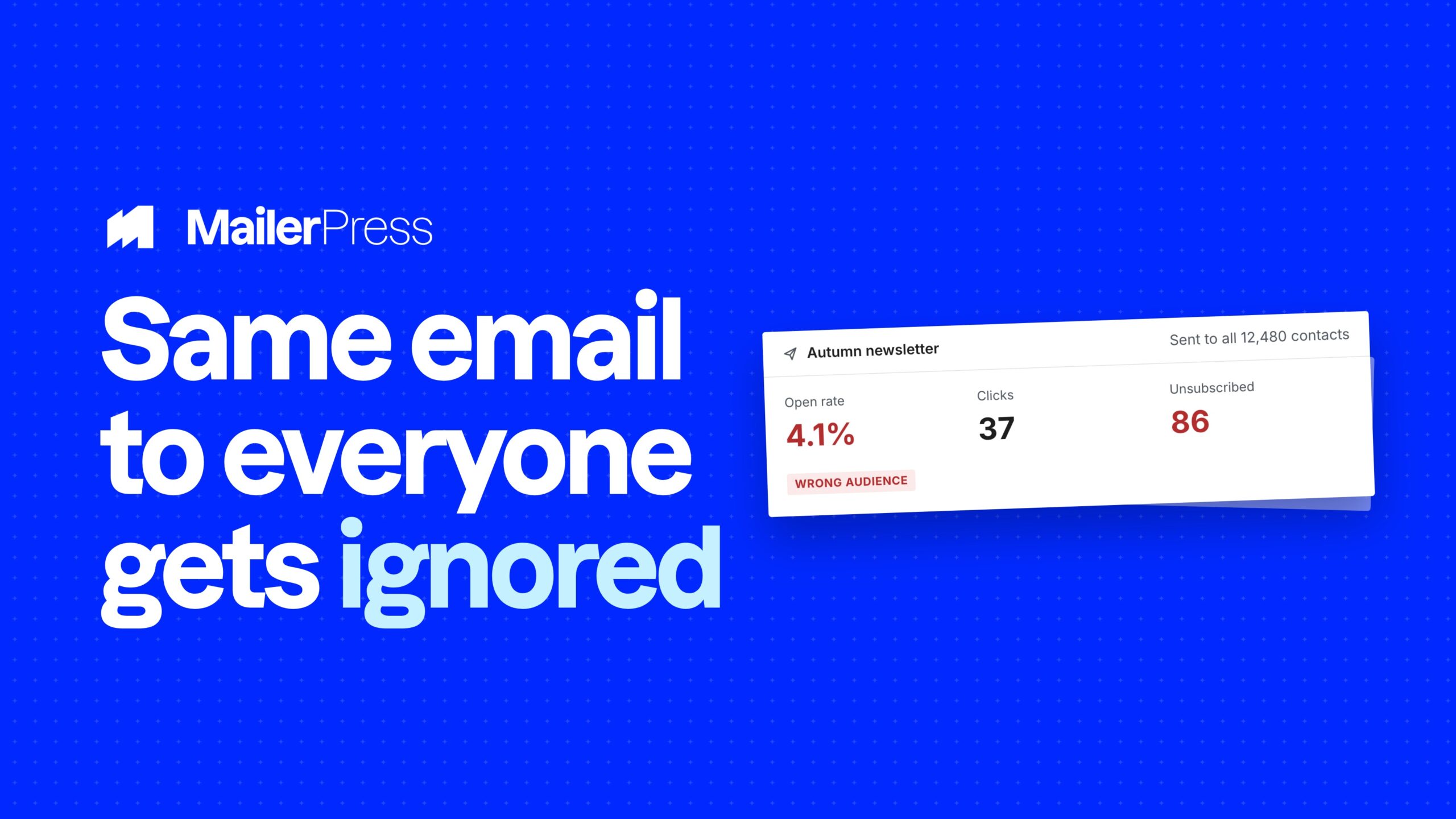
A list tells you who signed up. A segment tells you who to talk to today. The difference is not a feature, it is the difference between a newsletter people tolerate and one they open.
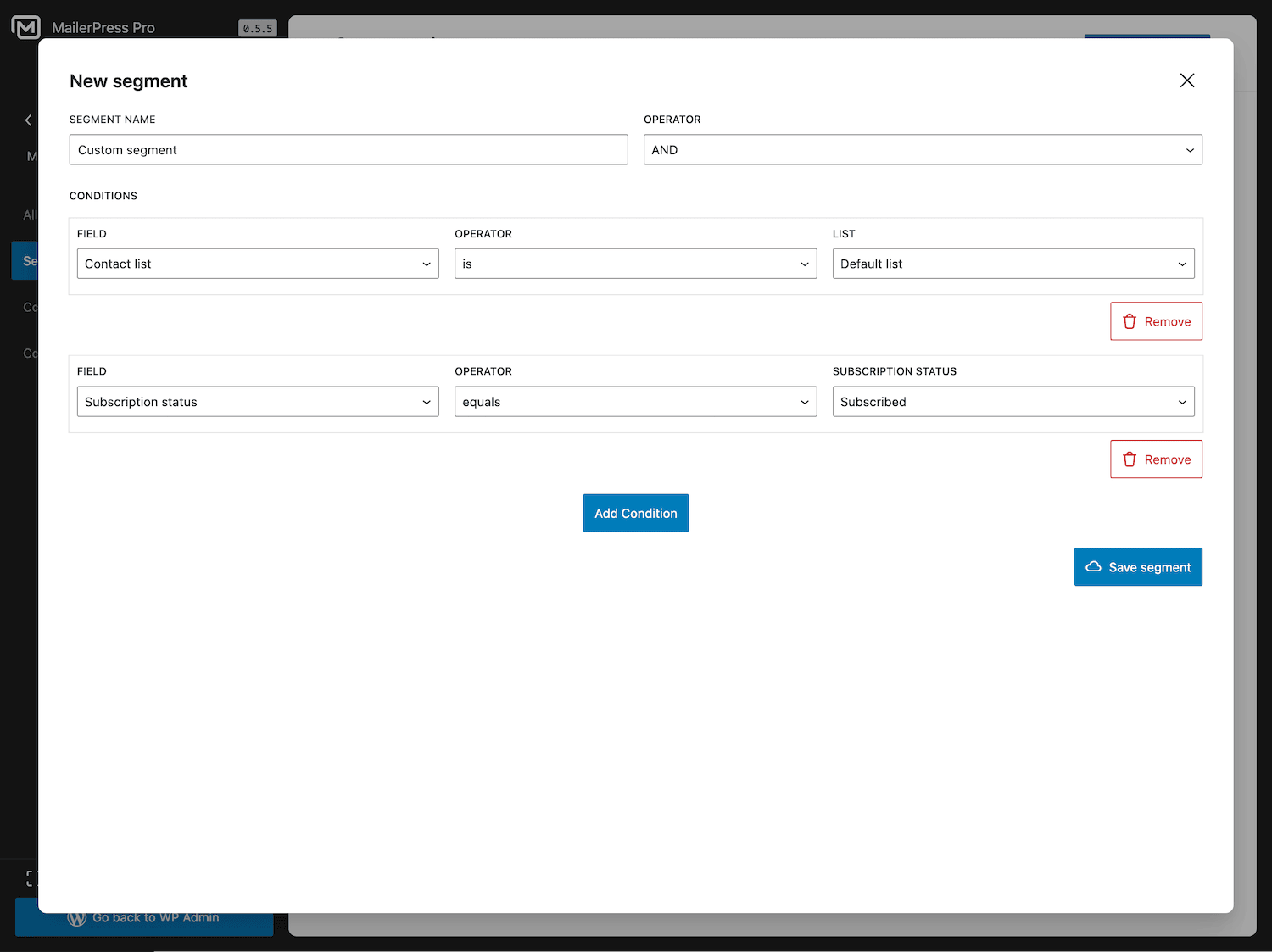
Add conditions, check the count, send
Everything you can do with segmentation
01
Ten conditions to build from
Contact list, contact tag and subscription status for the basics.
Created date and updated date for cohorts.
Email open activity and engagement status for behaviour.
Total purchases and WooCommerce purchase history for revenue.
Custom field for everything specific to your business.
02
AND or OR, your choice
Combine several conditions in one segment and pick how they apply. AND narrows: subscribers on the Customers list who opened an email in the last 30 days. OR widens: contacts tagged Webinar or contacts tagged Trial. The condition list is built from your own lists, tags and custom fields, so you are picking real values rather than typing them.
03
Segment on behaviour
Email open activity covers has opened, has not opened, opened after a date and opened before a date. Engagement status classifies contacts as good, moderate or bad, so you can build a re-engagement audience without writing a formula, and exclude the contacts who are dragging your deliverability down.
04
Segment on purchase history
With WooCommerce active, filter on customers who have purchased, who have not purchased, who bought a specific product, or who did not buy it, with a product search to pick the product. Add a total purchases condition with greater than, less than, greater or equal and less or equal to separate your best customers from the rest.
05
Segment on your own data
Every custom field you create becomes a segmentation condition, and the operators follow the field type: equals, does not equal and contains on text, greater than and less than on numbers, before, after and on for dates. The field list shows each field’s type, so you always know which operators apply.
06
Save it, reuse it, send to it
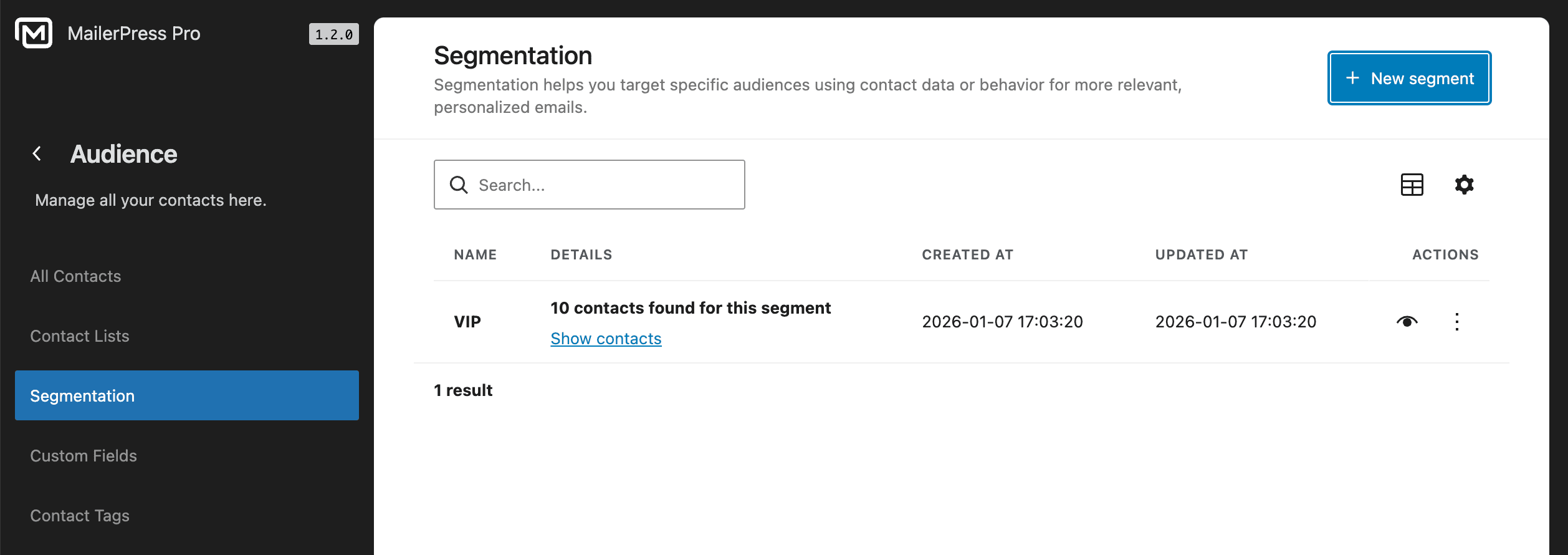
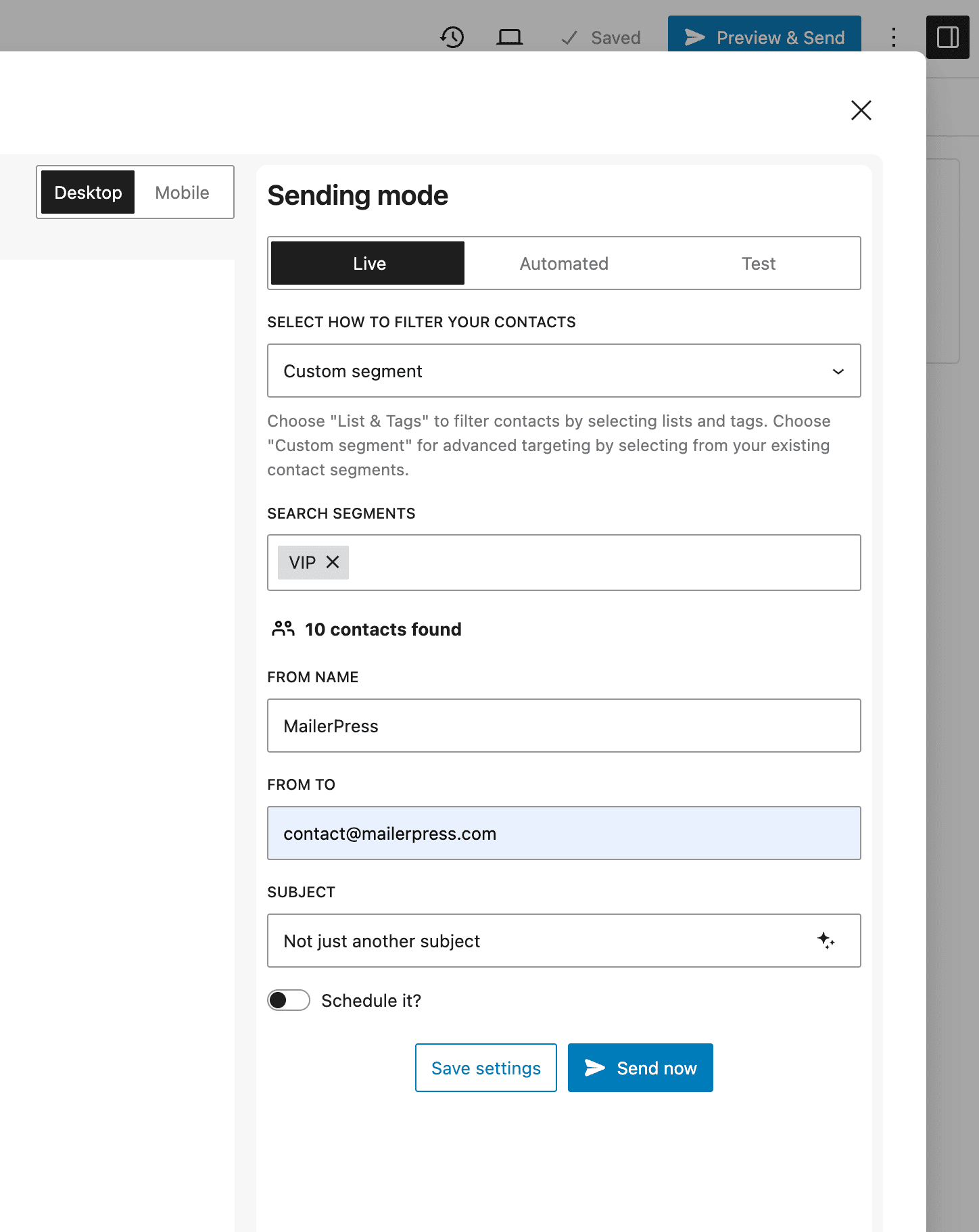
Name a segment and it stays in your library, ready to edit or delete. Use it to filter the contacts list when you want to look at a group, and use it as campaign recipients instead of lists and tags when you want to send to it. Because it is resolved at send time, a contact who matches tomorrow will be included tomorrow.
Take the full tour
-
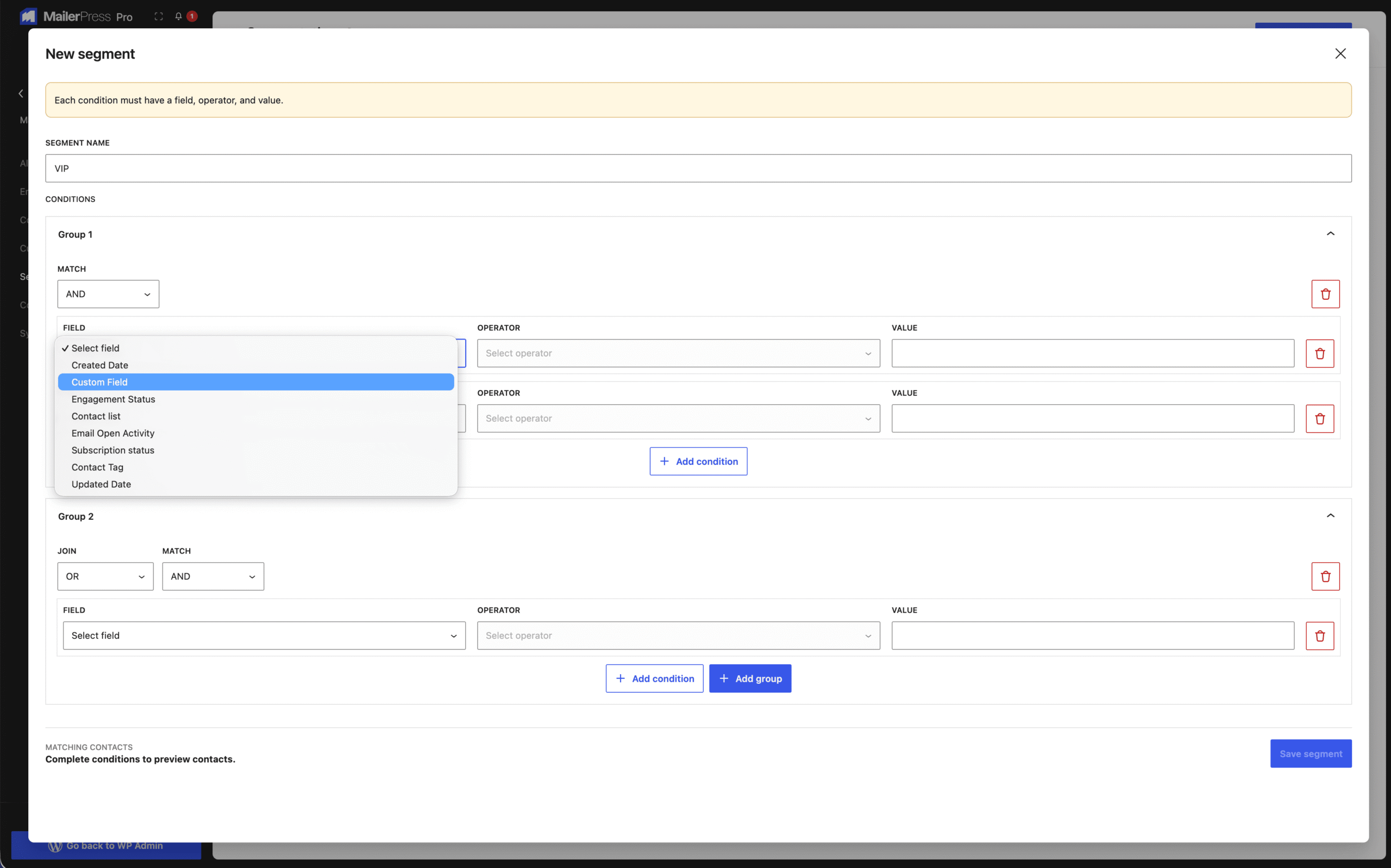
Create a custom segment
Top 3 reasons you’ll love MailerPress
Powerful
Ten condition types covering lists, tags, status, dates, opens, engagement, purchase history and your own custom fields, combined with AND or OR. Segments work as campaign recipients and as a filter on your contacts list.
Easy
Pick a condition, pick an operator, pick a value. Lists, tags, custom fields and products are offered from your own data, and each custom field shows its type so the right operators appear. Name the segment and it is saved.
Fast
A segment is a query against your own database, resolved when the campaign is sent rather than stored as a stale list. There is nothing to refresh, nothing to re-export, and no external service to wait on.
Choose the right plan for you
All packages come with a 14-day money-back guarantee.
Pro
For bloggers, startups and non-governmental organizations.
$49
billed annually
1 website
Unlimited contacts
Unlimited campaigns
Business
For e-commerce, media companies and small businesses.
$99
billed annually
3 websites
Unlimited contacts
Unlimited campaigns
Enterprise
Best value
For web agencies and freelance developers with many clients.
$199
billed annually
Unlimited websites
Unlimited contacts
Unlimited campaigns
You have a question? We’ve got you covered.
See the list below for our most frequently asked question.
No. A segment is resolved at send time, so the audience always reflects the current state of your contacts.
Yes. A segment uses AND or OR across its conditions, so you can narrow an audience or widen it.
Yes. Every custom field you create is available as a segmentation condition, with operators matched to the field type.
Yes. Purchase history conditions only appear when WooCommerce is active on the site.
Didn’t find your question?
Get ready with MailerPress
Documentation
Discover products and features designed to support the growth of your business. If you are a beginner, read our guides to learn more about the basics.
Help & Support
Discover products and features designed to support the growth of your business. If you are a beginner, read our guides to learn more about the basics.
Changelog
Stay ahead with our transparent roadmap that outlines upcoming features, improvements, and next steps for MailerPress.