Protect your MailerPress forms from bots and abuse with honeypot detection and IP rate limiting. No third-party service or API key needed.
Location: MailerPress > Settings > Spam Protection
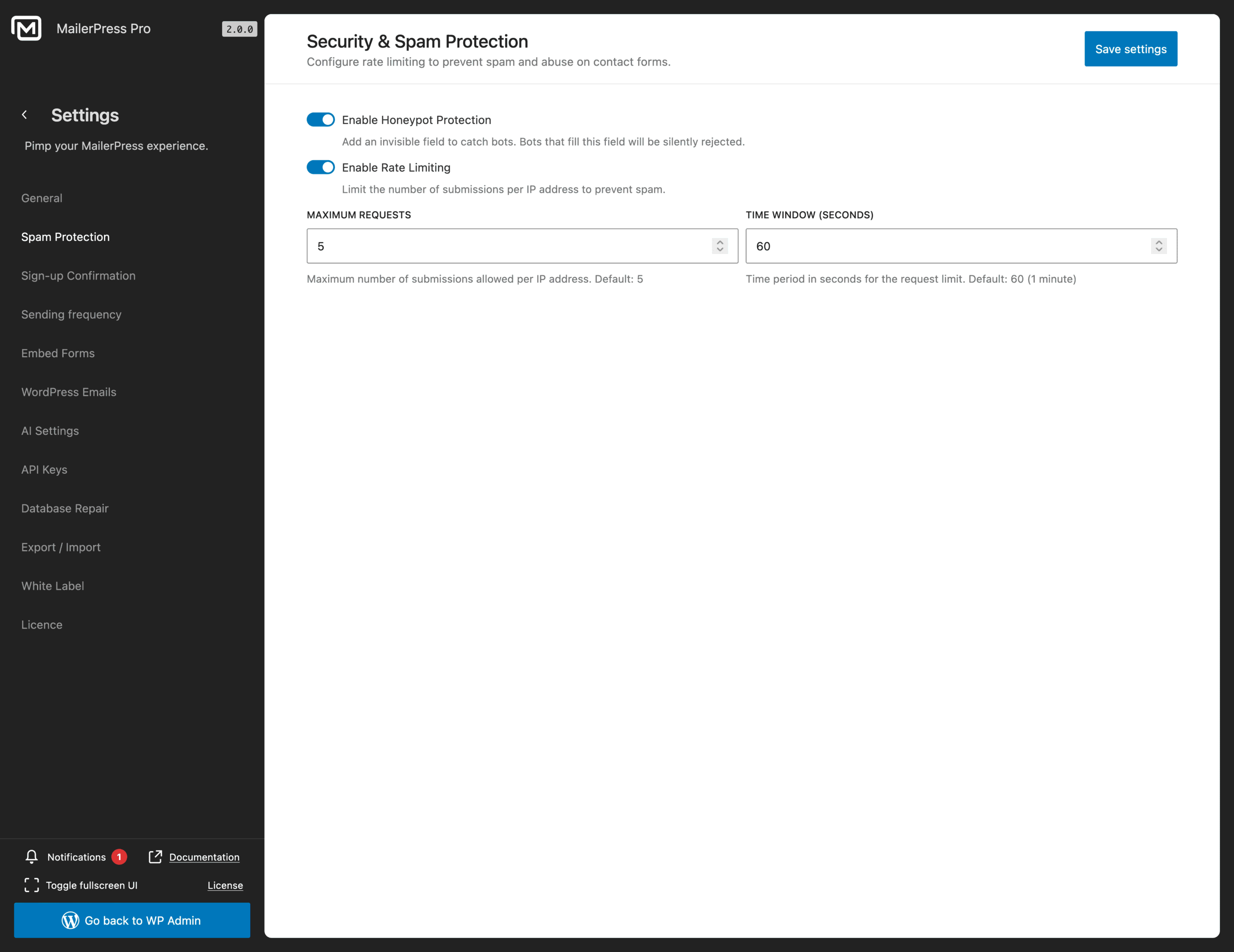
Honeypot Protection
The honeypot adds a hidden field to your forms. Real visitors never see it, so they leave it empty. Bots fill in every field they find, so when this one comes back filled, the submission is rejected silently.
Toggle Enable Honeypot Protection on. It works on every MailerPress form with no setup and no impact on your subscribers.
Keep it enabled at all times.
Rate Limiting
Rate limiting caps how many submissions one IP address can send within a time window. It stops floods of fake signups even when bots get past the honeypot.
Toggle Enable Rate Limiting on, then configure the two values below.
Maximum Requests
How many submissions one IP can send during the time window.
- Default:
5 - Lower to
2or3if you’re under attack - Raise to
10for sites with shared IPs (offices, schools, mobile networks)
Time Window (seconds)
The rolling period used to count requests.
- Default:
60(1 minute) - Use
300(5 minutes) for stricter throttling on sensitive forms
With Maximum Requests = 5 and Time Window = 60, an IP can submit up to 5 forms per minute. The 6th attempt is blocked until the window resets.
Save Your Changes
Click Save settings in the top right. Changes apply immediately across your site.
Troubleshooting
- Real users getting blocked. Raise Maximum Requests, or extend the Time Window.
- Still getting spam. Check that both toggles are on, then lower Maximum Requests to
2or3. - Behind Cloudflare or a reverse proxy. Make sure your server forwards the visitor IP through
X-Forwarded-For, otherwise every request looks like it comes from the proxy and rate limiting won’t work.