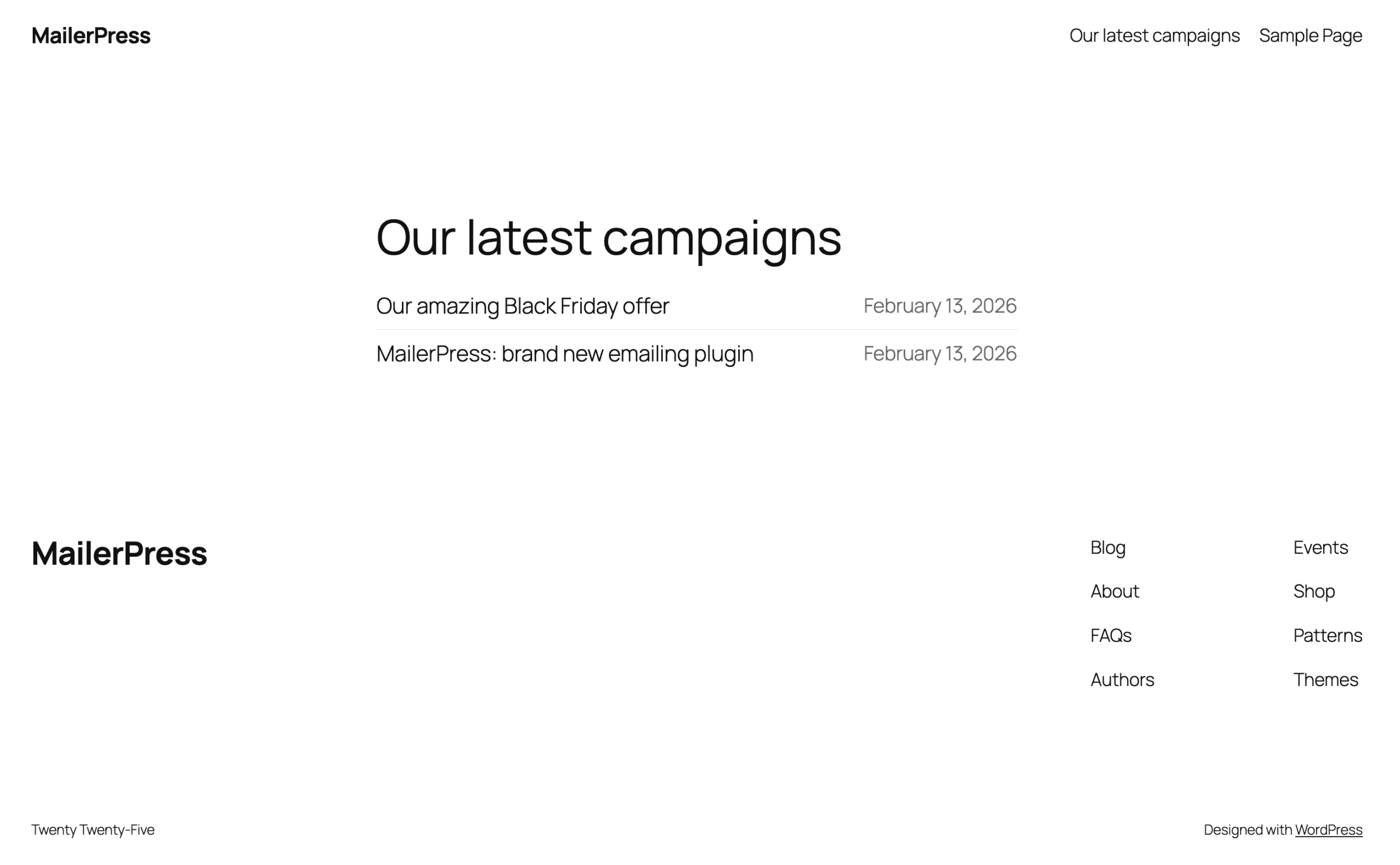
Since MailerPress 1.4, you can now display your latest newsletters publicly using our dedicated block for the WordPress Block Editor.
To do that, edit a post, page or post type with the Block Editor.
Add our block “Campaign archive” to your post content.
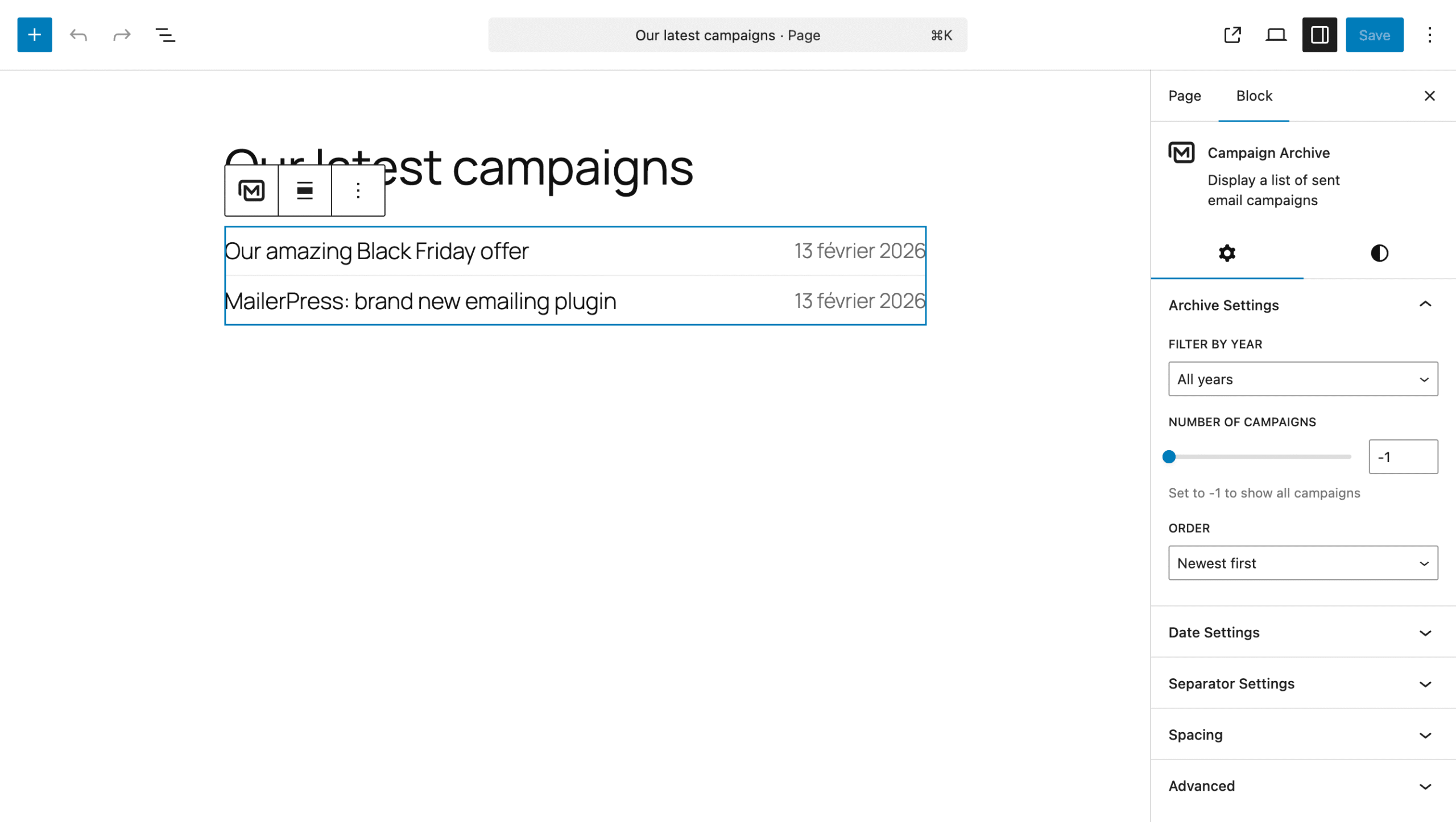
From the right panel, you can configure:
- the year to display (default: all)
- the number of email campaigns to show (default: -1 for all)
- the order (default: newest first)
- the date:
- show/hide
- position: left or right
- the color
- the separator:
- show/hide
- the thickness
- the color
- the spacing:
- item spacing
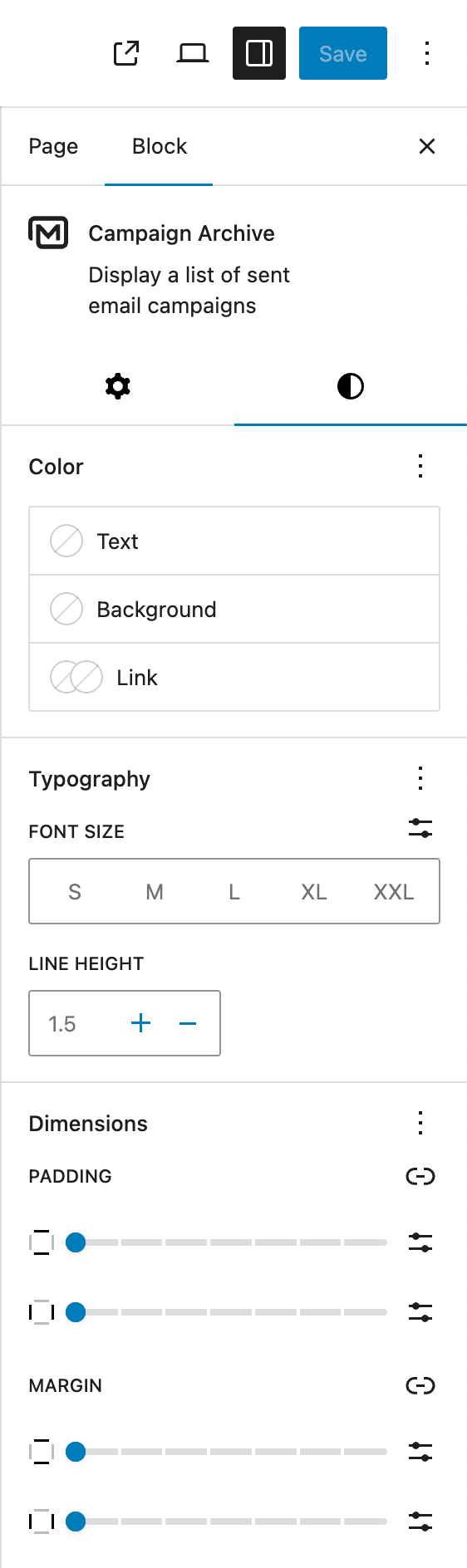
Click on the Styles icon to access further design customization like spacing, margin and so on.
Once you’re satisfied with your changes, save the post.
Preview the post on the front end to see the results.
Click on a list item to view the individual email.