
Sign-up confirmation (also known as double opt-in) is a feature that requires subscribers to confirm their email address before being added to your list in MailerPress on WordPress.
After submitting a form, the user receives a confirmation email with a verification link.
This is important because it ensures that all subscribers are real and have given valid consent, helping you maintain a high-quality email list, improve deliverability, reduce spam complaints, and stay compliant with email marketing regulations.
Activate the double opt-in feature
From your WordPress administration, MailerPress, Settings, Sign-up Confirmation, enable the “Enable sign-up confirmation” toggle.
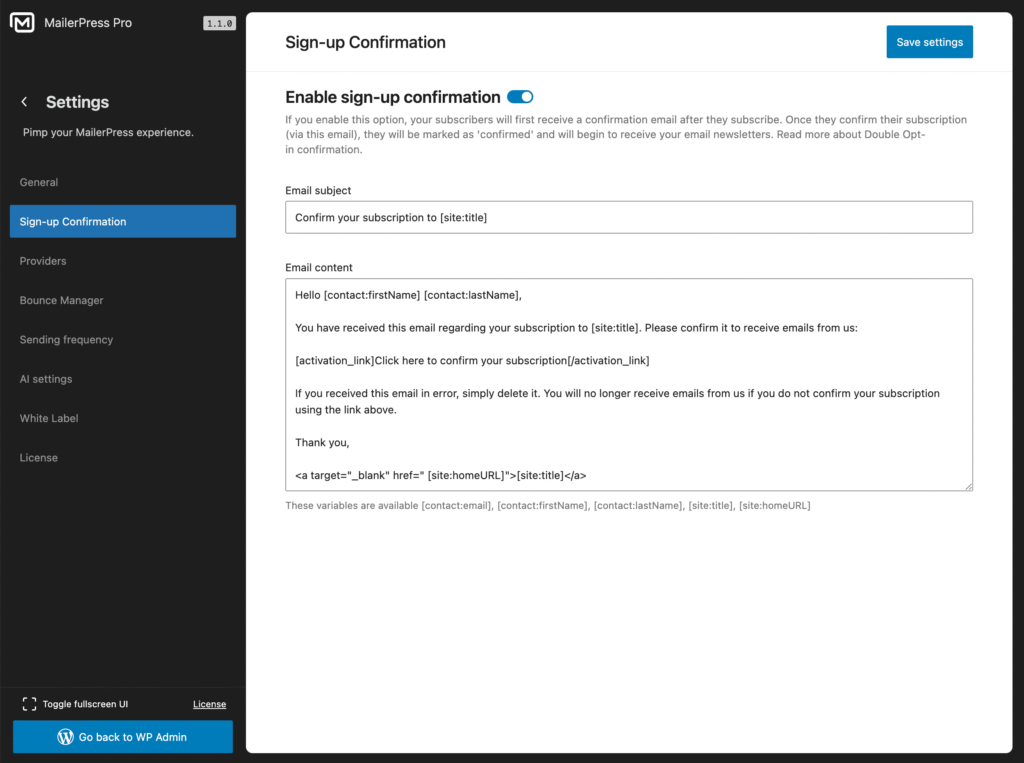
Customize the email sent
From the same settings page, you can edit the subject and the content sent to your users when they enter their emails using our MailerPress subscription form block.
You can use these variables into your email:
[contact:email][contact:firstName][contact:lastName][site:title][site:homeURL]
Make sure to keep the activation link:
[activation_link]Click here to confirm your subscription[/activation_link]Do not forget to click Save settings button.