Easily collect contact information—such as email addresses—using a Contact Form 7 form, and automatically sync the data to MailerPress.
Requirements
- Contact Form 7 (free plugin)
- MailerPress Free version 1.0 or greater
Configure Contact Form 7 for MailerPress
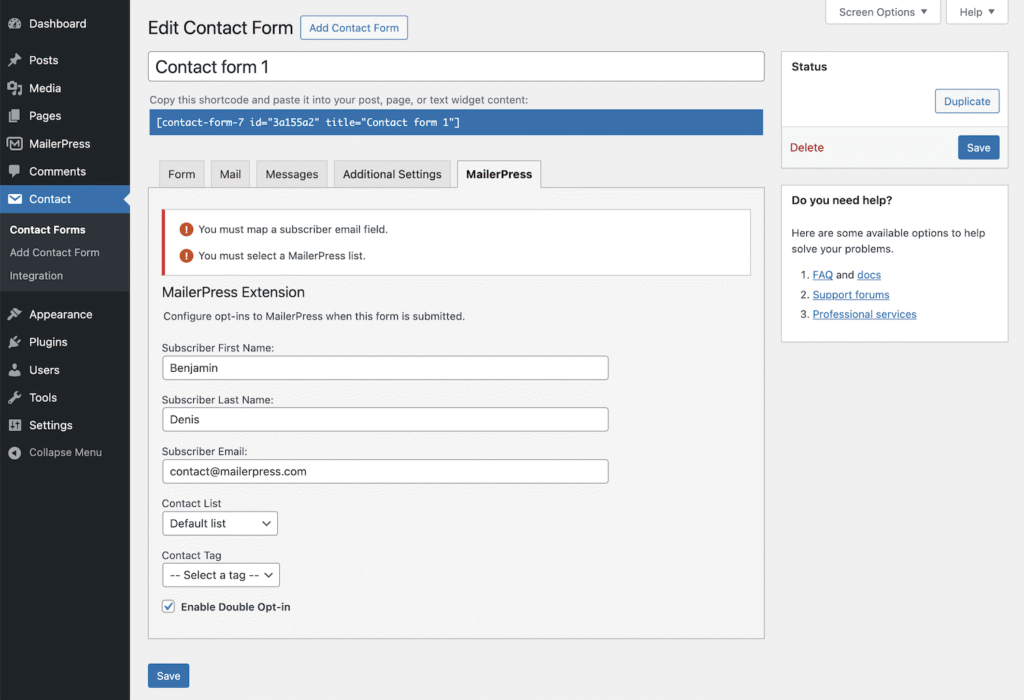
Go to your WordPress administration, Contact, edit a form.
From the MailerPress tab, fill in all fields:
- Subscriber First Name
- Subscriber Last Name
- Subscriber Email
- Contact List
- Contact Tag
- Enable/disable Double Opt-in
Once done, click the Save button.
Now, each time a visitor submits this form, the data will be sent to the specified list and tagged in MailerPress.