The White Label feature in MailerPress allows you to fully rebrand the plugin with your own name, description, author details, and more. This is especially useful for agencies, developers, or businesses who want to provide a seamless, customized experience to clients without the MailerPress branding.
Activate the White Label feature
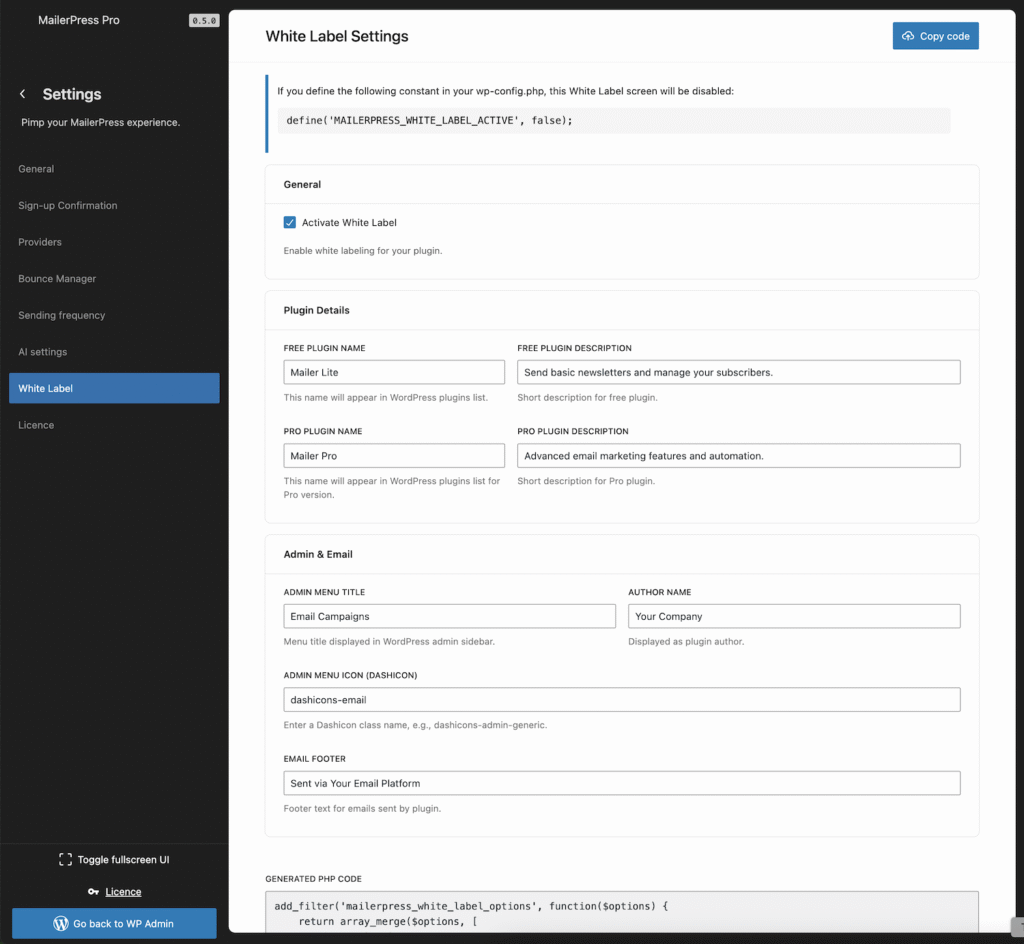
Go to your WordPress administration, MailerPress, Settings, White Label tab.
From the main panel, check Activate White Label.
A new panel of options appear to customize everything:
- Free Plugin Name: “MailerPress” (default)
- Free Plugin Description: “Free plugin with essential features.” (default)
- Pro Plugin Name: “MailerPress Pro” (default)
- Pro Plugin Description: “Pro plugin with advanced features.” (default)
- Admin Menu Title: “MailerPress” (default)
- Author Name: “MailerPress” (default)
- Admin Menu Icon (Dashicons): “dashicons-email” (default, full list here)
- Email Footer: “Sent via MailerPress” (default)
Once you have configured the desired fields, click Save Settings button.
Hide the White Label from MailerPress menu
You can add this define in your wp-config.php file to remove the access to the White Label feature from the user interface:
define('MAILERPRESS_WHITE_LABEL_ACTIVE', false);Export your configuration to code
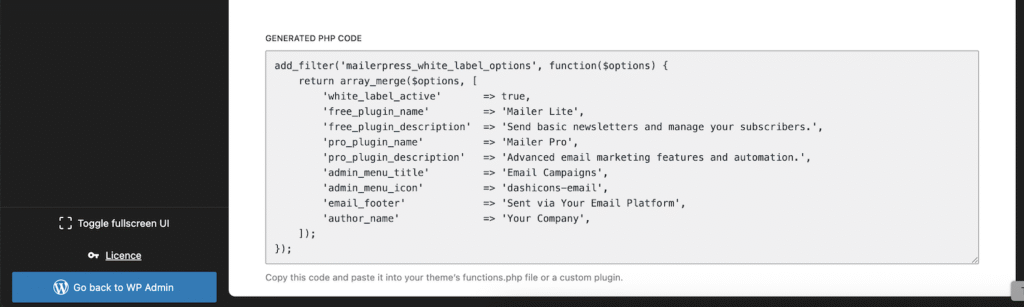
To set these settings using PHP code, just copy-paste the snippet provided from the White Label settings page to your functions.php file of your child/theme or inside a must use plugins.