
The first time you activate MailerPress, you will be redirected to our wizard assistant to quickly get started.
We ask you to enter a default sender name, same for the email address.
The default sender name and email address are the identity shown to your contacts when they receive an email from you. This is what appears in their inbox as the “From” name and email.
In MailerPress, setting a default sender helps ensure consistency and trust — your audience knows who the email is coming from.
You can customize this information for each campaign, but having a clear default makes setup faster and keeps your brand recognizable.
To change these default settings, simply go to your WordPress administration, MailerPress, Settings, Parameters page.
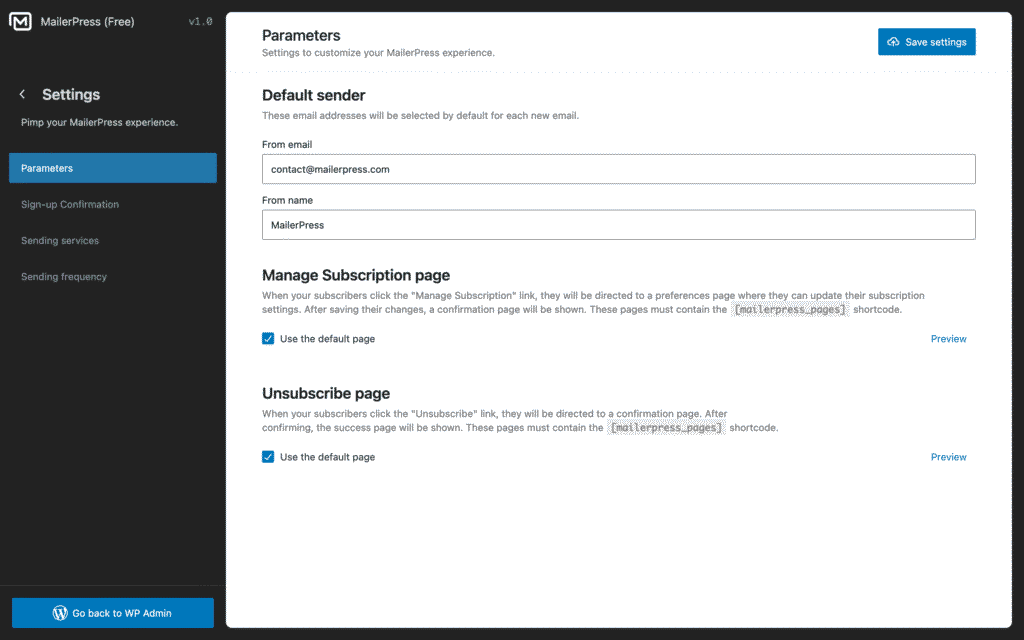
From the Default sender section, update the From Email and From Name fields.
Then click Save settings button.